Jannik Reinhard AI Cloud Endpoint header logoJannik Reinhard AI Cloud Endpoint header logo

Blog

Blog

All blogs

Every article on jannikreinhard.com, newest first. Practical notes, deep dives and field-tested ideas around Microsoft Intune, AI, automation, Azure and endpoint management.

Jannik Reinhard speaking about AI, Intune and Azure automation

162 practical engineering posts Newest first. Filter the archive by year or topic, then keep scrolling.
Reset
How to Evaluate AI Agents in Microsoft Foundry Step by StepRead How to Evaluate AI Agents in Microsoft Foundry Step by Step
Jul 7, 2026AI

How to Evaluate AI Agents in Microsoft Foundry Step by Step

Many companies are building their first AI agents right now. Most of them test the agent by chatting with it a few times in the playground and then call it done. In this blog post I explain how to evaluate AI agents in Microsoft Foundry (formerly Azure AI Foundry) in a structured way. At the end you can run an evaluation against a test dataset in the portal or with the SDK, read the results, and set up continuous evaluation for production.

Read article: How to Evaluate AI Agents in Microsoft Foundry Step by Step
Agent Skills Explained: How to Build Your First SkillRead Agent Skills Explained: How to Build Your First Skill
Jul 3, 2026AI

Agent Skills Explained: How to Build Your First Skill

Every AI agent is only as good as the knowledge you give it. For a long time the common answer was to stuff everything into one giant system prompt. This does not scale. Agent Skills solve this problem in a much cleaner way. In this blog post I explain what Agent Skills are, why they beat the big system prompt, and how you can build your first skill step by step. At the end you will have a small working skill that runs in Claude Code and in many other AI tools.

Read article: Agent Skills Explained: How to Build Your First Skill
Build Your First AI Agent in Microsoft Foundry Step by StepRead Build Your First AI Agent in Microsoft Foundry Step by Step
Jul 1, 2026AI

Build Your First AI Agent in Microsoft Foundry Step by Step

AI agents are everywhere right now, and many IT pros ask me where they should start. In this blog post I show you how to build your first Microsoft Foundry agent. We go step by step: create a project in the portal, deploy a model, create the agent with instructions and tools, test it in the playground, and finally call it from Python code. You do not need to be a developer to follow along. At the end you have a working Microsoft Foundry agent that you can extend for your own use cases.

Read article: Build Your First AI Agent in Microsoft Foundry Step by Step
AI agent runtime protection with Microsoft Defender for EndpointRead Protect AI Agents with Microsoft Defender for Endpoint
Jun 26, 2026Security

Protect AI Agents with Microsoft Defender for Endpoint

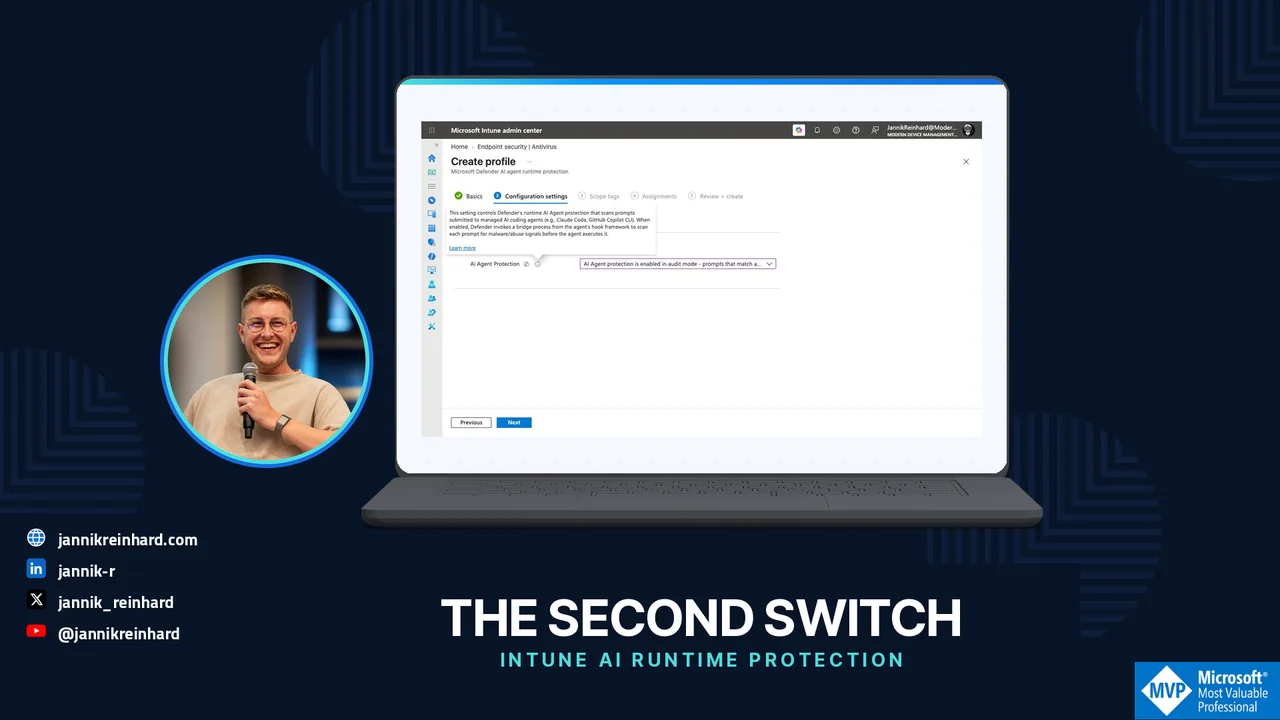
In this blog post I explain how to set up the new AI agent runtime protection in Microsoft Defender for Endpoint. More and more of us run local AI agents on our work machines — coding assistants like Claude Code, GitHub Copilot CLI, and other CLI tools (I wrote before about why CLI tools are winning for AI agents). These agents are powerful, but they run with your user privileges. They can read files, run commands, and call tools. And they act on text from prompts, files, web pages, and tool output without really knowing which part is trustworthy. That is exactly the problem. A hidden instruction inside a web page or a file can hijack the agent — this is called prompt injection. AI agent runtime protection in Defender for Endpoint inspects the agent at the right moments and can protect the agent by blocking these attacks before anything bad happens. The feature is in public preview right now, so use it on test devices only. Let me show you how it works and how to turn it on.

Read article: Protect AI Agents with Microsoft Defender for Endpoint
Azure Private Networking, End to End: Service Endpoints, Private Endpoints, VNet Integration, NSG, Firewall & WAFRead Azure Private Networking, End to End: Service Endpoints, Private Endpoints, VNet Integration, NSG, Firewall & WAF
Jun 23, 2026Azure

Azure Private Networking, End to End: Service Endpoints, Private Endpoints, VNet Integration, NSG, Firewall & WAF

If you secure Azure workloads, you have hit this question more than once: should this storage account, SQL database or Key Vault be reached over a Service Endpoint or a Private Endpoint? The two sound similar, they both "make traffic private", and the Azure portal happily offers both. But they work in very different ways, and picking the wrong one costs you either money or a security gap. In this blog post I explain Service Endpoints vs Private Endpoints in plain language. I show what each one really does, where VNet Integration fits (people mix it up with private endpoints all the time), and then I add the part most comparison posts skip: how this connects to NSGs, Azure Firewall and a WAF — and when I reach for each. At the end there is a decision tree I actually use. I tried to keep it simple, with a diagram for every concept.

Read article: Azure Private Networking, End to End: Service Endpoints, Private Endpoints, VNet Integration, NSG, Firewall & WAF
The Ultimate Intune Troubleshooting Guide: How It Works and How I Fix ItRead The Ultimate Intune Troubleshooting Guide: How It Works and How I Fix It
Jun 23, 2026Intune

The Ultimate Intune Troubleshooting Guide: How It Works and How I Fix It

In this blog post I explain how I approach Intune troubleshooting from end to end. This is not a list of error codes you can already find in the docs — it is my ultimate reference, the full picture: how Intune actually works under the hood, how a device proves who it is, where the logs live, which tools I reach for, and a clear method I follow every time. When you understand how a device talks to Intune, most problems stop being a mystery. You stop guessing and you start reading the right log, which is what real Intune troubleshooting is about. This is a long one, on purpose. I wanted the single Intune troubleshooting guide I can send to a colleague and say "read this and you can fix most things yourself." So we go all the way down — including the new MMP-C and Declared Configuration plumbing that almost no admin knows is already running on their devices — and then back up to the errors you hit most. A note on honesty before we start: a lot of the deepest details here are not in the official Microsoft docs. They were reverse-engineered by people like Rudy Ooms, Oliver Kieselbach and Michael Niehaus. I will say clearly when something is community knowledge rather than documented, because internals like this change between Windows builds. Let us start with the part most guides skip — the mental model.

Read article: The Ultimate Intune Troubleshooting Guide: How It Works and How I Fix It
AI Models in 2026: What I Would Actually PickRead AI Models in 2026: What I Would Actually Pick
Jun 15, 2026AI

AI Models in 2026: What I Would Actually Pick

Almost every week someone asks me the same question: "Which AI model should we use?" When I look at the AI models in 2026 I do not do it from a research lab, I look at them the way most of you do — from the outside, with a budget, a compliance team, and real data I am not allowed to leak. In this blog post I go through the latest AI models in 2026 (snapshot June 2026) and sort them by price, capability and use case. I also do something most comparison posts skip: I look at what they mean for European companies and data sovereignty. At the end I tell you plainly what I would choose. A short warning first: this is the fastest moving topic I have ever written about. Almost every model below was released between April and June 2026. So treat this as a snapshot, not a law. The way of thinking will last longer than the model names.

Read article: AI Models in 2026: What I Would Actually Pick
Foundry Local: Run AI Models Offline on Your MacRead Foundry Local: Run AI Models Offline on Your Mac
Jun 14, 2026AI

Foundry Local: Run AI Models Offline on Your Mac

In this blog post I explain how to run AI models offline on a Mac with Microsoft Foundry Local — completely offline, on your own hardware. No Azure subscription, no API key, no internet connection. Everything runs on your own device. I made a short video that walks through the whole thing. If you prefer watching over reading, here it is: https://www.youtube.com/watch?v=2XyxvUSqMqU The rest of this post is the written version, so you can copy the commands and follow along.

Read article: Foundry Local: Run AI Models Offline on Your Mac
Intune Advanced Analytics: How It Compares to Other Tools — cover image showing the two device query channels flow on a laptop, with Jannik Reinhard (Microsoft MVP) and jannikreinhard.comRead Intune Advanced Analytics: How It Compares to Other Tools
Jun 13, 2026Intune

Intune Advanced Analytics: How It Compares to Other Tools

In this blog post I want to look at Microsoft Intune Advanced Analytics and compare it, in plain words, to the other analytics tools that are out there. This is the topic I know well. Before I started writing blogs and running my own company, I spent years as the tech lead for AIOps in a large enterprise. Part of my job was to evaluate analytics and digital employee experience (DEX) platforms — Nexthink, Aternity, HP's analytics solution and several more. So this is not a marketing piece. It is what I learned from running these tools at scale, and where I think Microsoft's approach is genuinely different. Here is my honest summary up front: most of these platforms cook with water. They are mature and capable, but they largely solve the same problems in the same way. The hard part was never the dashboard — it was building a business case that survived a second look, because every one of them came with its own agent, its own data store, its own portal and its own license. That is exactly the cost that Microsoft Intune Advanced Analytics removes. Worth knowing before you read on: From July 1, 2026, Microsoft Intune Advanced Analytics is included in Microsoft 365 E3 and Microsoft 365 E5 as part of Microsoft Intune Plan 2. The separate add-on that used to cost around 10 USD per user per month is now part of the plan. Many teams already own this and don't know it yet.

Read article: Intune Advanced Analytics: How It Compares to Other Tools
Microsoft Build 2026: A Field Guide to the Agentic StackRead Microsoft Build 2026: A Field Guide to the Agentic Stack
Jun 8, 2026AI

Microsoft Build 2026: A Field Guide to the Agentic Stack

If you have sat through a Microsoft keynote more than once, you know the pattern: a wall of product names, a couple of demos that feel like magic, and then weeks of work figuring out what is actually shipping versus what is a sizzle reel. Microsoft Build 2026 (San Francisco, June 2–3) was the most agent-dense keynote Microsoft has ever given — seven in-house models, a whole context layer, a brand-new category of agent, a containment story that reaches from silicon to cloud, and a concept for hardware that runs agents instead of apps. This post is the map I wish I'd had on the morning of June 2. I'll walk every major announcement from Microsoft Build 2026, explain each one the way I'd explain it to a colleague (not the way the press release phrases it), and — because that's the job most of us actually have — call out what it means for whoever has to deploy, govern and secure this stuff. It is a round-up, not a feature comparison, and I'll flag clearly what is generally available, what is preview, and what is still just a slide.

Read article: Microsoft Build 2026: A Field Guide to the Agentic Stack
My New Setup: Why the Oakywood Standing Desk Pro Has Actually Made Me More ProductiveRead My New Setup: Why the Oakywood Standing Desk Pro Has Actually Made Me More Productive
Jun 5, 2026Automation

My New Setup: Why the Oakywood Standing Desk Pro Has Actually Made Me More Productive

Advertisement. Oakywood provided the desk and accessories as part of a paid content partnership; this post contains advertising and may include affiliate links. Everything here is still 100% my own experience. I’ve been using the Oakywood Standing Desk Pro as the centerpiece of my setup daily for several weeks now, and this review collects everything I’ve learned so far. I’ll be honest: I spend a huge portion of my life at a desk. Coding sessions for Frontier Engine, slide decks for conferences, podcast recordings, writing on this blog,… all of it happens on a surface of roughly 1.4 by 0.7 meters. My old desk was functional, but at some point it hit me: the piece of furniture I spend 70+ hours a week at probably deserves to be more than just “functional.” That’s where Oakywood came in.

Read article: My New Setup: Why the Oakywood Standing Desk Pro Has Actually Made Me More Productive
More posts available.
Complete archiveAll articles by year

2026

2025

2024

2023

2022

2021

Instruction pages