Compliance trend monitoring with Azure Automation (archive)

Historical PowerShell workflow for Intune compliance trends in Azure Automation. The Azure Anomaly Detector dependency retired in October 2026.
Compliance trend monitoring with Azure Automation (archive)

Historical compliance monitoring example: Azure Anomaly Detector retired on 1 October 2026. This integration is preserved as a reference, not a new deployment recommendation. Review remaining workloads against the Microsoft retirement notice.

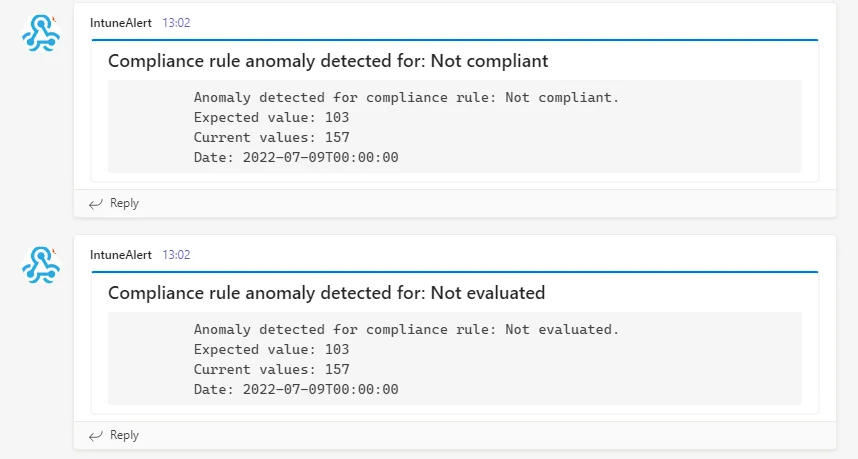
It is hard to keep track of your Intune environment. In this guide you will learn how to detect anomalies in your Intune environment with the help of log events, where you can build static monitoring via Azure automation or logic apps. This is possible if you are only interested in a specific event or if you can express this via static code. However, if you want to detect anomalies in your Intune environment, e.g.

a strong increase or decrease of the device count or how many devices are compliant, it is difficult to implement this without machine learning and to set static values. In this blog series I would like to show you how you can use Azure Cognitive Services (now Azure AI Services) to build a monitoring system and send you messages based on abnormal deviations. So let’s get started.
Detect anomalies in your Intune environment with Azure Cognitive Services dashboard

How to detect anomalies in your Intune environment: getting the data

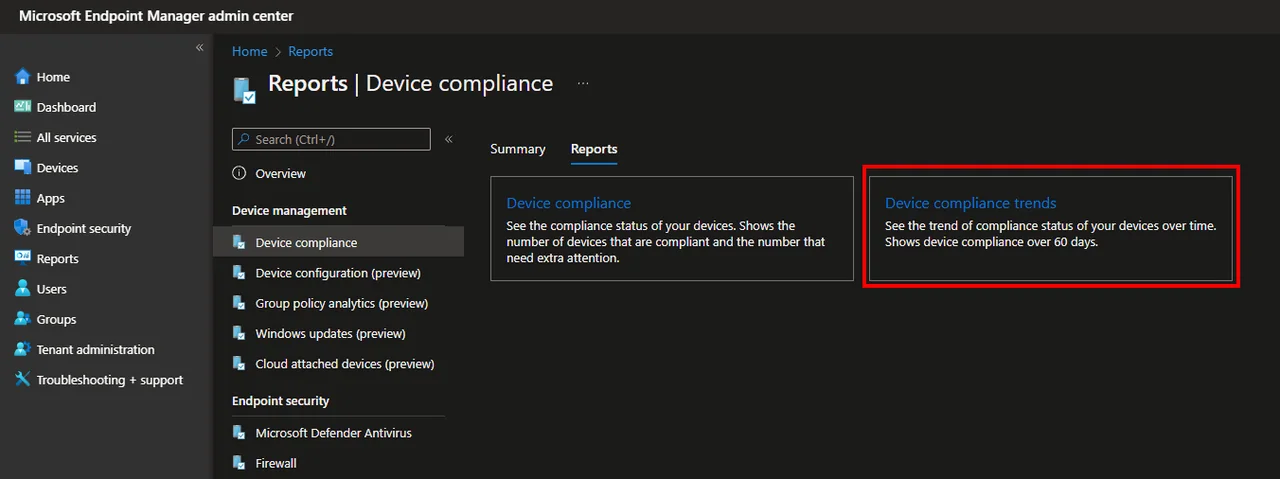
To detect anomalies in your Intune environment, we first need a reliable data source. Within the reports in Intune there is a report called device compliance trend. As the name suggests, this report shows you the compliance status of your devices. This is exactly the information we want to get.
Detect anomalies in your Intune environment  with Azure Cognitive Services – Part 1 Device Complianc

To get the data we first have to find out which graph endpoint is used. How do we do that? Right we look at the network trace in the developer tools of the browser. Here it is:


Detect anomalies in your Intune environment  with Azure Cognitive Services – Part 1 Device Complianc Detect anomalies in your Intune environment  with Azure Cognitive Services – Part 1 Device Complianc

So let’s get started and make something good out of the information we get provided here, so we can finally detect anomalies in your Intune environment in an automated way.

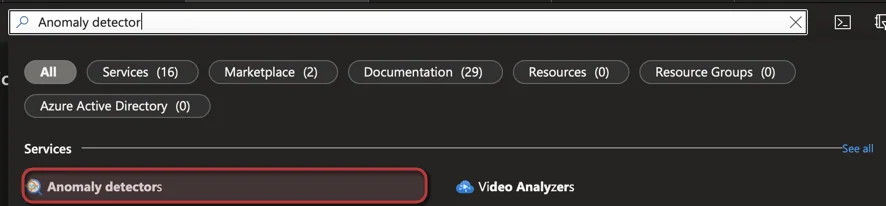
Deployment of Azure Cognitive Service anomaly detector

Detect anomalies in your Intune environment  with Azure Cognitive Services – Part 1 Device Complianc

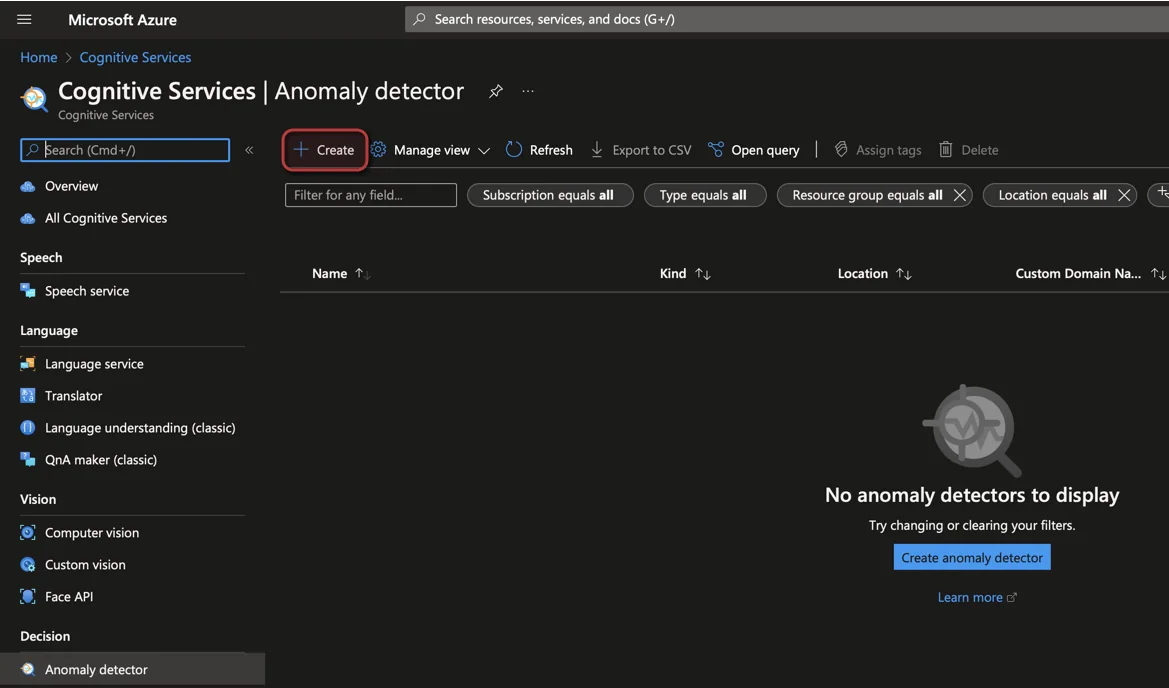
  • Click + Create

Detect anomalies in your Intune environment  with Azure Cognitive Services – Part 1 Device Complianc

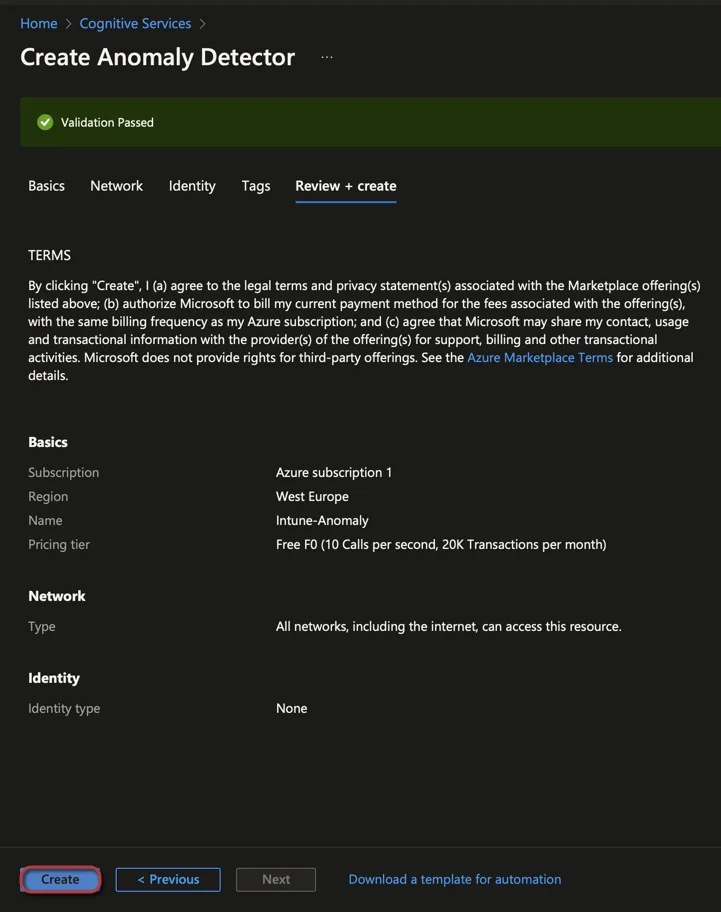
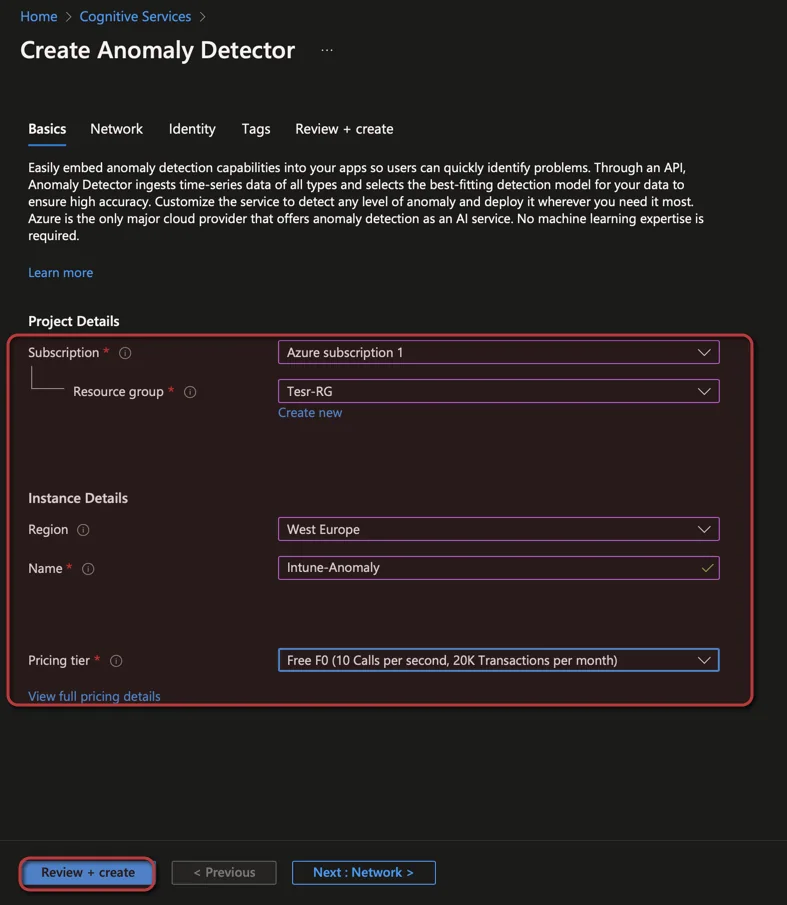
  • Select a Subscription and Resource group
  • Select a Region and enter the Name of the Anomaly Detector
  • Select the price tier (For testing Free F0 is sufficient)
Detect anomalies in your Intune environment  with Azure Cognitive Services – Part 1 Device Complianc

  • Click Create

Detect anomalies in your Intune environment  with Azure Cognitive Services – Part 1 Device Complianc

Get Teams WebHook URL

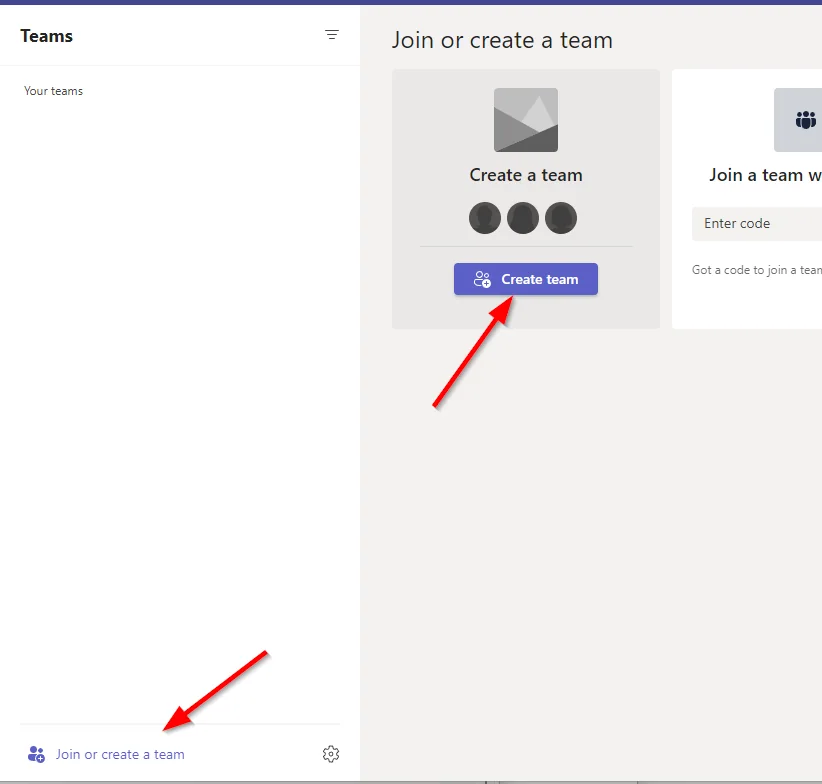
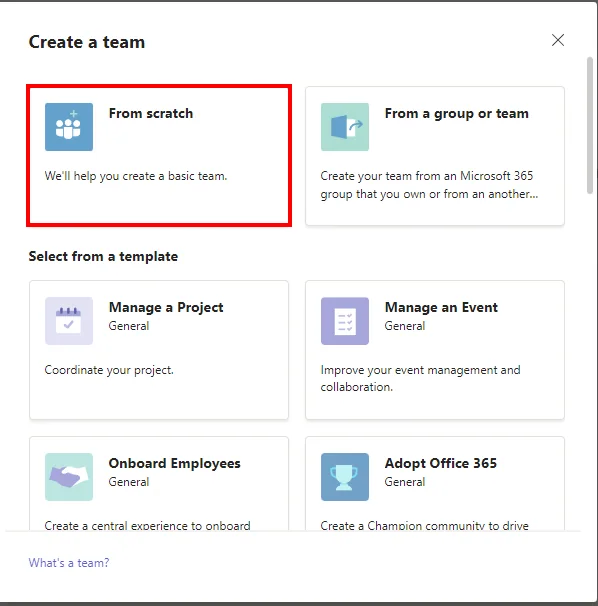
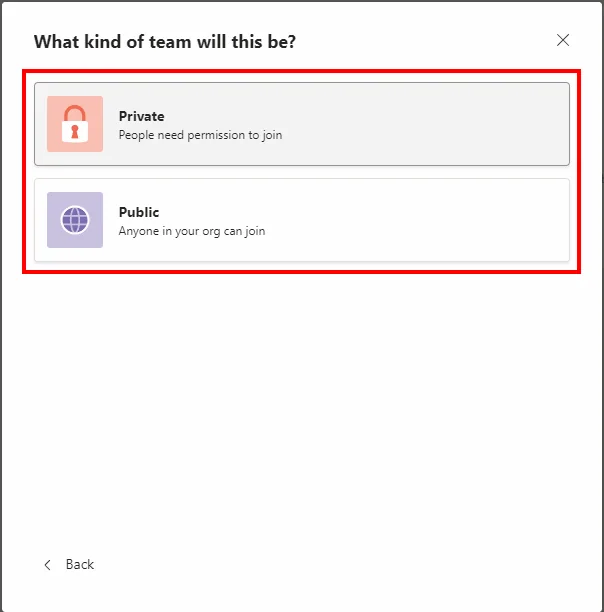
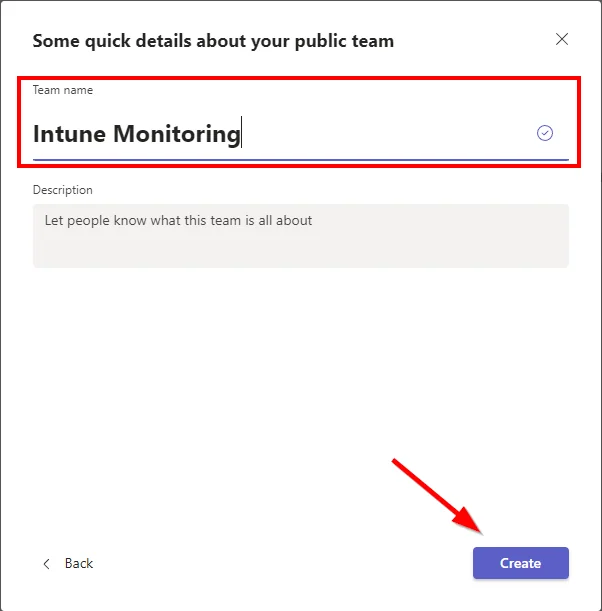
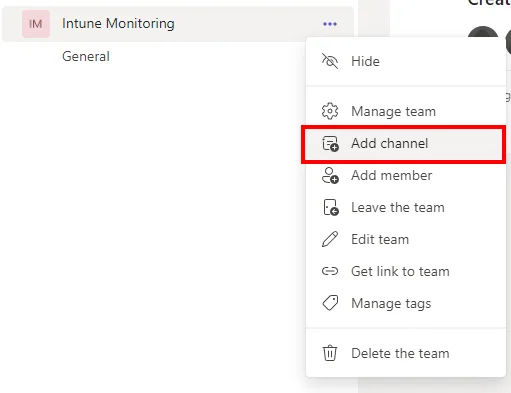
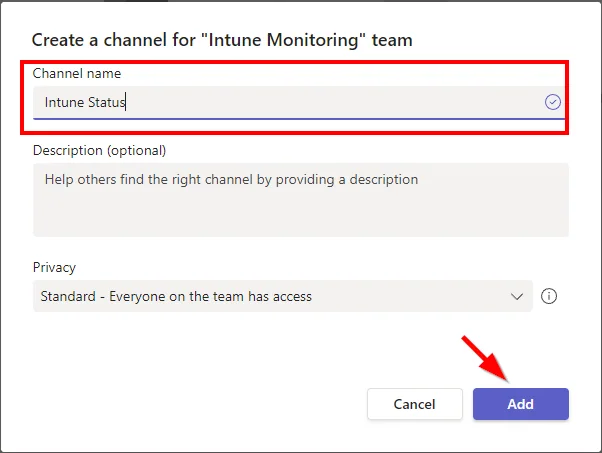
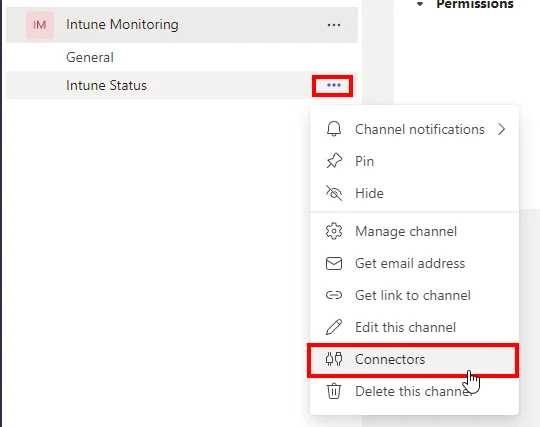
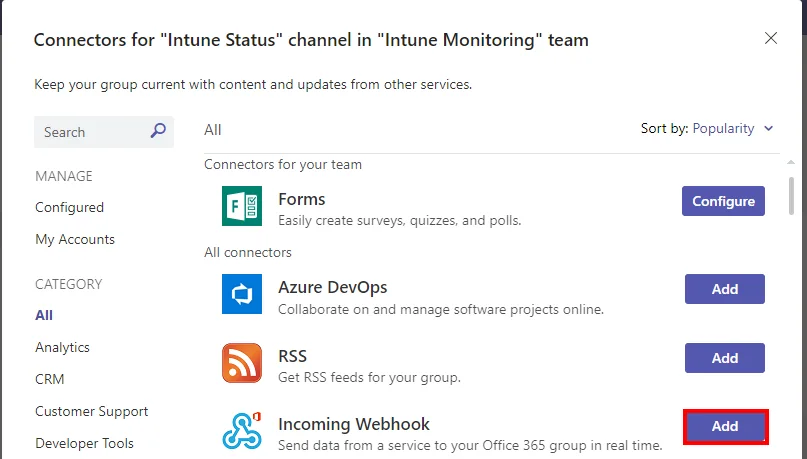
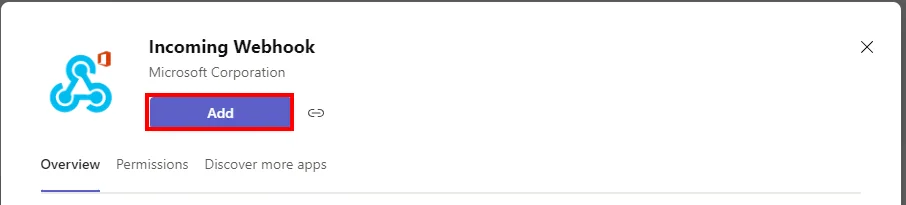
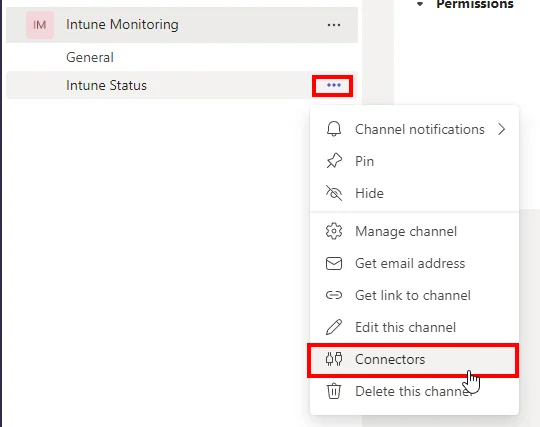
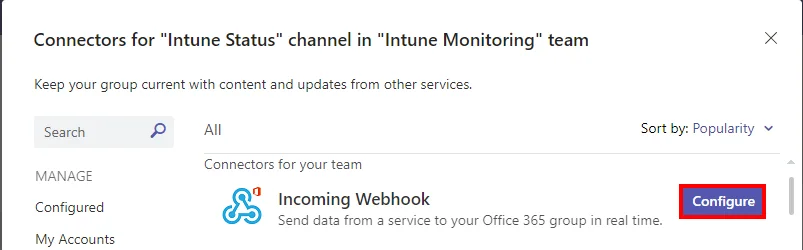
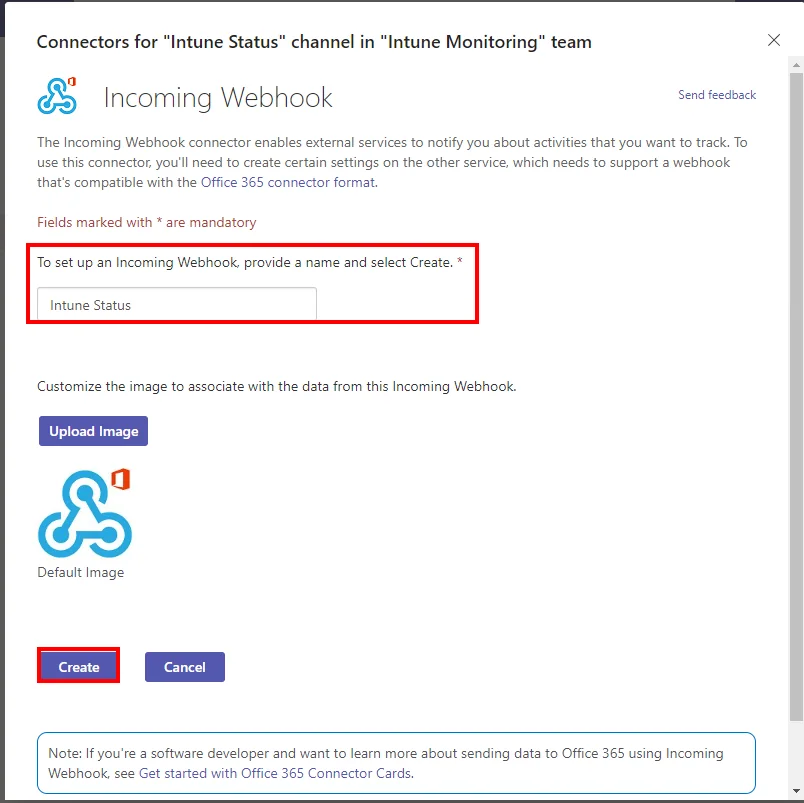
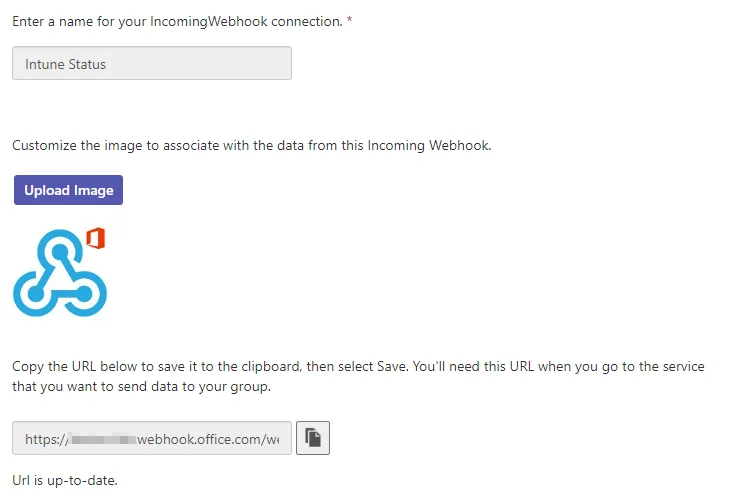
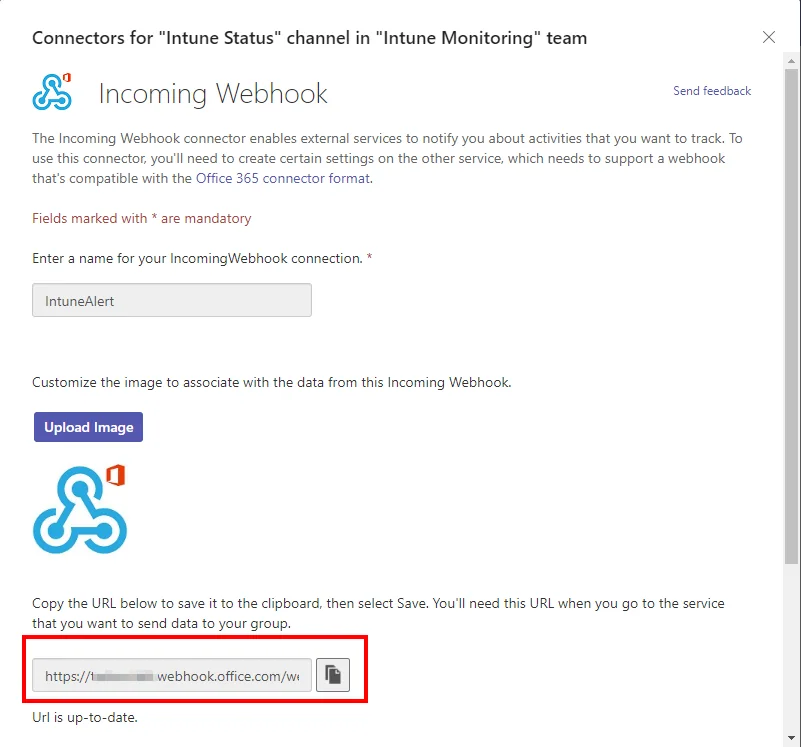
  • Create an MS Teams channel and add the webhook connector

  • Detect anomalies in your Intune environment  with Azure Cognitive Services – Part 1 Device Complianc

  • Detect anomalies in your Intune environment  with Azure Cognitive Services – Part 1 Device Complianc

  • Detect anomalies in your Intune environment  with Azure Cognitive Services – Part 1 Device Complianc

  • Detect anomalies in your Intune environment  with Azure Cognitive Services – Part 1 Device Complianc

  • Detect anomalies in your Intune environment  with Azure Cognitive Services – Part 1 Device Complianc

  • Detect anomalies in your Intune environment  with Azure Cognitive Services – Part 1 Device Complianc

  • Detect anomalies in your Intune environment  with Azure Cognitive Services – Part 1 Device Complianc

  • Detect anomalies in your Intune environment  with Azure Cognitive Services – Part 1 Device Complianc

  • Detect anomalies in your Intune environment  with Azure Cognitive Services – Part 1 Device Complianc

  • Detect anomalies in your Intune environment  with Azure Cognitive Services – Part 1 Device Complianc

  • Detect anomalies in your Intune environment  with Azure Cognitive Services – Part 1 Device Complianc

  • Detect anomalies in your Intune environment  with Azure Cognitive Services – Part 1 Device Complianc

  • Copy the WebHook URL

Detect anomalies in your Intune environment  with Azure Cognitive Services – Part 1 Device Complianc

Create an App Registration

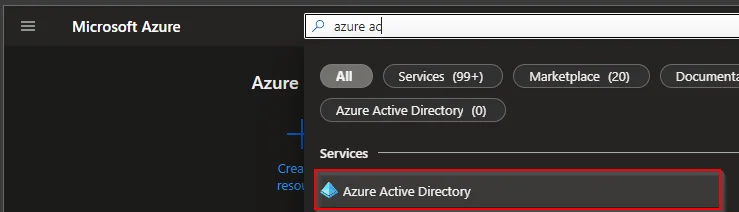
  • Search for Microsoft Entra ID

Detect anomalies in your Intune environment  with Azure Cognitive Services – Part 1 Device Complianc

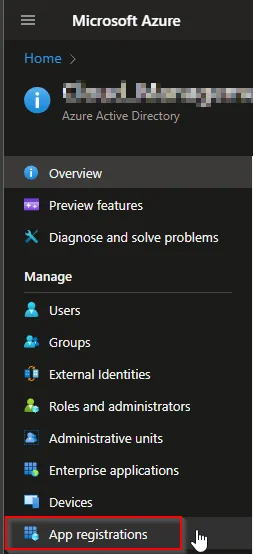
  • Select App registration

Detect anomalies in your Intune environment  with Azure Cognitive Services – Part 1 Device Complianc

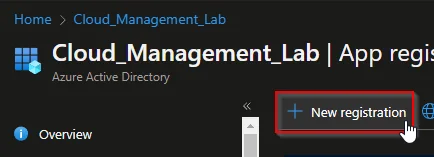
  • Select +New registration

Detect anomalies in your Intune environment  with Azure Cognitive Services – Part 1 Device Complianc

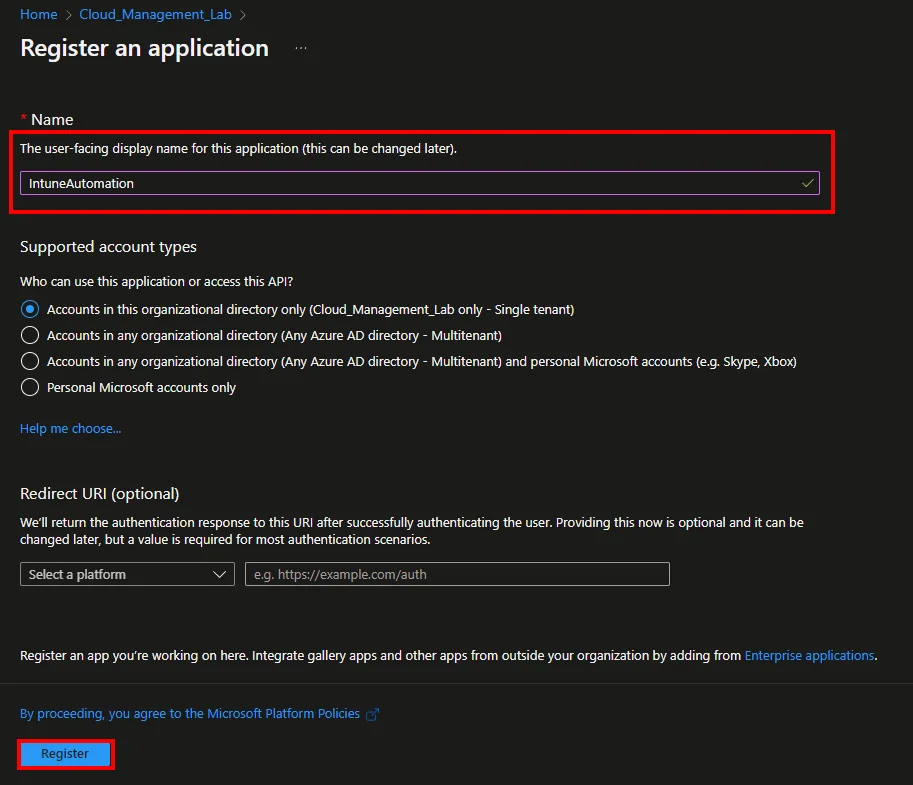
  • Enter a Name and click Register

Detect anomalies in your Intune environment  with Azure Cognitive Services – Part 1 Device Complianc

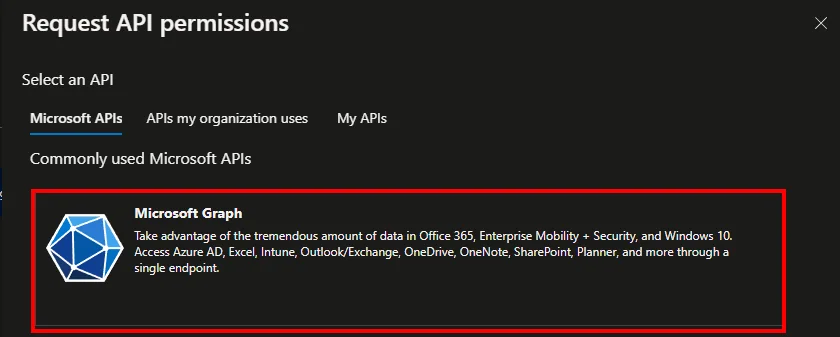
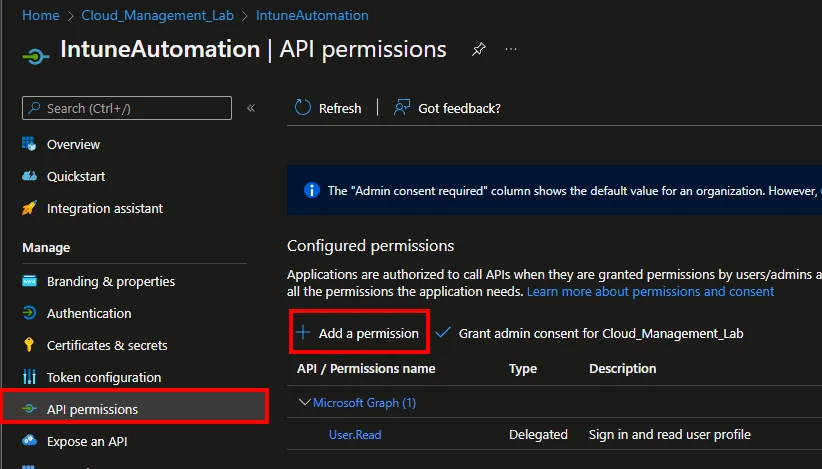
  • Click API permissions and +Add a permission
Detect anomalies in your Intune environment  with Azure Cognitive Services – Part 1 Device Complianc

  • Select Microsoft Graph

Detect anomalies in your Intune environment  with Azure Cognitive Services – Part 1 Device Complianc

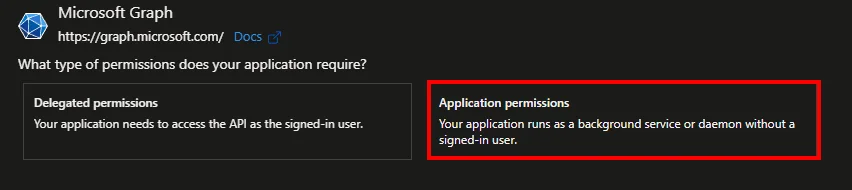
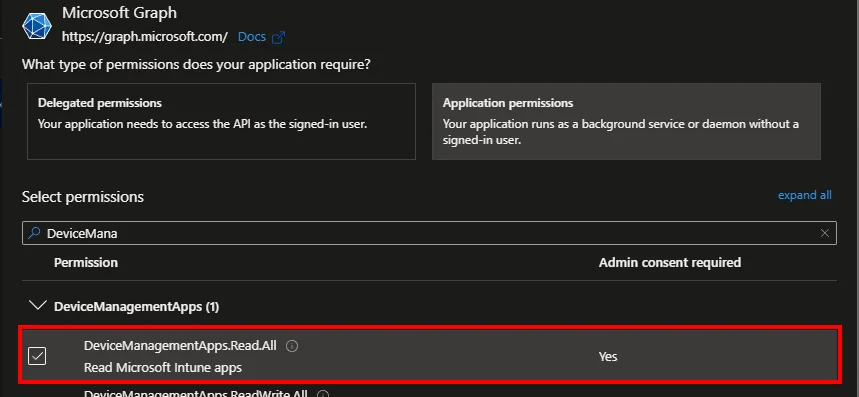
  • Select Application permissions

Detect anomalies in your Intune environment  with Azure Cognitive Services – Part 1 Device Complianc

  • Search for DeviceManagementApps.Read.All
Detect anomalies in your Intune environment  with Azure Cognitive Services – Part 1 Device Complianc

  • Click Grant admin consent for *** and approve with Yes

Detect anomalies in your Intune environment  with Azure Cognitive Services – Part 1 Device Complianc

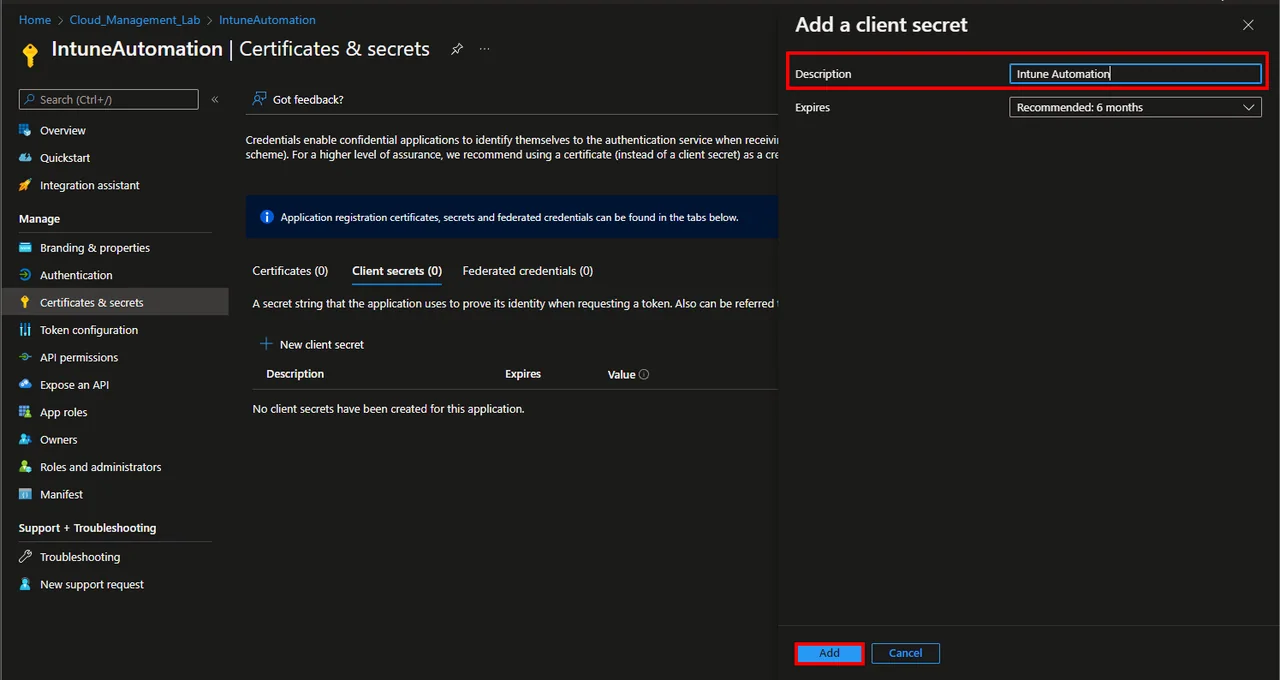
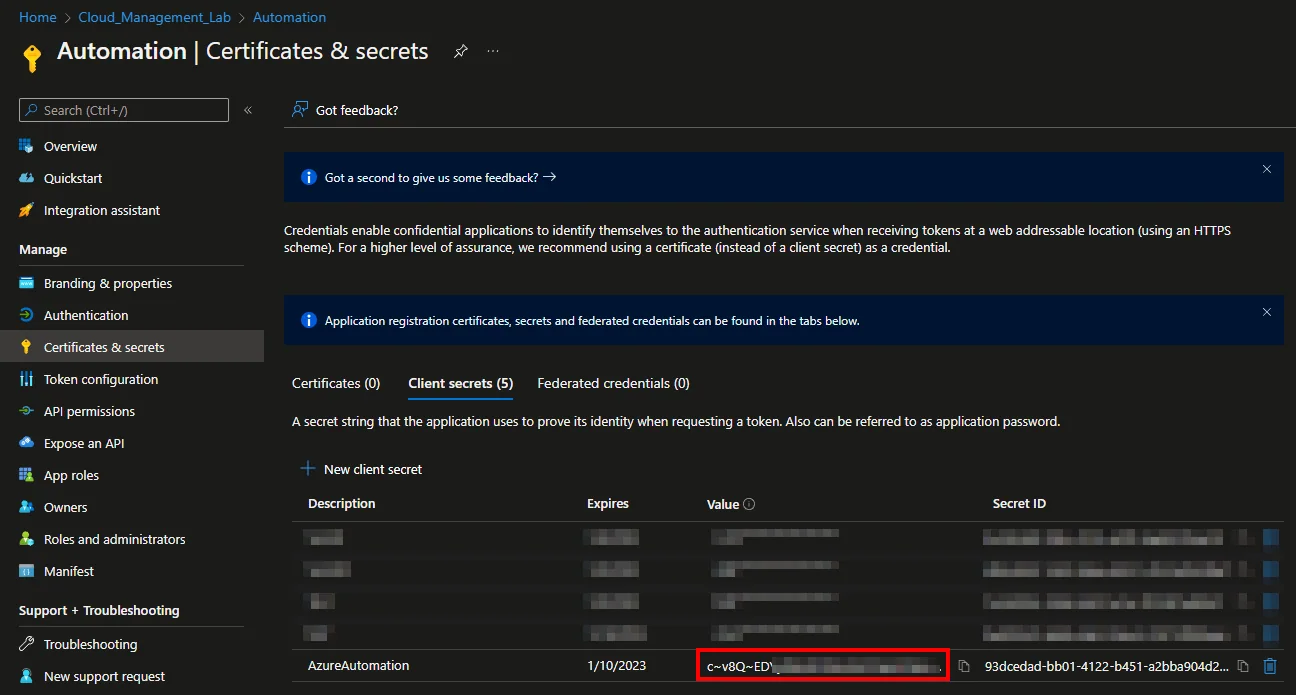
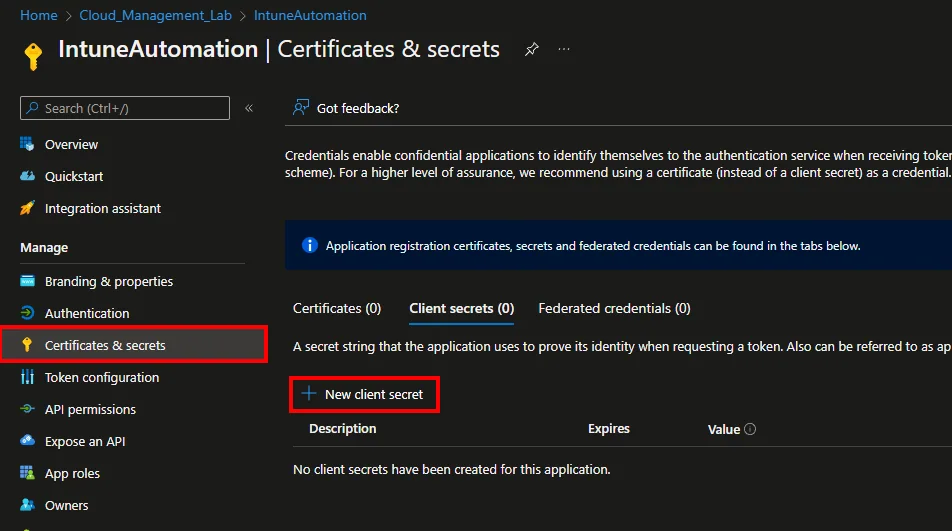
  • Select Certificates & secrets and click +New client secret
Detect anomalies in your Intune environment  with Azure Cognitive Services – Part 1 Device Complianc

  • Enter a Description and select an Expires time
  • Click Add

Detect anomalies in your Intune environment  with Azure Cognitive Services – Part 1 Device Complianc

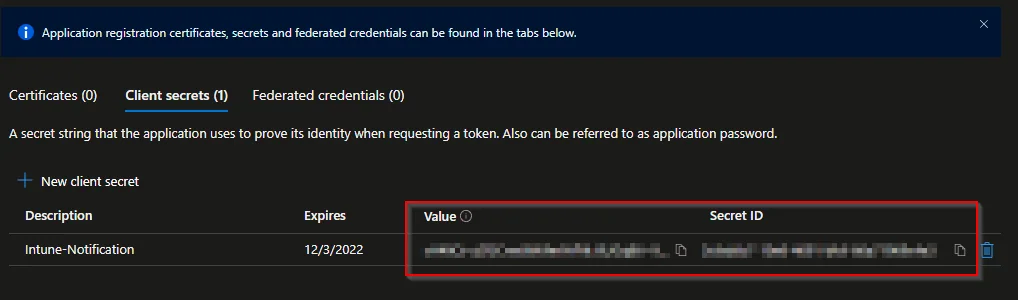
  • Copy and save the Value and the Secret ID
Detect anomalies in your Intune environment  with Azure Cognitive Services – Part 1 Device Complianc

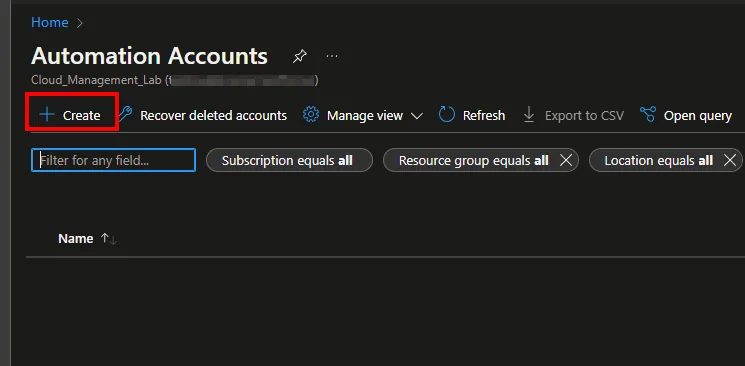
Create Automation Account

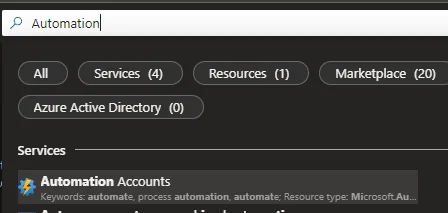
  • Search for Automation Accounts

Detect anomalies in your Intune environment  with Azure Cognitive Services – Part 1 Device Complianc

  • Click + Create

Detect anomalies in your Intune environment  with Azure Cognitive Services – Part 1 Device Complianc

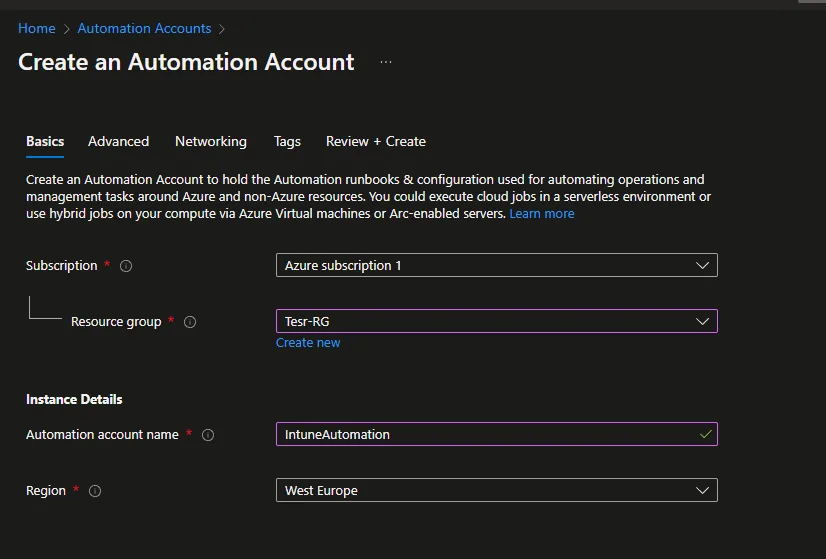
  • Select a Subscription and a Resource group
  • Enter an account name and select a Region
  • Click Next

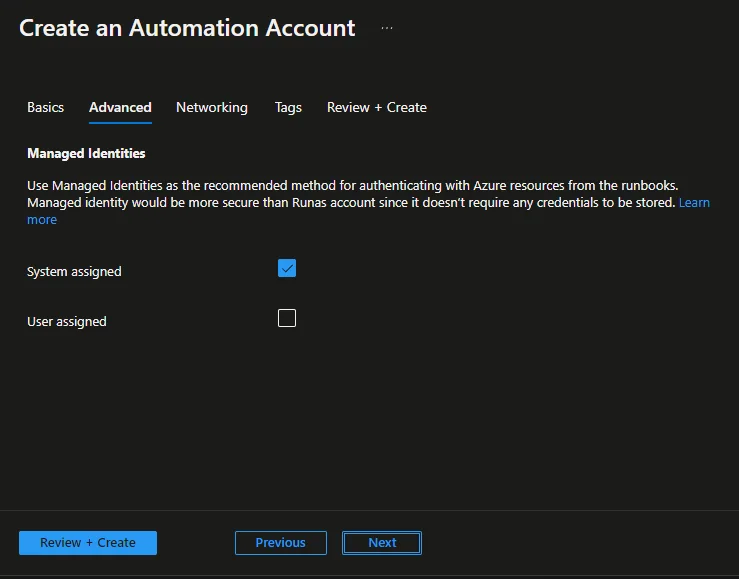
Detect anomalies in your Intune environment  with Azure Cognitive Services – Part 1 Device Complianc

  • Click Next

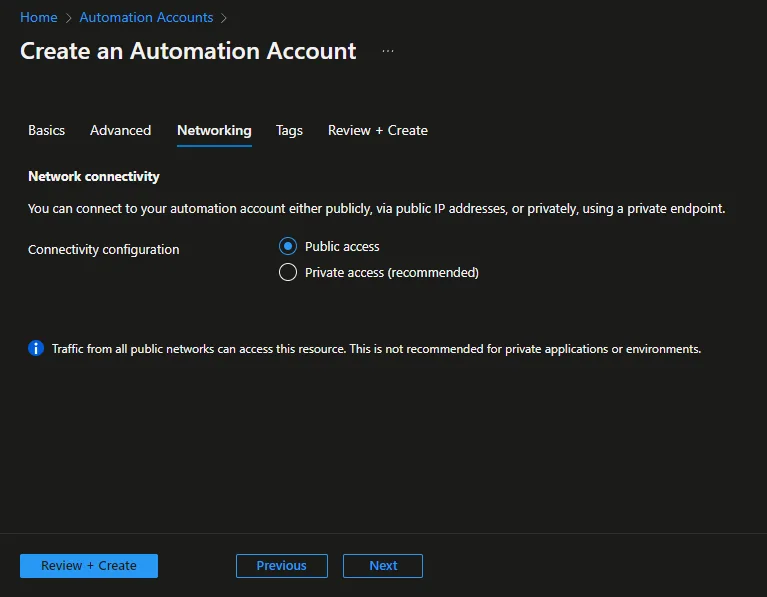
Detect anomalies in your Intune environment  with Azure Cognitive Services – Part 1 Device Complianc

  • Click Next -> Next -> Create

Detect anomalies in your Intune environment  with Azure Cognitive Services – Part 1 Device Complianc

Create the Runbook

  • Open the Automation Account
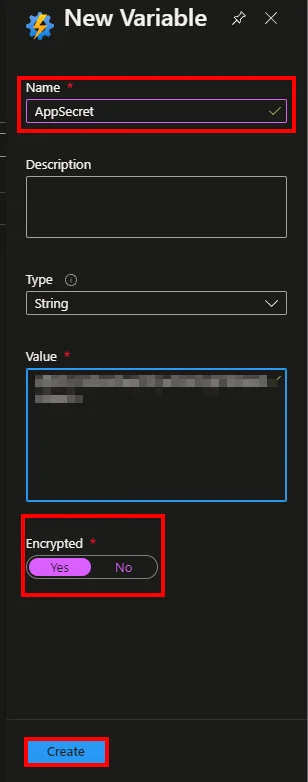
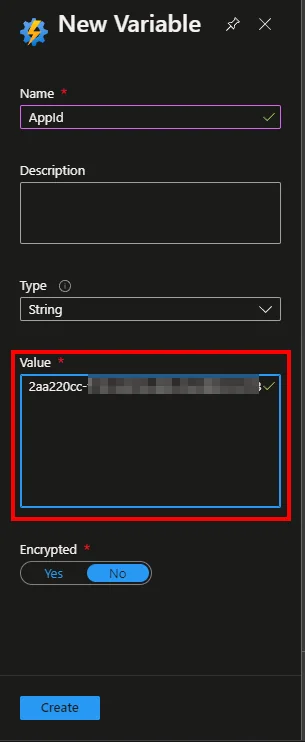
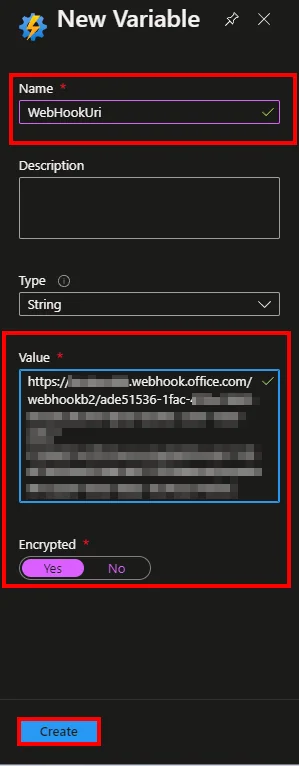
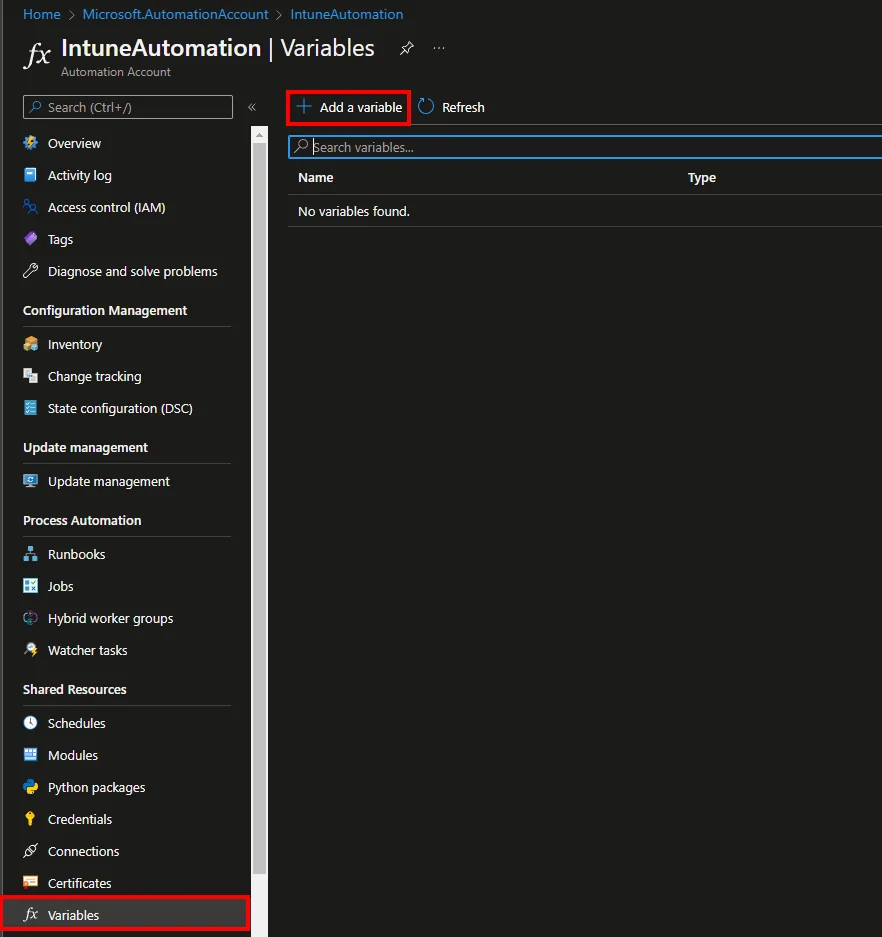
  • Navigate to Variables and click + Add a variable
Detect anomalies in your Intune environment  with Azure Cognitive Services – Part 1 Device Complianc

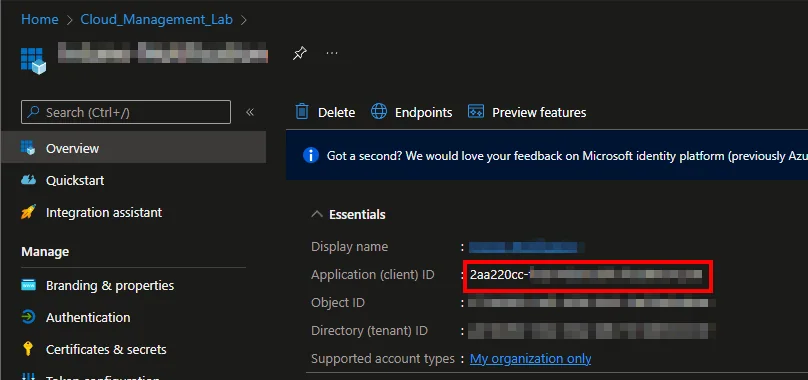
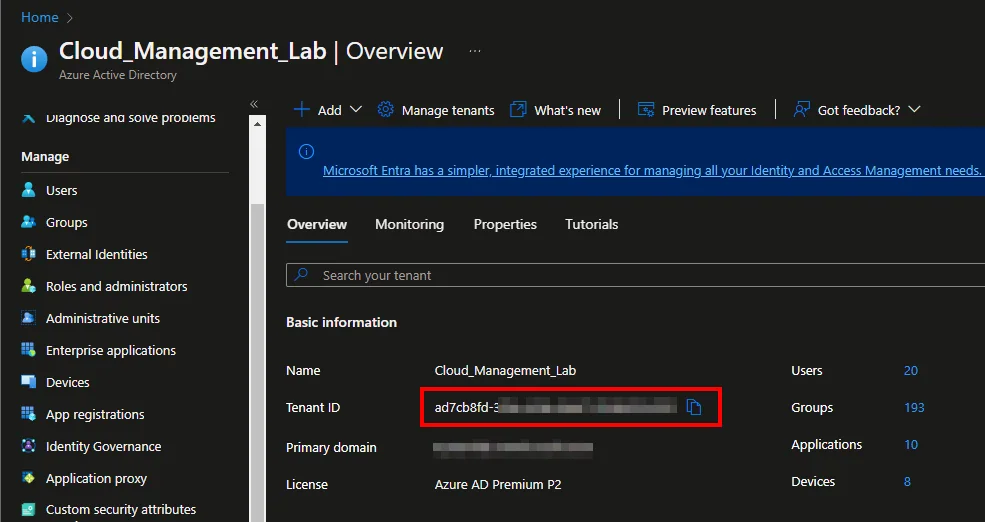
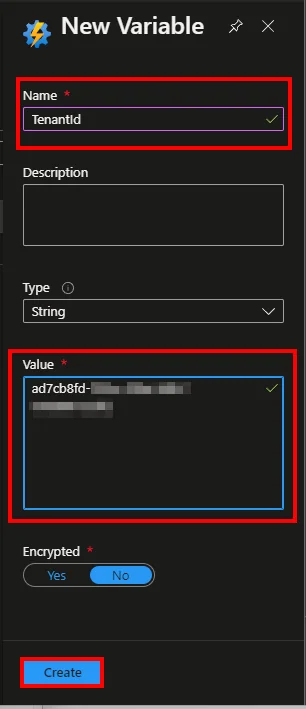
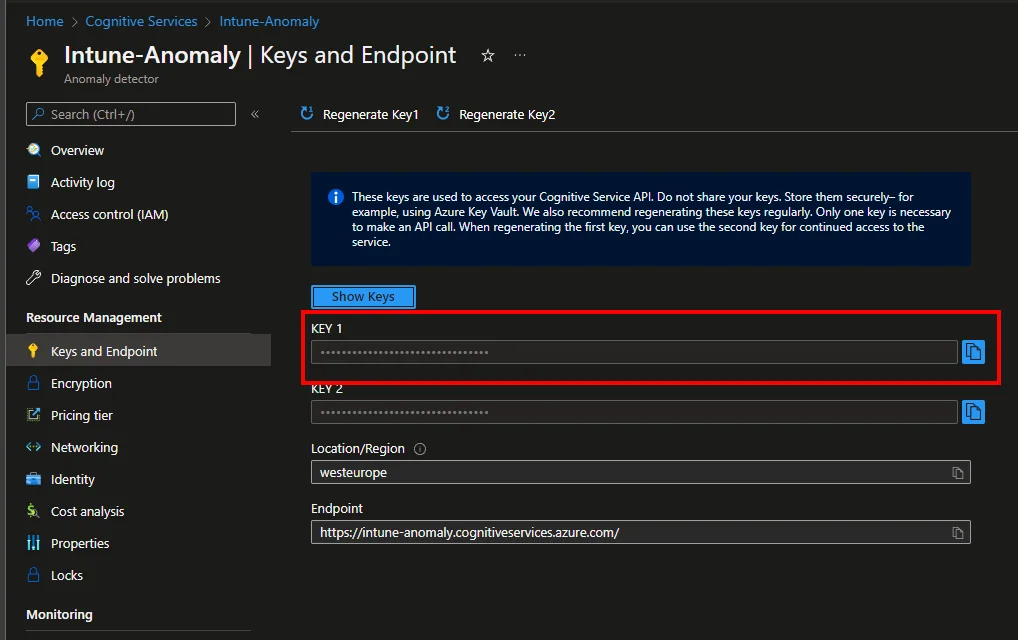
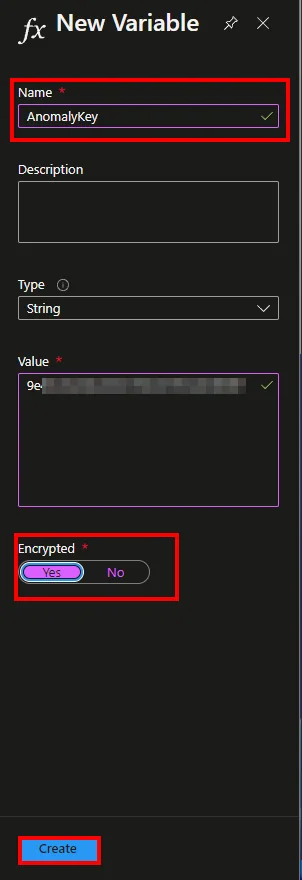
  • Add the Secret Value, TenantId, AnomalyKey, WebHookUri and the App ID as Variable

  • Detect anomalies in your Intune environment  with Azure Cognitive Services – Part 1 Device Complianc

  • Detect anomalies in your Intune environment  with Azure Cognitive Services – Part 1 Device Complianc

  • Detect anomalies in your Intune environment  with Azure Cognitive Services – Part 1 Device Complianc

  • Detect anomalies in your Intune environment  with Azure Cognitive Services – Part 1 Device Complianc

  • Detect anomalies in your Intune environment  with Azure Cognitive Services – Part 1 Device Complianc

  • Detect anomalies in your Intune environment  with Azure Cognitive Services – Part 1 Device Complianc

  • Detect anomalies in your Intune environment  with Azure Cognitive Services – Part 1 Device Complianc

  • Detect anomalies in your Intune environment  with Azure Cognitive Services – Part 1 Device Complianc

  • Detect anomalies in your Intune environment  with Azure Cognitive Services – Part 1 Device Complianc

  • Detect anomalies in your Intune environment  with Azure Cognitive Services – Part 1 Device Complianc

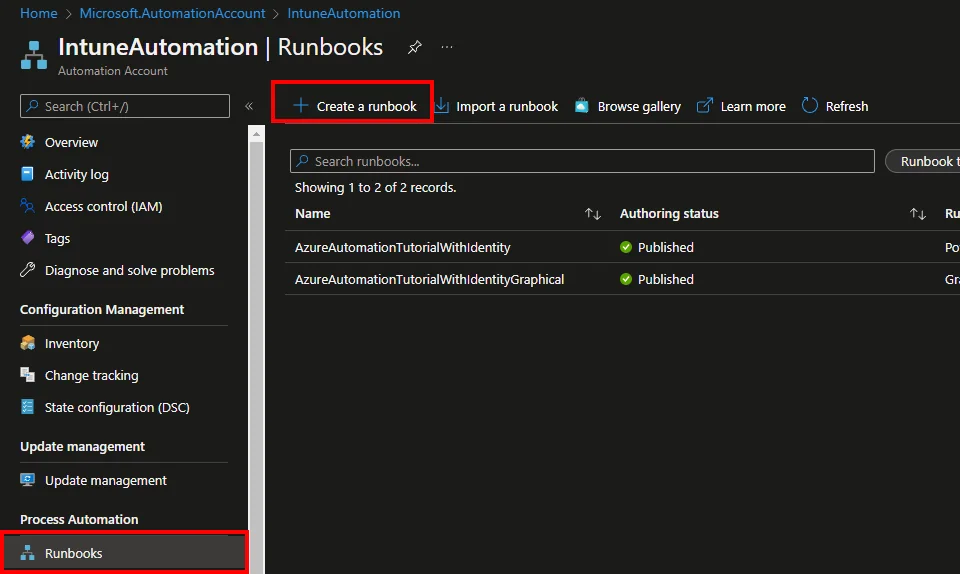
  • Select Runbooks

  • Click + Create a runbook

Detect anomalies in your Intune environment  with Azure Cognitive Services – Part 1 Device Complianc

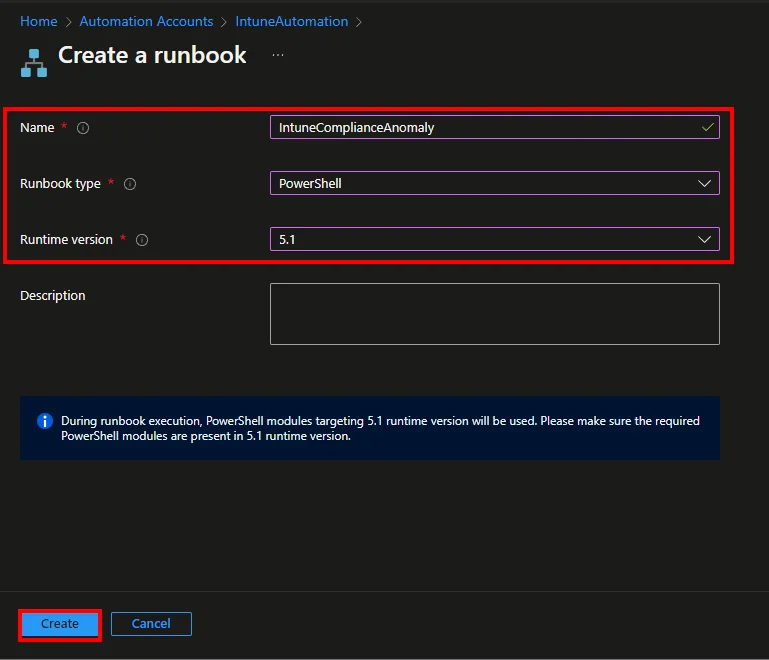
  • Enter a Name
  • Select PowerShell as Runbook type
  • Select 5.1 as Runtime version
  • Click Create

Detect anomalies in your Intune environment  with Azure Cognitive Services – Part 1 Device Complianc

  • Insert the Script from my Github repository
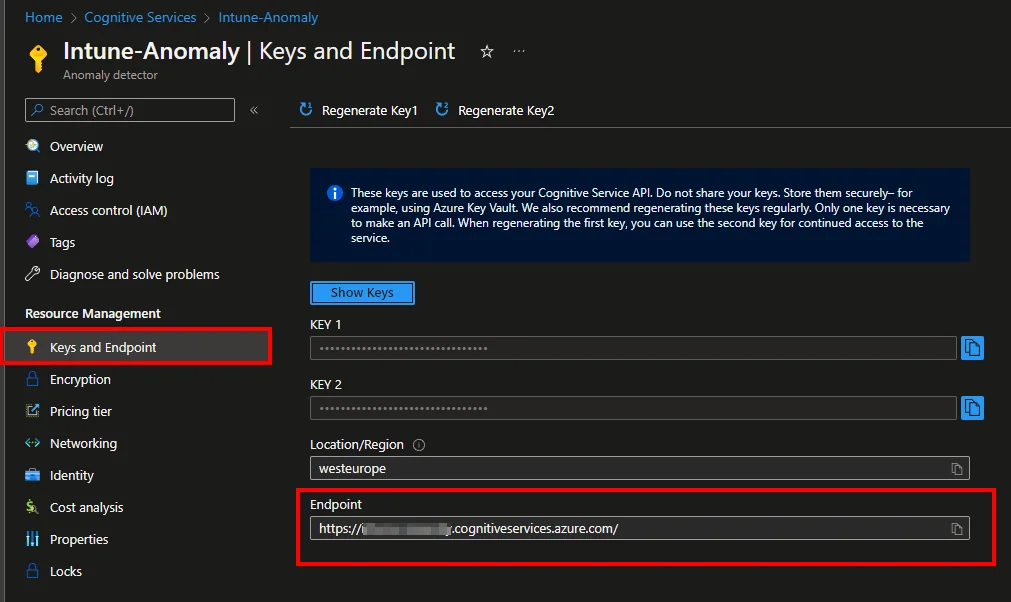
  • Edit the variables $anomalyEndpoint (add here your endpoint from the cognitive service) and $checks add or remove checks

Detect anomalies in your Intune environment  with Azure Cognitive Services – Part 1 Device Complianc

Hint: If you want to change the sensitivity of the anomaly detection you can adjust the attributes:
– maxAnomalyRatio: The maximum anomalies to be detected in terms of the ratio of total data points.
– sensitivity: Specify a lower value to ensure that fewer anomalies are accepted
Detect anomalies in your Intune environment  with Azure Cognitive Services – Part 1 Device Complianc

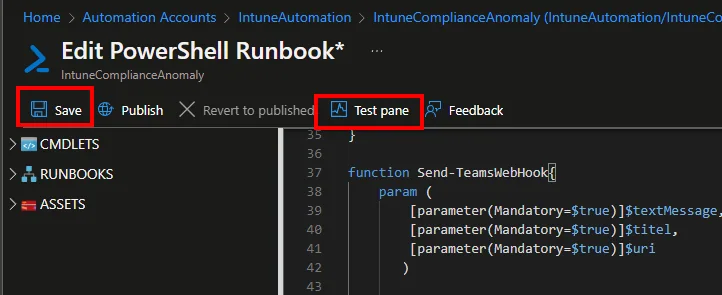
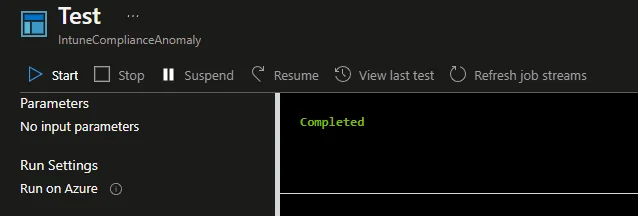
  • Save and test the script

Detect anomalies in your Intune environment  with Azure Cognitive Services – Part 1 Device Complianc

Detect anomalies in your Intune environment  with Azure Cognitive Services – Part 1 Device Complianc Detect anomalies in your Intune environment  with Azure Cognitive Services – Part 1 Device Complianc

  • Click Publish

Detect anomalies in your Intune environment  with Azure Cognitive Services – Part 1 Device Complianc

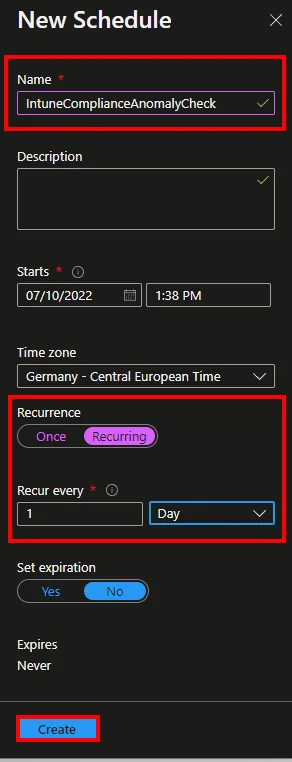
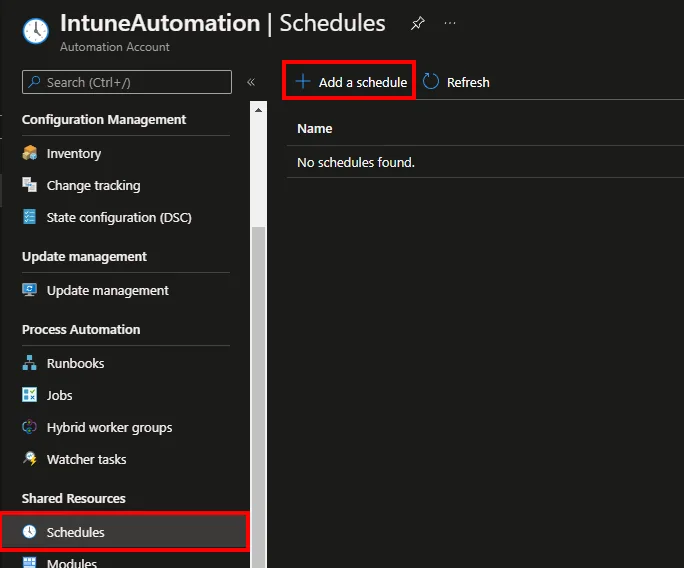
  • Navigate to Schedules and click + Add a schedule
Detect anomalies in your Intune environment  with Azure Cognitive Services – Part 1 Device Complianc

Detect anomalies in your Intune environment  with Azure Cognitive Services – Part 1 Device Complianc

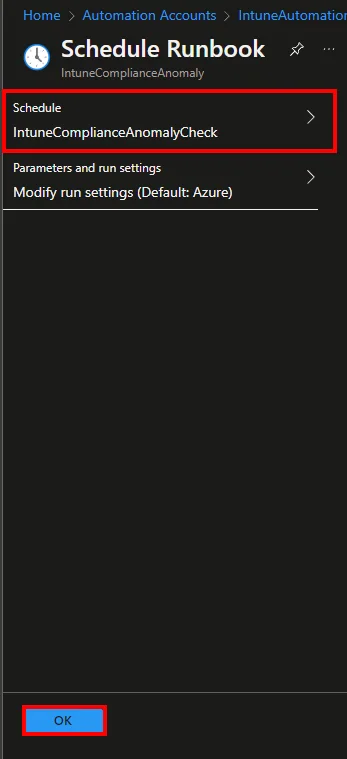
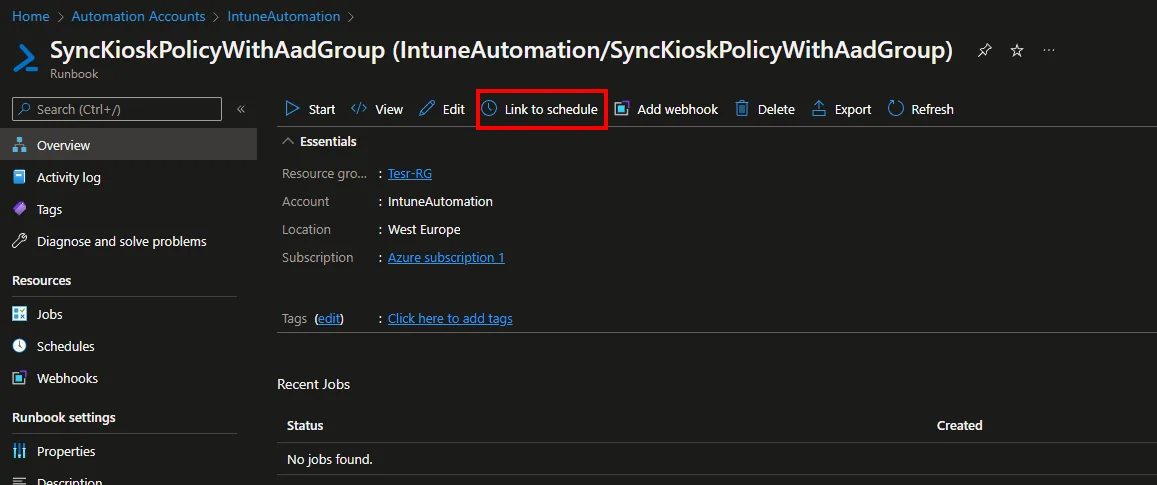
  • Click Link to schedule and add the created schedule
Detect anomalies in your Intune environment  with Azure Cognitive Services – Part 1 Device Complianc

Detect anomalies in your Intune environment  with Azure Cognitive Services – Part 1 Device Complianc

Conclusion

Cognitive Services is a very powerful feature in Azure that lets you detect anomalies in your Intune environment with very little effort. If you combine this service with the information provided by Intune reporting, you can bring in a large degree of proactivity and detect abnormal behavior in your environment without having to look at reports. Since this topic has huge potential, I will be posting more blogs on this topic in the future. I hope I could help you to understand how Cognitive Services works and how you can use the strengths of it. Looking forward to your feedback.

Stay healthy, Cheers
Jannik

May Cloudflare measure page views, visits and loading times? The analytics service uses no tracking cookies or session recordings. You can change your choice in the footer at any time.

Privacy details