
What is New in Microsoft Intune 2209
Discover what is new in Microsoft Intune 2209: new app types, enrollment alerts, DFCI for Acer, multi-admin approval and auto diagnostics explained.
Every month there is a new service release of Intune with new features and bug fixes. With this blog I would like to start a new series and take a closer look at the new features in new Intune releases. The release that was published on Thursday is Microsoft Intune 2209, and these are the features I would like to walk through. If you manage endpoints, Microsoft Intune 2209 brings several improvements worth knowing about.
New app types in Microsoft Intune 2209
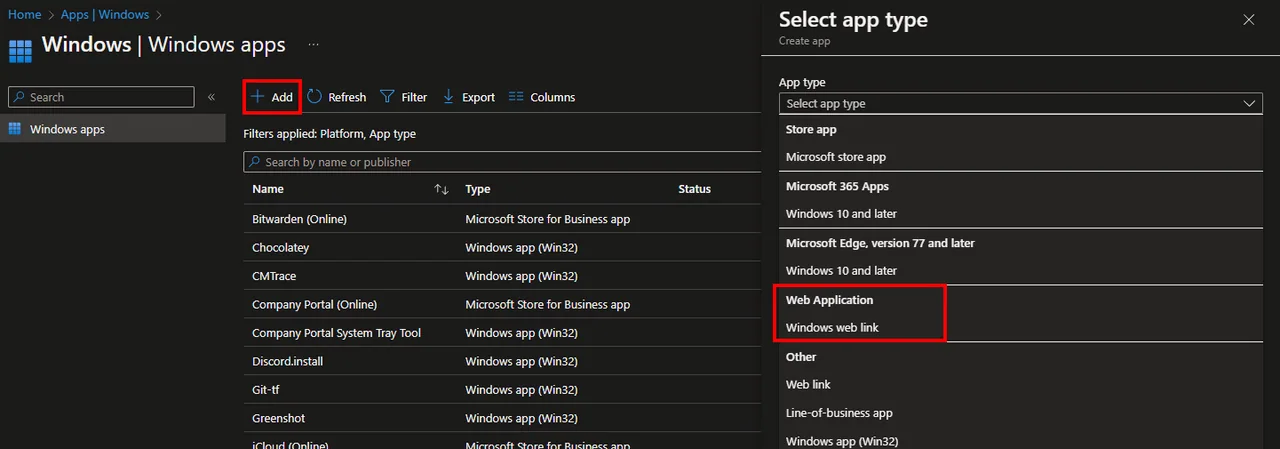
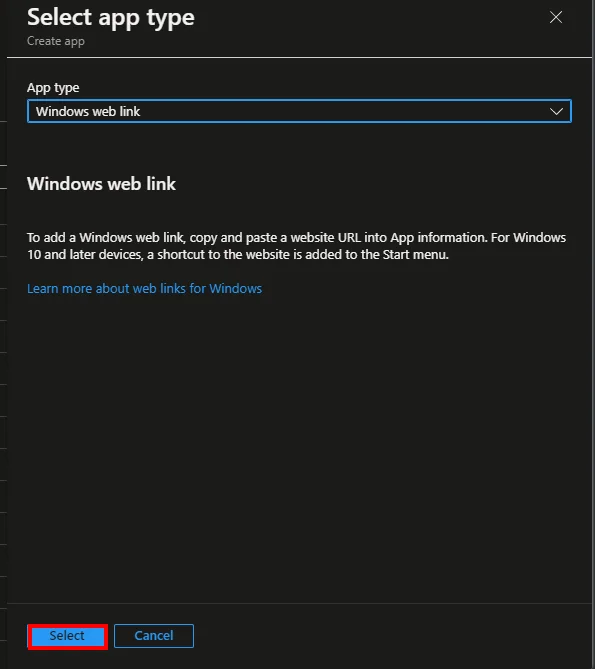
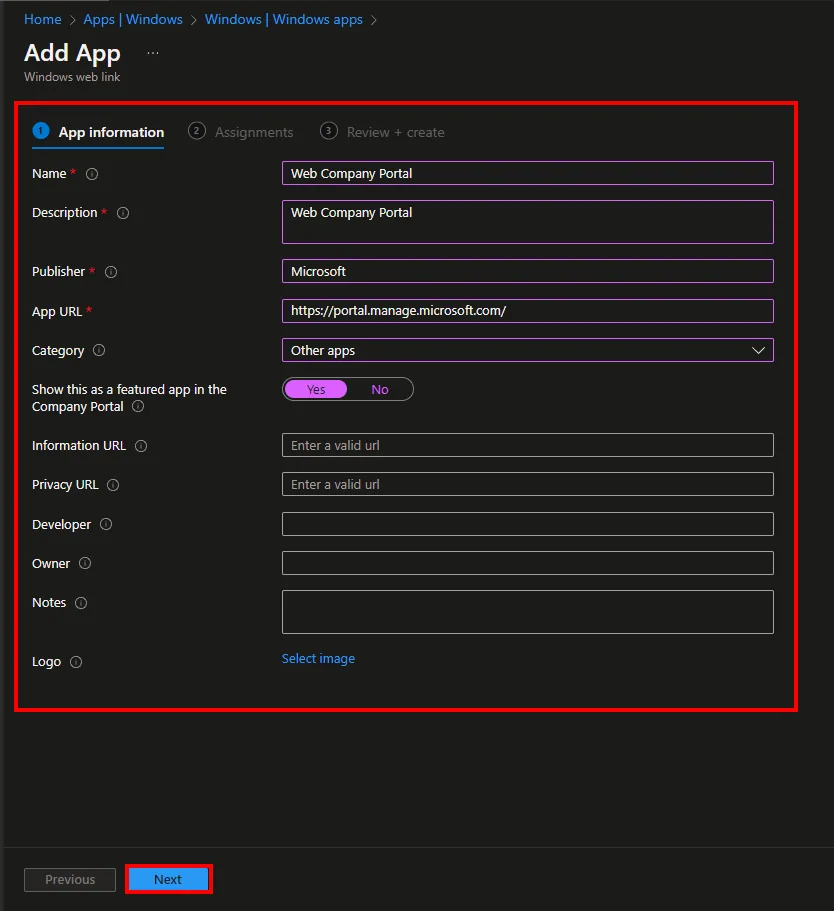
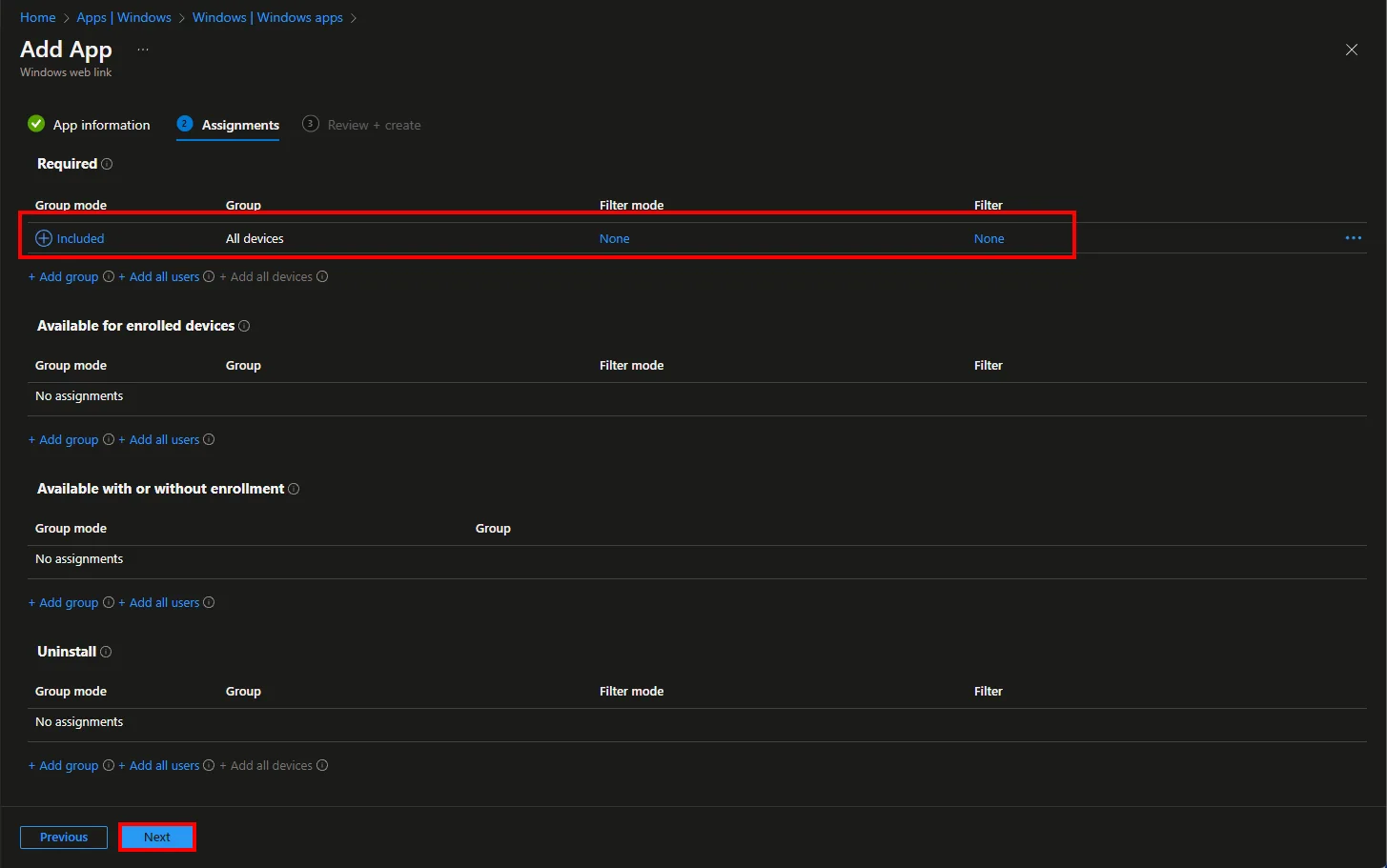
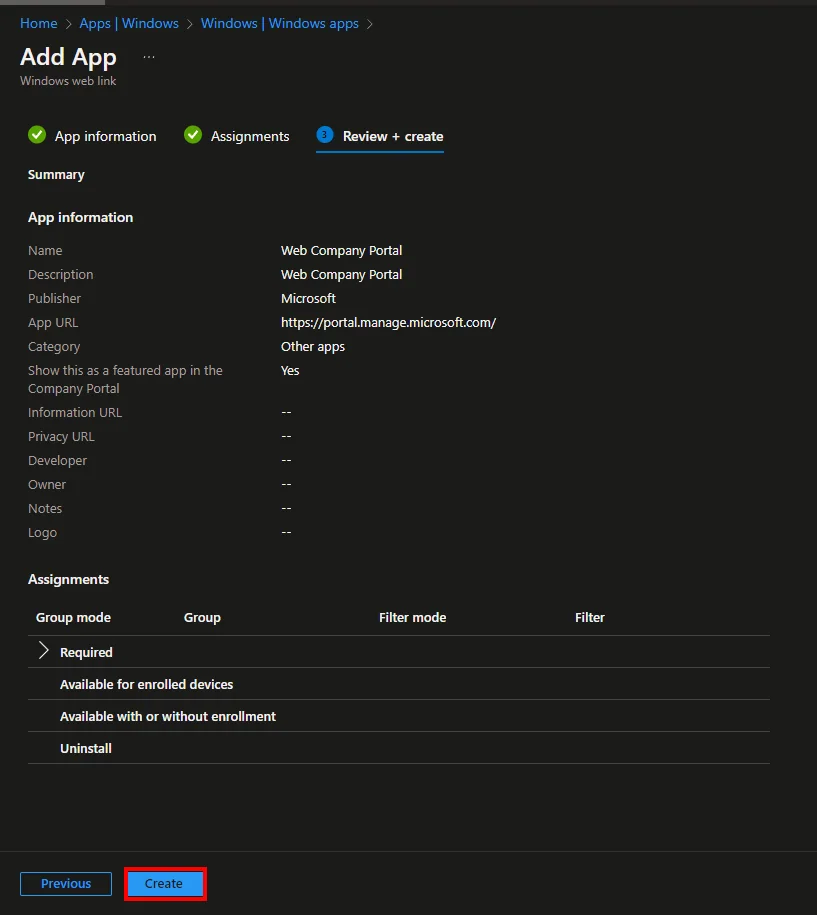
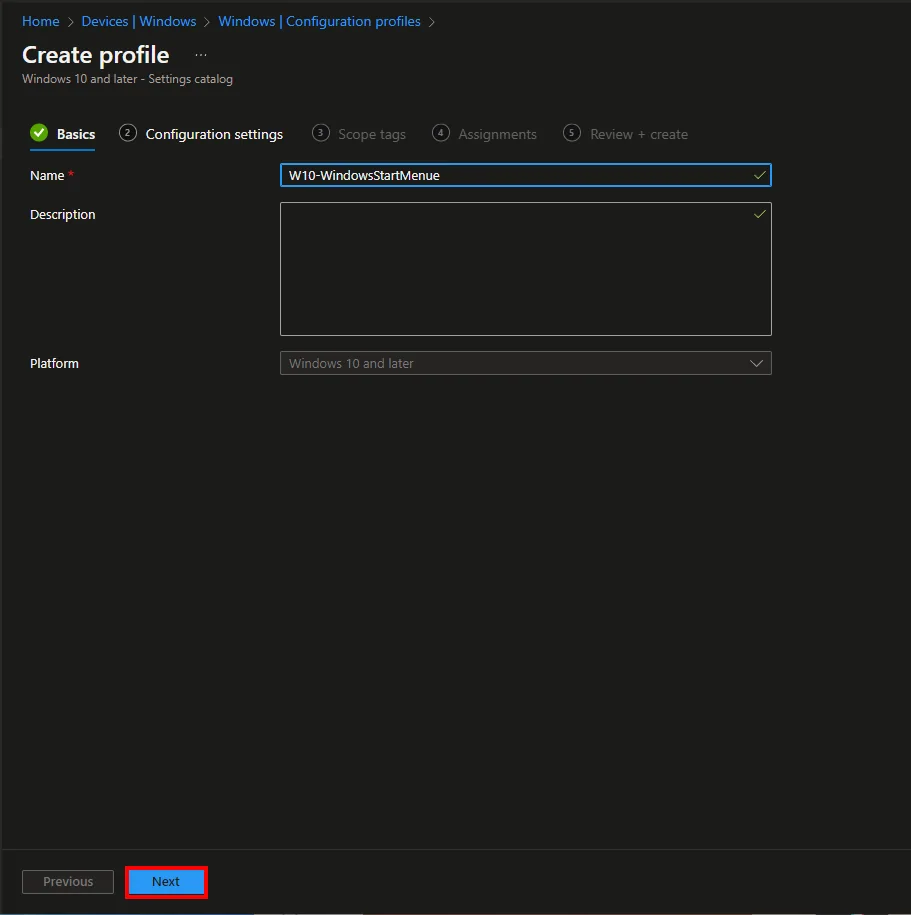
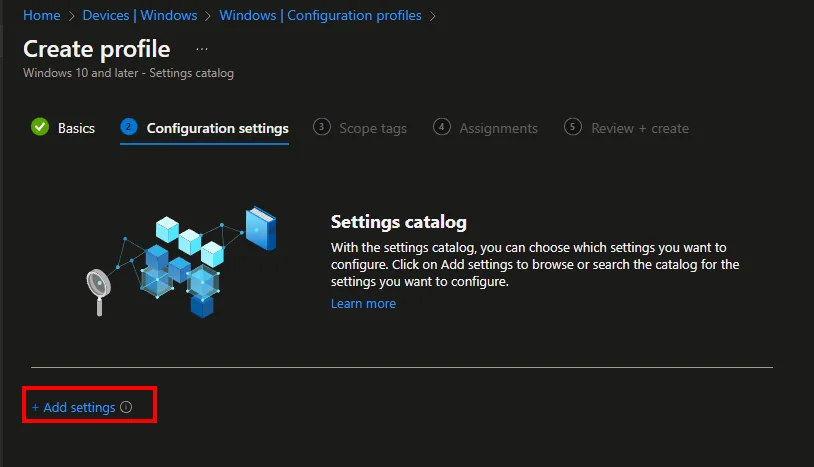
Two new app types have been added to Intune: “iOS/iPadOS Web Clip” and “Windows Web Link“. This allows shortcuts to websites similar to “Web Link” to be distributed with Intune. The difference is that this does not apply platform wide and can be assigned via groups and filters… I’m going to show you how this works:
Group member count visible in assignments
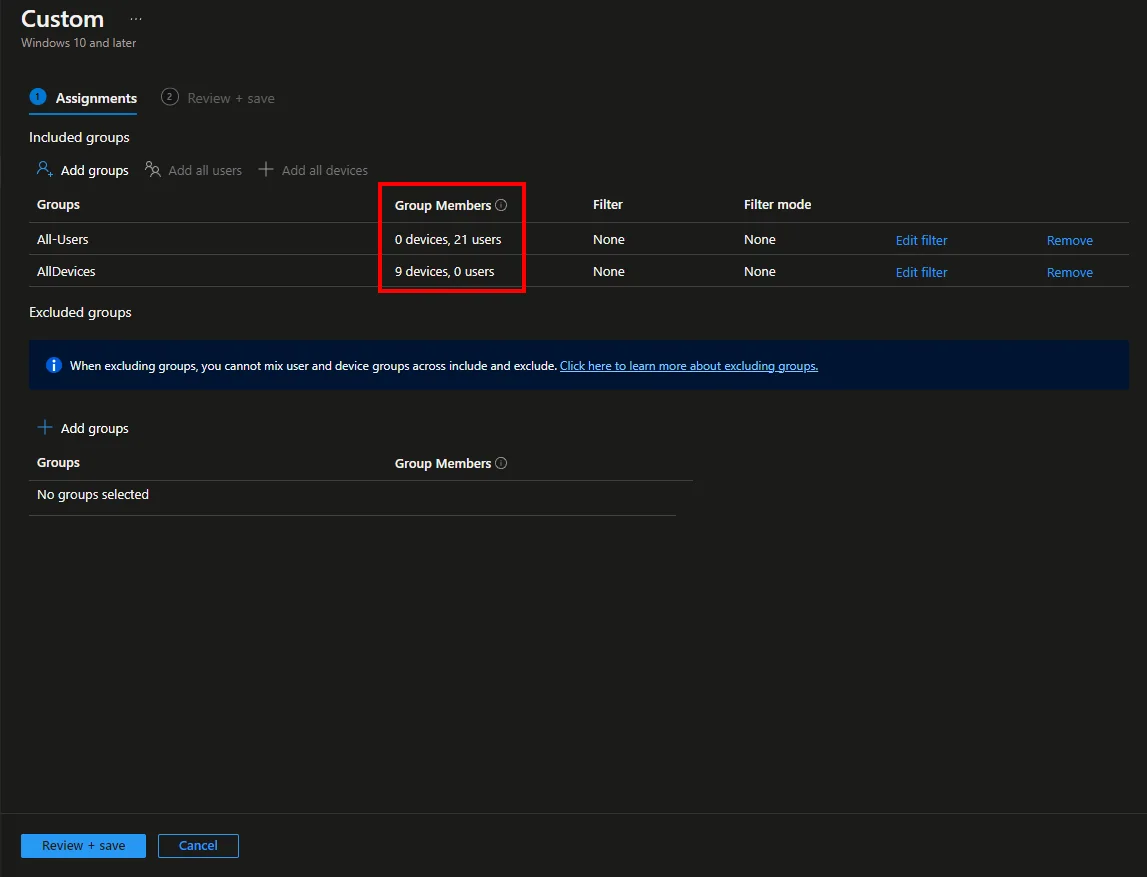
This is a small change, but it can help a lot with the assigning of items. With this function you can see how many devices and users are in the selected group. This will give you a sense of whether you have selected the right or wrong group and how many devices this change will now affect.
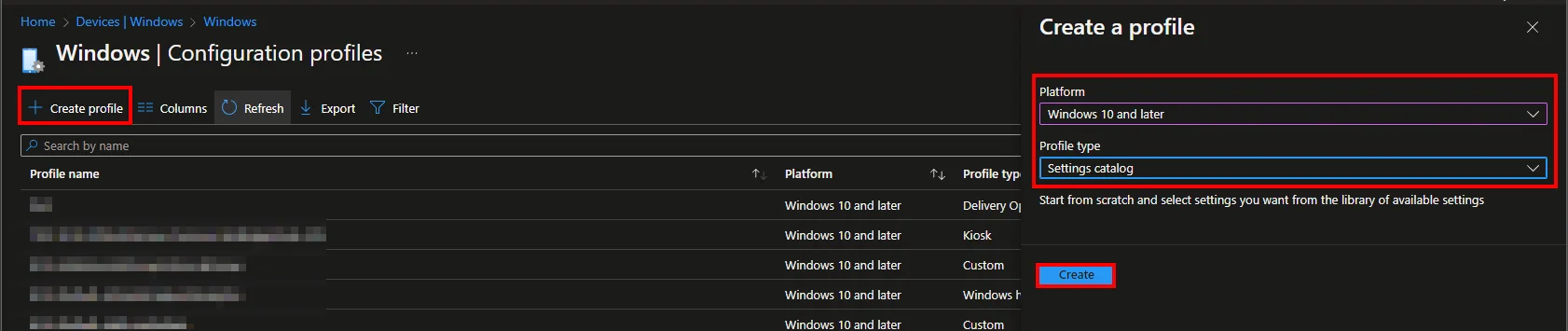
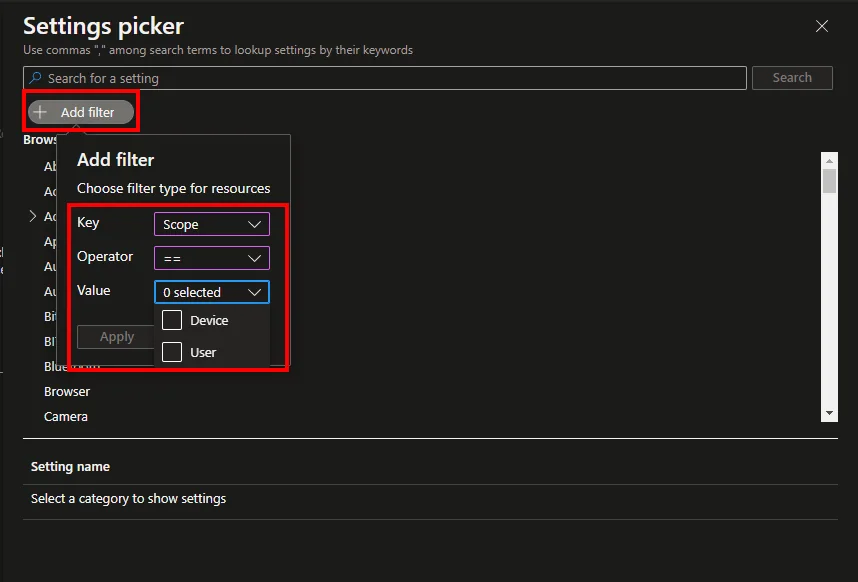
Filter on the user scope or device scope in the Settings Catalog for Windows devices
This function is also an everyday helper that simplifies the search in the settings catalog. You now have the possibility to filter for settings for the user scope or device scope.
Device Firmware Configuration Interface (DFCI) now supports Acer devices
Intune now supports DFCI (Device Firmware Configuration Interface) for Acer devices. Starting in the fall of 2022, new Acer devices will be enabled for DFCI. This will allow you to manage the BIOS via Intune.
Set up enrollment notifications (public preview)
To make sure that no one has stolen the identity and thus enrolled a device, Microsoft Intune 2209 adds a feature in preview where a user is notified via email or push notification when a new device has been enrolled in Intune. This opens many use cases to increase security but also to inform the user that their device is being enrolled. Of course, only user driven enrollment is supported here.
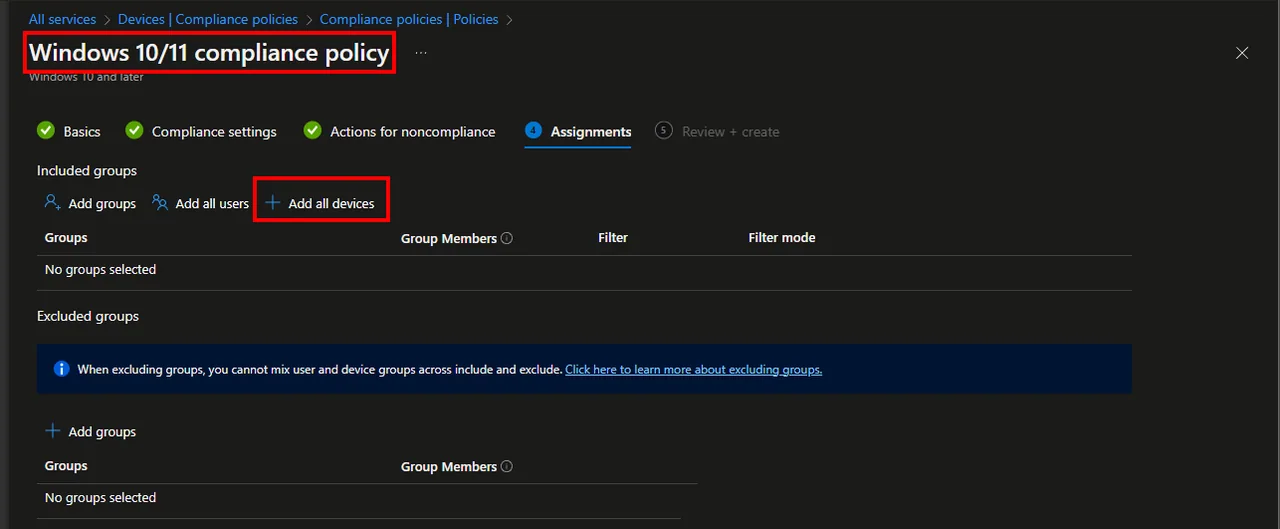
Assign compliance policies to the All devices group
Finally, compliance policies can be assigned not only to specific groups but to all devices.
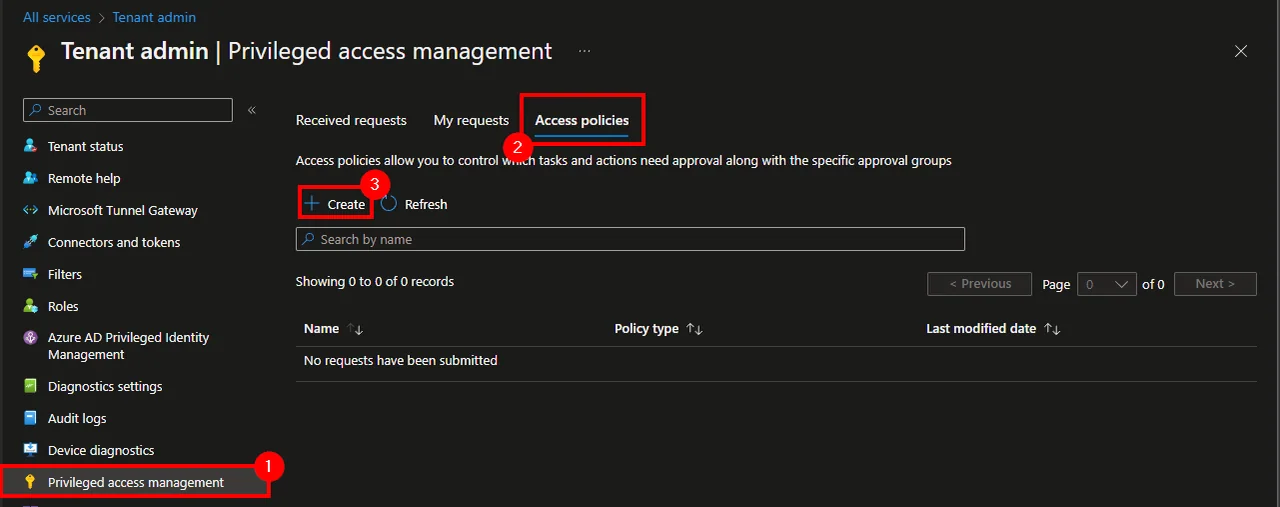
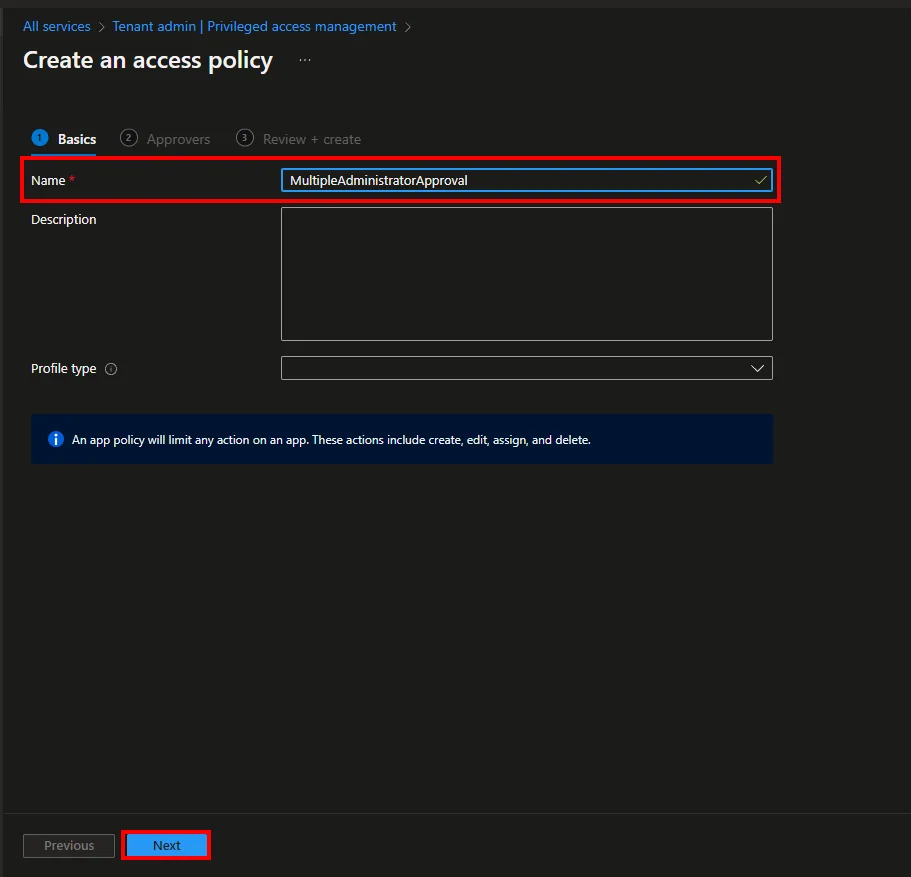
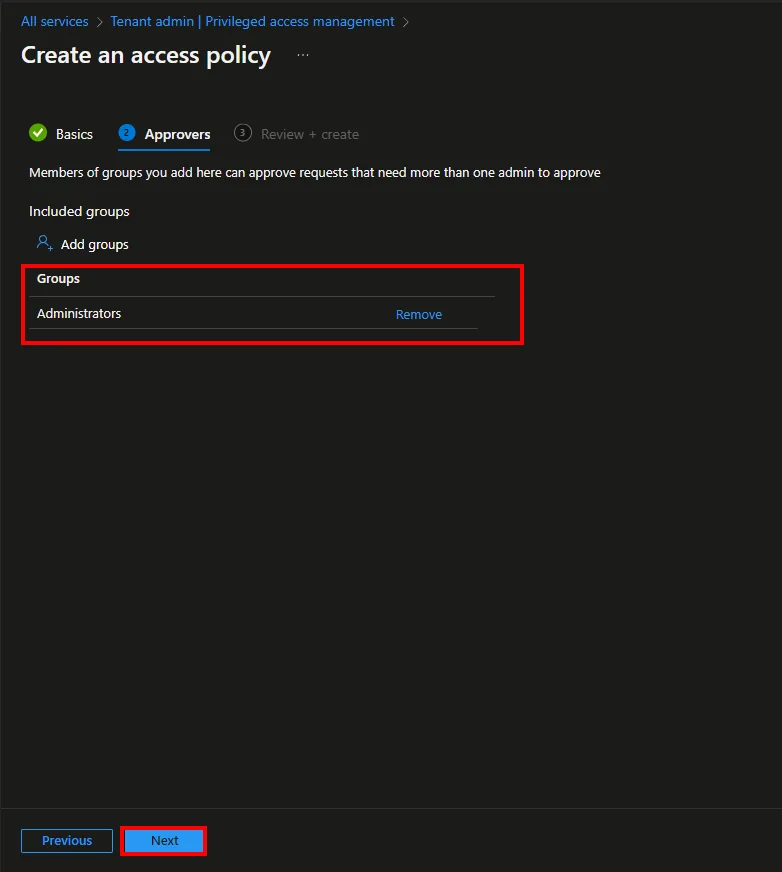
Access policies for Multiple Administrator Approval in public preview
Microsoft has included a new feature in the preview where multiple admin approval is required to deploy app deployments and scripts. This will include an access policy with a group of users who are authorized to approve. More details can be found in this Microsoft Learn article.
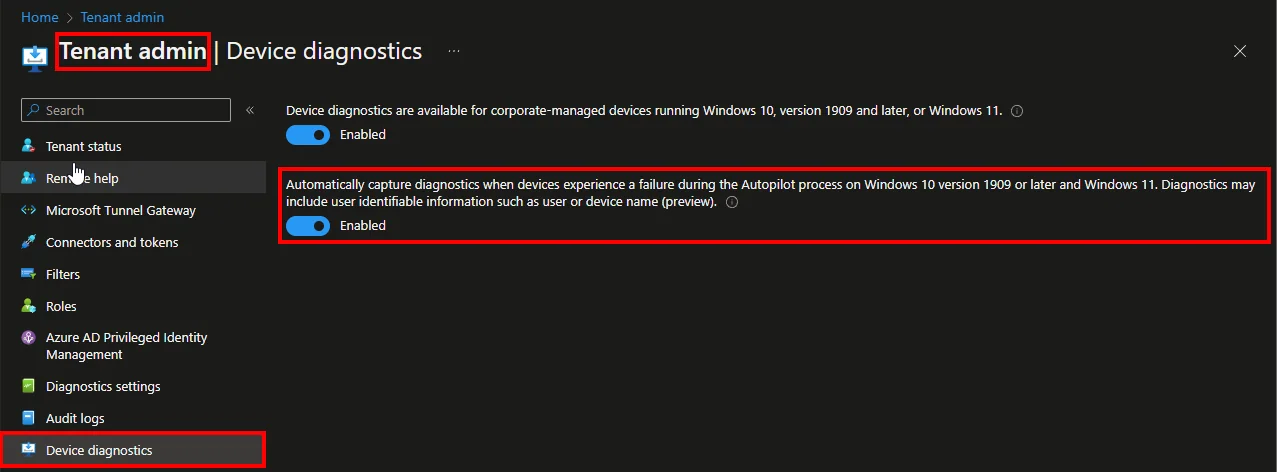
Automatically capture diagnostics
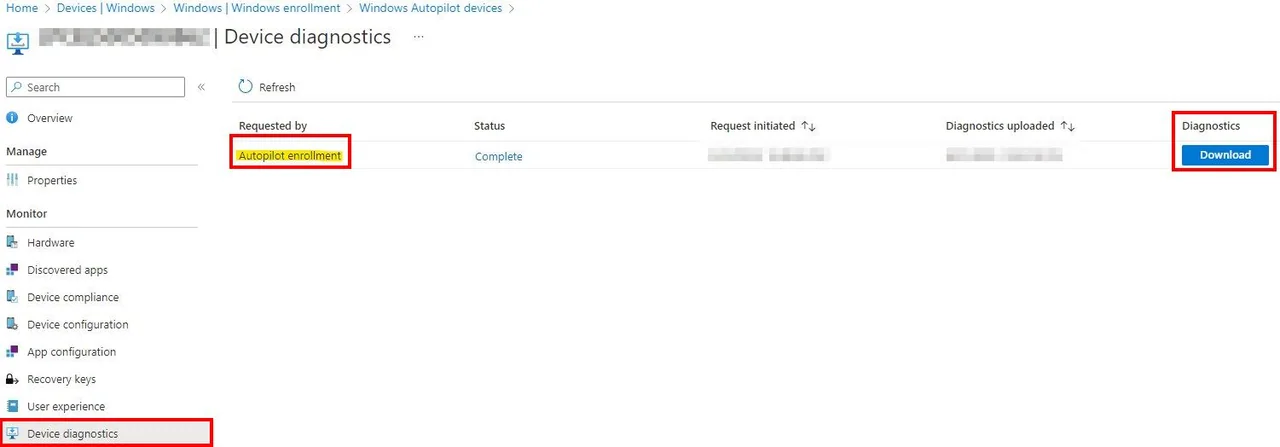
Last but not least, a feature that didn’t show up in the release notes but is a huge improvement. This feature automatically uploads the logs in case of a failed device deployment. The logs can then be found in the Device Object under Device Diagnostic.
Before you switch any of these on tenant wide, a quick word on rollout. Most of these changes are low risk, but the access policies for Multiple Administrator Approval and the new enrollment notifications can surprise your help desk if they appear without warning. A common pitfall is enabling Multiple Administrator Approval and then discovering that routine app or script updates are now stuck waiting for a second approver who is on holiday.
My tip: pilot each feature against a small test group first, document who the approvers are, and make sure the enrollment notification template clearly tells users what to do if they receive an alert they did not expect. That small bit of preparation turns these features from a support headache into a genuine security win.
That wraps up my overview of Microsoft Intune 2209. These updates show how Microsoft keeps strengthening device management month after month, and Microsoft Intune 2209 is a solid step forward for app delivery, security, and diagnostics. For more deep dives, check out my other Intune articles on the blog.