
Patch My PC Home Updater 5.0: What’s New and How It Works
Patch My PC Home Updater keeps Windows apps current for free. See the 2026 features, portable and MSI options, scheduling, requirements and security.
Update 06.09.2026: Corrected the runtime requirement to Windows Desktop Runtime 8.0 (64-bit), not “.NET Framework 8”. See the vendor requirements.
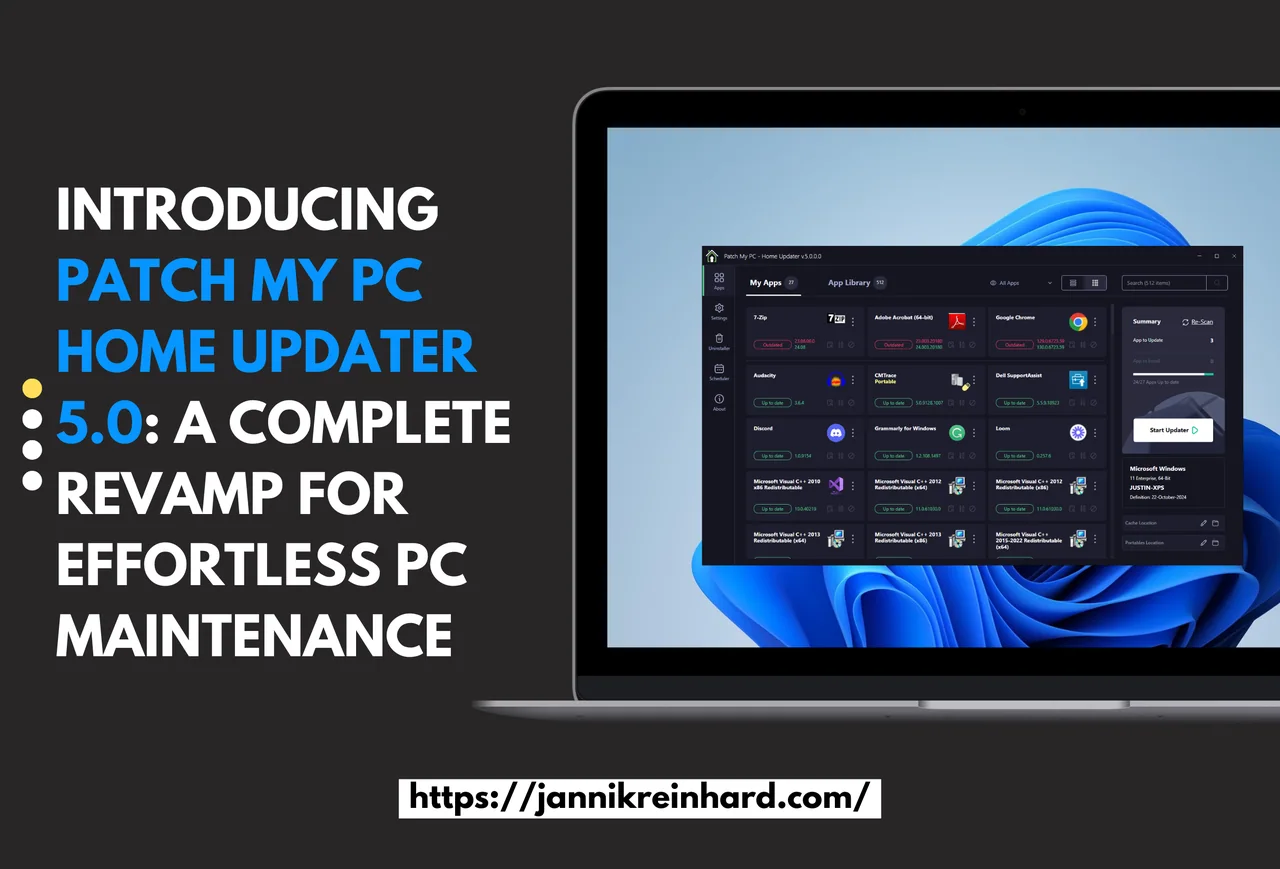
During the recent MMS conference, I had the opportunity to get an early look at the new Patch My PC Home Updater 5.0. Keeping your PC updated is crucial for security, performance, and accessing the latest features in your applications. In business environments, IT teams usually handle this task, but in our personal lives, it’s an important responsibility that often falls to us individually.
To simplify this process, Patch My PC offers a free tool designed to keep your home PC’s software up to date effortlessly. In this blog, I’ll walk you through how the Patch My PC Home Updater works and what’s new in version 5.0.
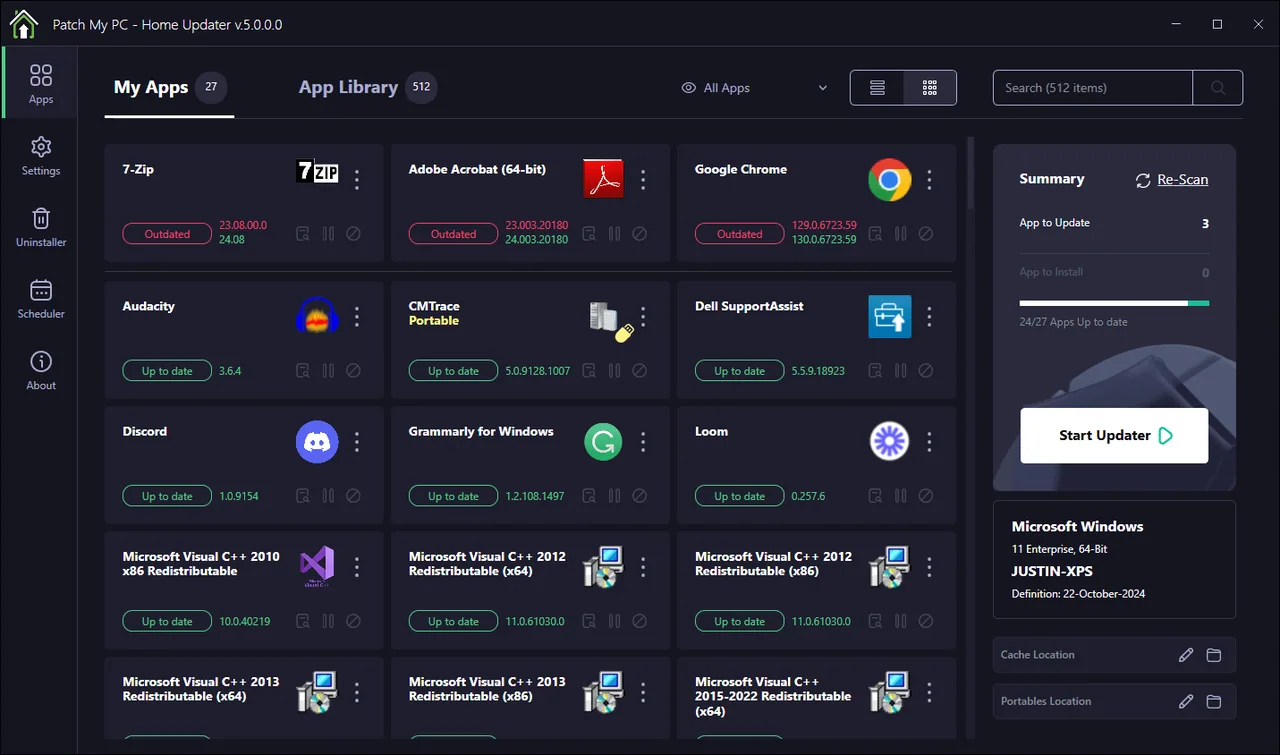
Quick answer: Patch My PC Home Updater is a free 64-bit Windows tool that scans installed software and updates or installs supported applications. The current version 5 line offers both MSI and portable builds; release 5.4.5 improves scheduling and matching when multiple versions of an application are installed. Version 4 has been deprecated. For most home PCs I would use the MSI build so scheduled scans and self-updates work normally, and keep the portable build for troubleshooting or one-off use.
Last verified: July 22, 2026
What’s New in Patch My PC Home Updater 5.0?
A Modern Interface with Dark Mode
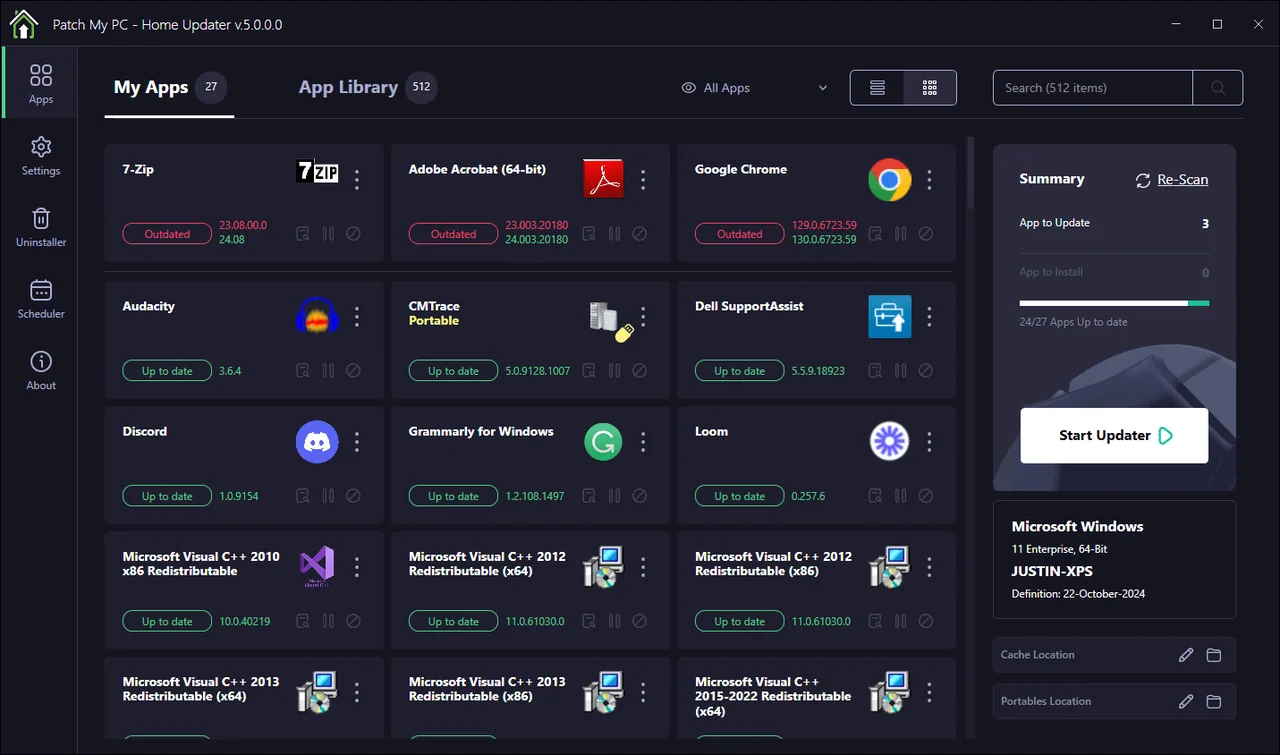
One of the first things I noticed was the completely revamped user interface. It’s clean, intuitive, and now includes a dark mode option.
Rebuilt from the Ground Up
Version 5.0 isn’t just a visual overhaul; the application has been re-architected from scratch. This redesign aims to improve performance and reliability. During my testing, scans for outdated software were faster, and updates ran smoothly without any hiccups.
Expanded Software Library: Over 500 Supported Apps
The update has significantly expanded its library, increasing from around 300 to over 500 supported applications. The chance that your applications are part of it is high.
Enhanced Search and App Detection
The dynamic search feature has been enhanced, making it easier to find specific applications. Improved detection algorithms ensure that all your installed software is accurately identified.
Grid View and Pending Installs
Managing multiple applications is now more straightforward thanks to the new grid view and the ability to see pending installs. This feature provides a clear overview of your software status and lets you manage updates more effectively.
Redesigned My Apps Tab
The “My Apps” tab has been overhauled to give users better control over installed applications. From here, you can easily update, uninstall, or disable auto-updates for specific apps.
MSI Installer and Portable Build
Version 5 originally launched with an MSI installer to provide clean Windows integration, self-updates and scheduled tasks. Patch My PC later added an official portable version as well, so in 2026 you can choose the MSI build for normal installed use or the portable build when you deliberately do not want a traditional installation.
What Are the System Requirements?
- Windows 10 or later (64-bit)
- Microsoft Windows Desktop Runtime 8.0 (64-bit)
- Internet access
How Does the Patch My PC Home Updater Work?
Installation: After downloading the MSI installer, the setup process is straightforward. Once installed, the application automatically scans your system for installed software.
Updating Apps: The main interface lists all your installed applications, highlighting those that have available updates. You can choose to update all at once or select specific apps to update.
Installing New Apps: Besides updating existing software, you can also install new applications directly from the app’s library. Simply check the boxes next to the programs you want, and Patch My PC will handle the rest.
Scheduling Updates: One of the standout features is the ability to schedule automatic updates. You can set it to check for updates at specific times and frequencies, meaning you can keep your software up to date without manual intervention.
Security and Reliability
All updates are thoroughly tested for proper detection and installation. Additionally, they are scanned using VirusTotal to ensure they are free from malware. This provides an extra layer of confidence when updating multiple applications from a single tool. Because the Patch My PC Home Updater now uses an MSI package, it also integrates cleanly with the standard Windows Installer (MSI) platform that Windows uses for safe, repeatable software installs.
Final Thoughts on the Patch My PC Home Updater
Keeping your software updated is a crucial but often overlooked aspect of personal computer maintenance. Outdated applications can pose security risks and may not perform as well as their updated counterparts. Tools like Patch My PC Home Updater 5.0 make it significantly easier to manage this task. If you want to learn more about optimizing how updates are delivered on Windows, check out my deep dive into delivery optimization.
If you’re also interested in enterprise update scenarios, check out my guide on getting started with Intune driver update management. If you’re interested in a more enterprise-focused approach, check out my post on Right Click Tools for SCCM and Intune. If you’re looking at software management from an enterprise perspective, you might also like Easy and Effective App Management in Intune.
If you’re interested in how this challenge is handled in business environments, check out my post on Application Workspace.
Download it from here: https://patchmypc.com/home-updater#scheduler

New posts, straight to your inbox.
Hands-on guides on Intune, AI and Azure.