
Right Click Tools for Intune: Free Community Edition
Explore the free Community Edition of Right Click Tools for Intune. See installation, available device actions and how the browser integration works.
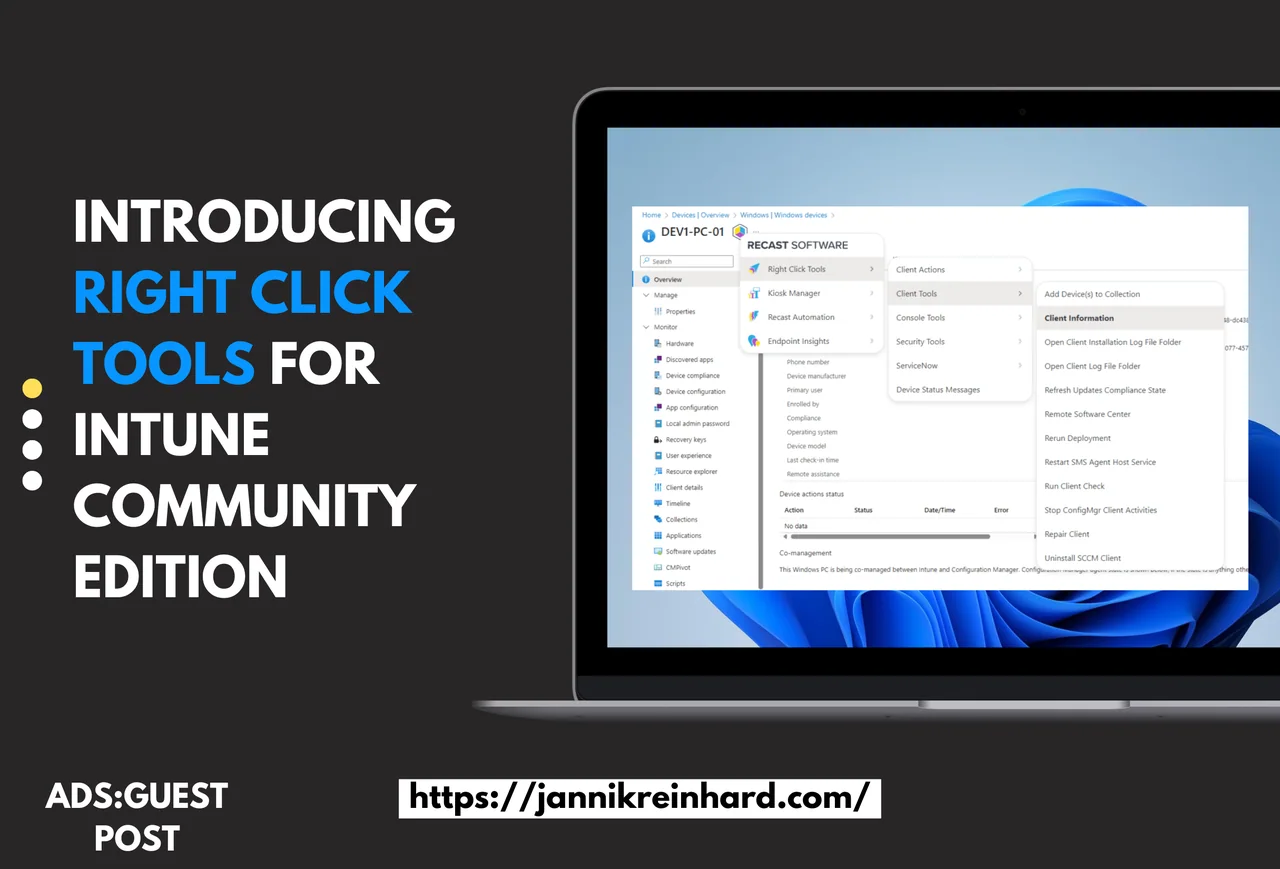
Right Click Tools built its reputation on making endpoint management within Microsoft Configuration Manager (ConfigMgr) simpler and faster. After the success of the free ConfigMgr add-on, Recast Software has now brought the same capabilities to Microsoft Intune with the new Right Click Tools for Intune Community Edition browser extension. If you have ever wished for faster, context-aware actions inside the Intune admin center, this extension finally delivers that experience for free.
Bridging the Gap Between ConfigMgr and Intune
Many IT teams manage on-premises devices, co-managed setups, and Intune-only environments. Previously, the free Right Click Tools Community Edition was limited to ConfigMgr. Now, with the new extension available for both Chrome and Edge browsers, teams managing co-managed devices can access key right-click actions directly in the Intune console. This means no more switching back and forth between consoles, and it is exactly why Right Click Tools for Intune feels like such a natural extension of the workflows administrators already know.
The reality for most organizations is hybrid. Some devices are still domain-joined and managed through ConfigMgr, while newer hardware is cloud-managed through Microsoft Intune. Bouncing between two different management surfaces slows everyone down. By surfacing the same trusted actions in the cloud console, Right Click Tools for Intune closes that gap and gives administrators a consistent experience no matter where a device lives. You can learn more about the broader management platform on Microsoft Learn, which covers the fundamentals of Intune device management in detail.
What’s Included in Right Click Tools for Intune
The Community Edition for Intune offers the familiar features IT teams have come to rely on, now built into a browser extension. Even in the free tier, Right Click Tools for Intune packs a meaningful set of capabilities that cover the most common day-to-day endpoint tasks:
- Core Device Actions: Quickly trigger essential client actions with a right-click.
- Productivity Tools: Scan for devices in ConfigMgr and Active Directory, and act on the results.
- Compliance Checks: Run focused software update deployment scans and remediate issues.
What makes these features so useful is that they appear exactly where you need them. Instead of opening separate utilities or running scripts, the extension brings the action one click away from the device you are already looking at. That tight integration is the whole point of the extension.
How Right Click Tools for Intune Works
Getting started is easy and takes only a few minutes:
- Install the Browser Extension: Download and install the free Right Click Tools extension from the Microsoft Edge or Google Chrome Add-ons store.
- New (Free) License Required: All users—including existing ConfigMgr Community Edition users—will need a new license that works for both ConfigMgr and Intune.
- Seamless Integration: Once installed, right-click actions appear in the Intune console for co-managed devices. You’ll see the core actions you need for daily tasks and security checks.
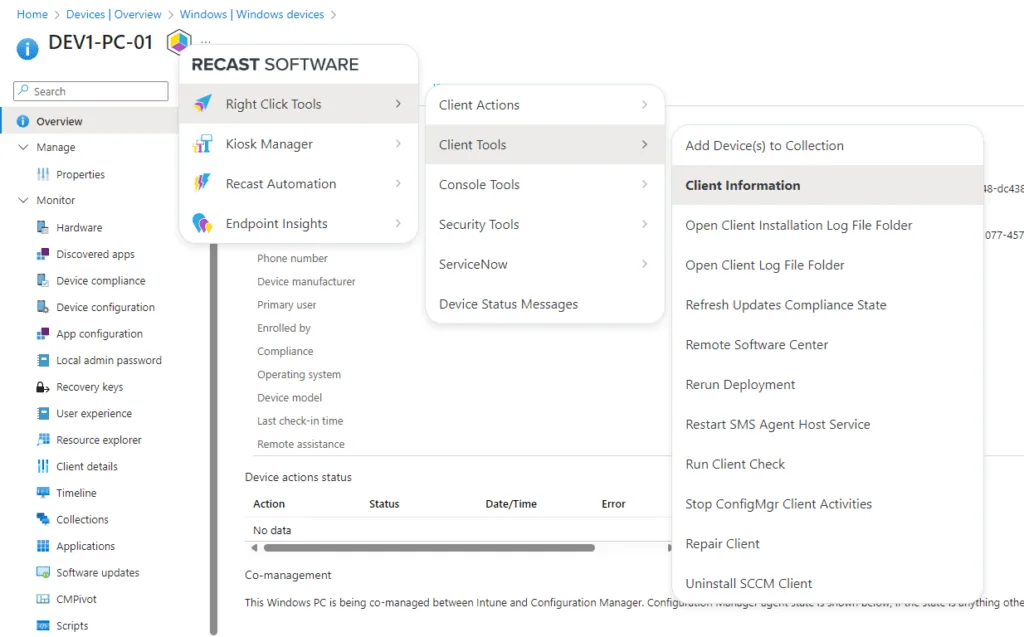
This simple setup lets you streamline your workflow by bringing proven device management tools directly into the Intune environment. After installation, the extension quietly enhances the existing console, so there is nothing new to learn beyond the right-click menu itself.
The Value of a Unified Management Experience
By integrating Right Click Tools into Intune, you reduce the time spent switching between different consoles. With direct access to critical device actions, you can:
- Speed Up Routine Maintenance: Trigger system information checks, remote Windows security actions, or review BitLocker status with just a few clicks.
- Enhance Security: Quickly run compliance checks and security scans to keep your endpoints secure.
The free Community Edition provides the tools needed for co-managed scenarios, saving both time and effort. For busy help desk teams, those saved minutes add up quickly across hundreds of devices. This is where Right Click Tools for Intune really shines: it removes repetitive friction from the tasks technicians perform dozens of times a day.
Who Should Use the Right Click Tools for Intune Community Edition
If your environment is fully cloud-managed, co-managed, or somewhere in transition, this extension is worth installing today. Small IT shops benefit because the free edition lowers the barrier to powerful tooling, while larger teams appreciate having a consistent right-click experience across both ConfigMgr and Intune. Because the extension is free and lightweight, there is very little reason not to try it on a few test devices first.
Administrators who already trust the ConfigMgr edition will feel immediately at home. The same philosophy of context-aware, right-click actions carries over, so adopting the Intune edition does not require retraining your team or rewriting your runbooks. You simply gain the same convenience in a new place.
Conclusion
Right Click Tools for Intune builds on a legacy of trusted tools, now extending its benefits to a broader range of endpoint management scenarios. By bringing essential actions directly into the Intune console, it reduces the need for constant context switching and helps maintain tighter security and compliance standards. Whether you manage a handful of cloud devices or thousands of co-managed endpoints, Right Click Tools for Intune gives you a faster, more unified way to work. Ready to boost your productivity and simplify your IT operations? Download the free browser extension and experience a more unified management approach. For those who need even more, explore the added capabilities of Right Click Tools Enterprise Edition.
If you want to explore the broader toolkit beyond the Community Edition, check out Right Click Tools for SCCM & Intune: Patch, Report, Elevate.