
Intune App Creator: Package Chocolatey Apps for Deployment
Explore the Intune App Creator workflow for Chocolatey packages. Prepare app sources, review packaging and detection, and test deployment in a pilot.

Anyone who has worked with Intune and deployed an app knows that this is a bit of work. You have to download the sources, create the IntuneWin file, create the app in Intune. To simplify this I have created the Intune App Creator. With this application you can search within the >9,000 Chocolatey packages and automatically add this app to your Intune app portfolio with just one click.
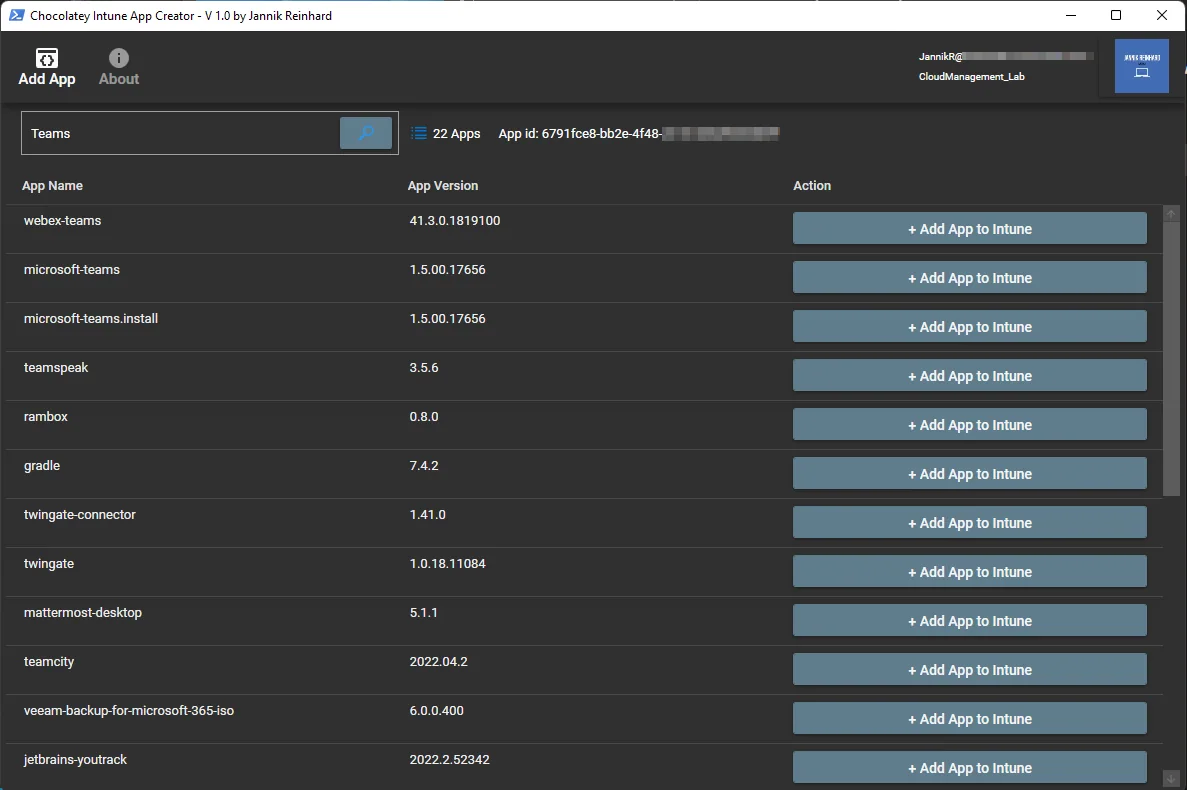
How does the Intune App Creator work
When you open the app it will check if you already have Chocolatey, the basic app for the whole thing, in your application portfolio. If this is the case, the application ID will be displayed. If this is not the case then you will see a button with which you can add the app. This app will then be attached as a dependency to any other app you create with my tool.
When you select an app then an install and uninstall script will be generated and an Intunewin file is created. In the next step the app uploads the file and creates the app in your Intune tenant. The only thing you have to do is to create the assignment of the app.
Because Chocolatey is set as a dependency, Intune installs it automatically before the actual package runs, so you never have to ship the package manager separately. After the tool finishes, open the app in the Intune portal and quickly review the generated detection rule and the install command. In most cases the defaults are fine, but for apps that install into a custom path it is worth double checking that the detection rule actually matches what landed on the device. Once you are happy, assign the app to a test group first and let it run on a single device before you roll it out broadly.
Prerequisites
To use the tool you need a custom repository. How you can set it up is explained in one of these links:
- https://docs.chocolatey.org/en-us/features/host-packages
- https://docs.chocolatey.org/en-us/guides/organizations/set-up-chocolatey-server
- https://www.youtube.com/watch?v=UehkG1VHtz0&list=PLGvGJzqY88slnTkOEh3BIHGv0P8jw9rll
How can you get the Intune App Creator
- Open my GitHub repository
- Download and unzip the whole folder
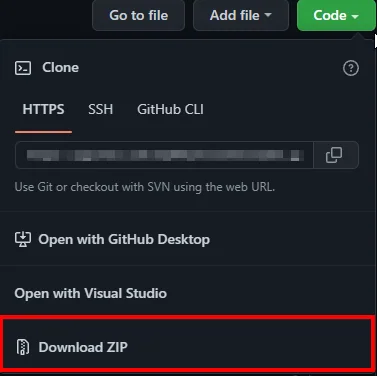
- Install the Microsoft Graph PowerShell module before starting the app-packaging tool:
Install-Module Microsoft.Graph -Scope CurrentUserIf you have chocolatey already in your App Portfolio you can insert the name of the App in Intune in the Start-IntuneAppCreator.ps1 script.

- Execute the Start-IntuneAppCreator
- Have fun
Note
If you get the following error on your system when executing the Intune App Creator:
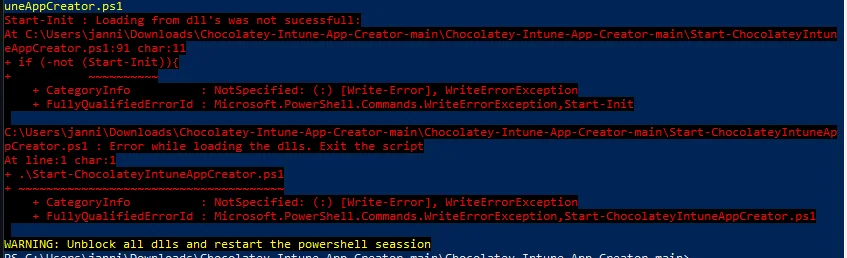
The packaging tool uses the same downloaded-library setup described in the Device Troubleshooter DLL notes. Follow those steps if the start script reports a blocked assembly.
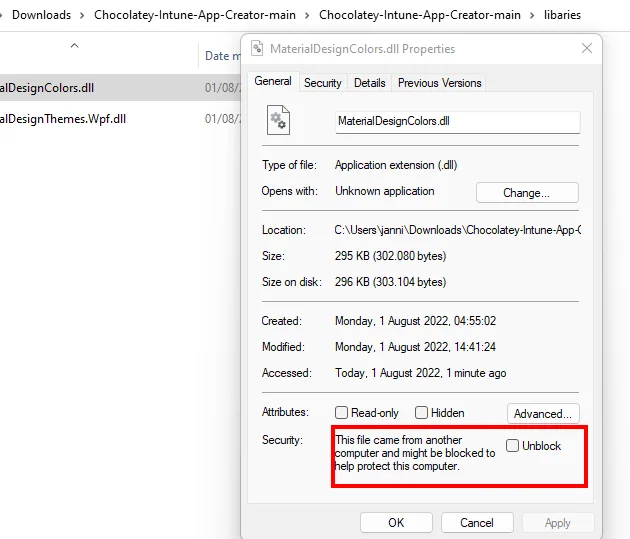
It may be that you need to restart your PowerShell session to get the error message gone. After that, the Intune App Creator should start without any issues. If you want to combine this with broader app packaging, see my other posts on jannikreinhard.com and the official Microsoft Learn Win32 app documentation.
Credits
Information
An Intune integration is part of Chocolatey For Business, that was released in December 2021. The release notes are at https://docs.chocolatey.org/en-us/licensed-extension/release-notes#breaking-changes-1. This tool is an unofficial product that provides a GUI to easily add apps to the Intune tenant.
Conclusion
Thanks for your support and reading my blog post. I hope the Intune App Creator could help you deploy apps to your tenant without much effort.
Stay healthy, Cheers
Jannik