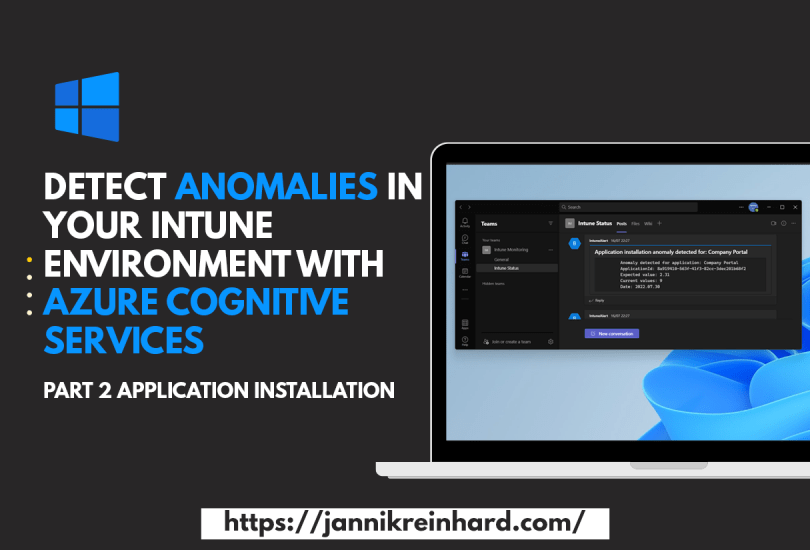
Detect anomalies in your Intune environment with Azure Cognitive Services – Part 2 Application Installations

In one of my previous blog posts I explained how you can use Azure Automation and Azure Cognitive service to monitor the compliance state of your environment and notify you if there are major deviations today. In this part of the series I want to show you how you can apply this to the deployment of your applications and also get notified if the installation of an application suddenly fails abnormally often.

Read More »

Using MacOS custom attributes in Intune

Intune already has a basic inventory of MacOS devices. On the one hand, there is a hardware inventory in which you have everything from the serial number to the free memory, but also os information. In addition, you can see in the discovered apps which applications are installed on the device. But if you want to collect more information about the devices, Intune offers a really cool feature here. The feature I am talking about is called custom attribute. This is basically a shell script that is executed on the devices and the return value is stored as a custom attribute.

Read More »

Use Endpoint Analytics to clean up the disk

I have already written several blog posts about endpoint analytics. In the Microsoft Tech Community the question came up how to clean up the disk using Intune. This is a question that is difficult to answer generically as it is always very specific. Through more and more applications and data moving to the cloud and the storage is also becoming cheaper and cheaper, the amount of storage needed on a workplace devices and the problems with full hard disks are no longer as present as in the past.

In this blog I will show you how to free up disk space on your clients with an high disk usage. So let’s get started.

Read More »

A default set on assignment Filter

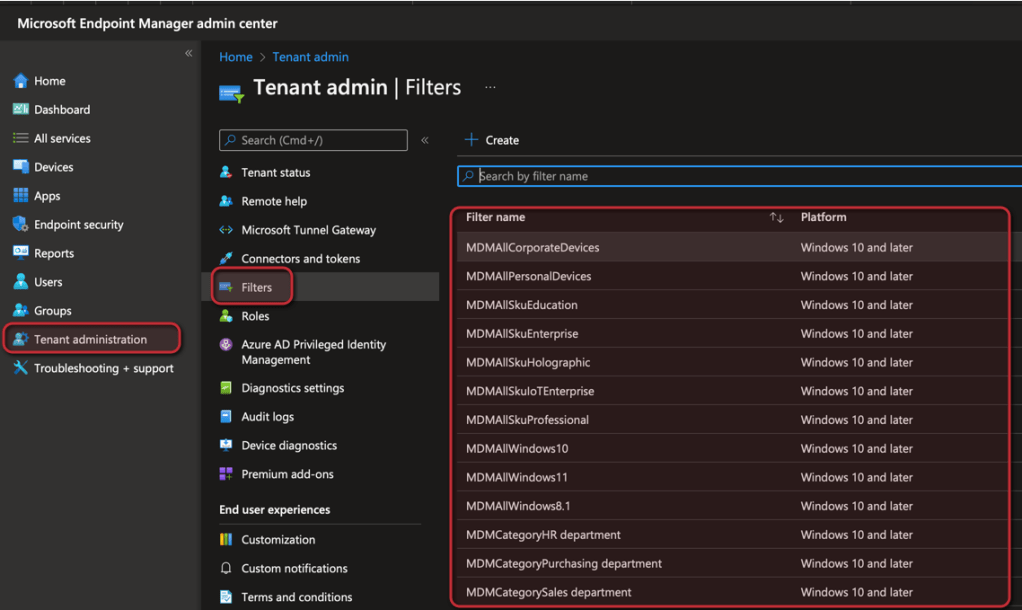
In one of my posts I have explain how you can create an apply assignment filters. Is a very powerful feature to refine the assignment of group. For example, you can assign a config profile to all devices and apply a filter to apply the config profile only on Windows 11 devices within the group. To make it easier for you to start with filters I wrote a script which creates a default set of filters.

Read More »

Detect anomalies in your Intune environment with Azure Cognitive Services – Part 1 Device Compliance

It is hard to keep track of your Intune environment. With the help of log events you can build static monitoring via Azure automation or logic apps. This is possible if you are only interested in a specific event or if you can express this via static code. However, if you want to detect anomalies, e.g. a strong increase or decrease of the device count or how many devices are compliant, it is difficult to implement this without machine learning and to set static values. In this blog series I would like to show you how you can use Azure cognitive services to build a monitoring system and send you messages based on abnormal deviations. So let’s get started.

Read More »

Sync Azure AD Group with Kiosk Config Profile

I have already described in a previous blog how to deploy a device as a kiosk device using Intune. This actually works really well. There is only one small thing that is really inconvenient. If Azure AD user or group is selected as logon type (only specific users are allowed to logon on this devices), this policy must not only be assigned to a group, but also the allowed user must be defined in the profile. The option also allows to add AAD users and groups and the SIDs of these objects are also written to the local group but Windows cannot resolve the AAD groups (bug or feature?). The resolution of whether the user who is trying to log in is in one of the groups is done by Windows via Graph when MFA is disabled. it will also work. But if MFA is enabled windows fails to get the token. In this blog I want to show you how you can easily work around this by syncing an Azure AD group with this configuration profile.

Read More »

Intune Tool Box – Rebuild of Intune in PowerShell

I think everyone who works with Intune on a daily basis knows the situation that they would like to have a simple feature that would simplify their daily work. In order to close exactly this gaps I decide to code my own tool with many small features that would make the life for Intune admins easier. This was the birth of the Intune Tool Box. This tool is a WPF application that is written in PowerShell. The app has the same design as Intune but offers small helpers for the daily work. The good thing is that this app is built in such a way that it can be easily extended at any time. If you have any features in your mind that you are missing in Intune console but is possible to solve this via graph so let me know that I can add this to the app. My plan is to develop the app step by step and bring in new cool features.

Read More »

Applicability Rule: Gone but still there

With the introduction of Assignments filter, the value of Applicability rules has diminished. With Applicability rules you could define on which OS versions a Configuration Profile should work. Unfortunately, the ability to configure or delete applicability rules for some configuration profile types from the console has also been removed. It is to be expected that this can happen piece by piece also for further types. In this blog I want to show you how you can easily remove all applicability rules to switch to filters as soon as possible.

Read More »