
IME Log Summarizer for Microsoft Intune
Use the IME Log Summarizer to analyze Intune Management Extension logs with AI. Review the code, input data and interpretation of troubleshooting results.
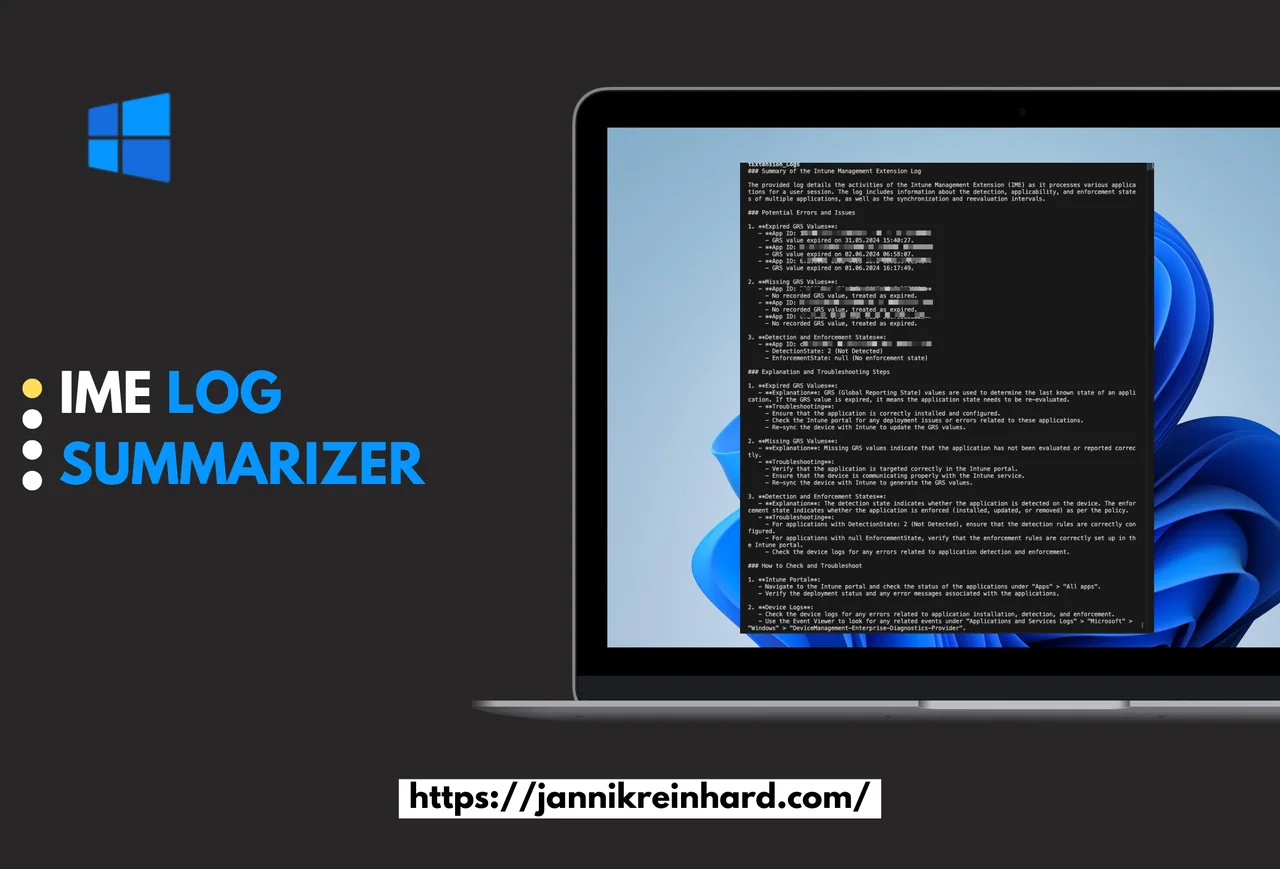
In this short blog I want to show you how you can build an IME Log Summarizer that uses GPT to get a summarization of the Intune Management Extension log. This IME Log Summarizer script will read the Intune Management Extension Log file in the ProgramData/Microsoft/IntuneManagementExtension/Logs folder and will pass the latest content of the log to GPT, so you spend less time scrolling through thousands of noisy log lines.
Troubleshooting app and policy delivery on Windows endpoints almost always comes back to this one log file, and reading it by hand is slow. An IME Log Summarizer turns that raw, verbose log into a short, readable report that highlights what actually went wrong on the device. If you already manage devices with Microsoft Intune, this is an easy win you can set up in minutes.
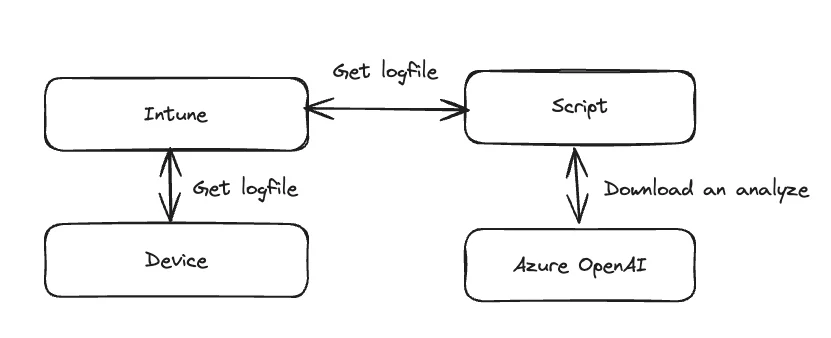
How does the IME Log Summarizer work
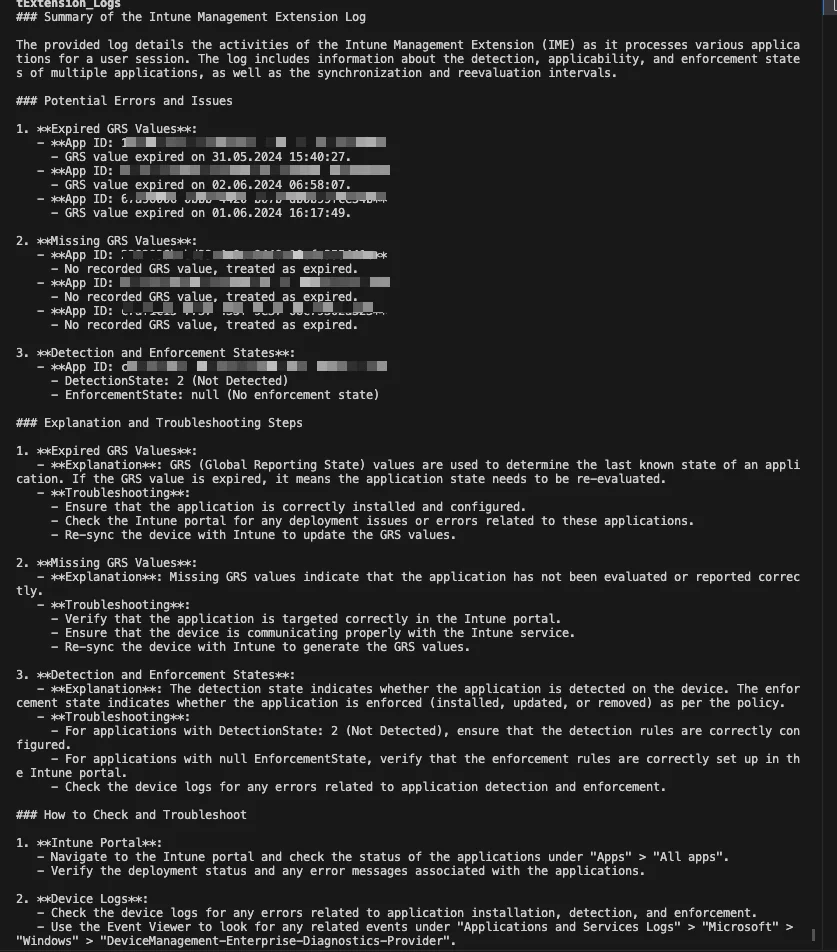
GPT will use the content of the log and generate a summary but will also point you to potential errors on the device. This is a very simple approach but my goal is to show you how you can use AI in the device management to gain more insights and save time. Instead of grepping for keywords, the IME Log Summarizer reads the most recent portion of the log and explains, in plain language, which apps or policies failed and why.
The flow is intentionally minimal: read the log file, trim it to the latest content so it fits the model context, send it to an Azure OpenAI deployment, and print the result. You can run it locally on a single device or, in the advanced version, pull the log remotely for any enrolled device. If you want to go deeper on the log itself, the official Intune app management documentation is a good companion read.
Preparation and prerequisites
You have to create an Azure OpenAI deployment. Once this is done you have to insert the azure_endpoint and the api_key in the script. For the advanced remote version you also need an Entra ID app registration with Graph permissions so the IME Log Summarizer can request and download the log collection from Intune.
Simple Approach
Here you can find a simple script which works locally on a device. This local IME Log Summarizer is perfect for quick checks while you are already signed in on the machine you are troubleshooting.
import os
from openai import AzureOpenAI

file_path = os.path.join('C:\\', 'ProgramData', 'Microsoft', 'IntuneManagementExtension', 'Logs', 'IntuneManagementExtension.log')
with open(file_path, 'r') as file:
    log_content = file.read()

log_content = log_content[-128000:]

prompt = f"""
You are an senior intune engineer. Your task is to find errors in the [Intune Management Extension log]. Give the user a summary of the log an point him to potential errors on an structured way. Explain to the user what is mean and how he can check and troubleshoot this.

[Intune Management Extension log]
{log_content}
[END Intune Management Extension log]
"""

client = AzureOpenAI(
    azure_endpoint="https://YOUR_ENDPOINT.openai.azure.com/",
    api_key="YOUR_APIKEY",
    api_version="2024-02-01",
)

completion = client.chat.completions.create(
    model="gpt-4o",
    temperature=0,
    messages=[
        {
            "role": "user",
            "content": prompt,
        }
    ]
)

print(completion.choices[0].message.content)
Advanced Approach
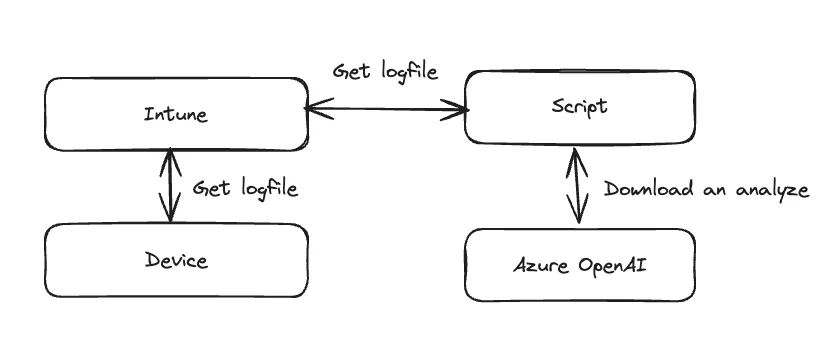
In this approach we will also enable the script to work remotely. For this we need to upload the log file from the device and use this for the summary. This makes the IME Log Summarizer useful at scale, because you can analyze a device you do not have physical access to. It works like this:
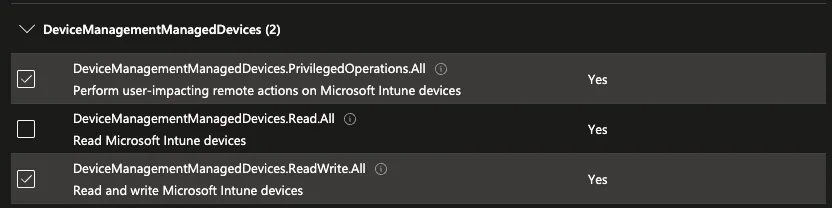
Before we run the script we have to fulfill one requirement. We need an app registration with the following permissions:
This is the full script:
"""This script is used to summarize the Intune Management Extension (IME) logs for a given device."""

import os
import urllib.request
import ssl
import zipfile
import requests
import msal

from openai import AzureOpenAI

from loguru import logger

CLIENT_ID = "CLIENT_ID"
TENANT_ID = "TENANT_ID"
CLIENT_SECRET = "CLIENT_SECRET"

OPEN_AI_API_KEY = "YOUR_API_KEY"
OPEN_AI_ENDPOINT = "https://YOUR_ENDPOINT.openai.azure.com/"

DEVICE_ID = "INTUNE_DEVICE_ID"


def get_access_token(client_id, client_secret, tenant_id):
    """Get an access token for the Microsoft Graph API using the"""
    authority = f"https://login.microsoftonline.com/{tenant_id}"
    app = msal.ConfidentialClientApplication(
        client_id,
        authority=authority,
        client_credential=client_secret,
    )
    result = app.acquire_token_for_client(
        scopes=["https://graph.microsoft.com/.default"]
    )
    if "access_token" in result:
        return result["access_token"]
    else:
        raise Exception("Could not obtain access token")  # pylint: disable=broad-exception-raised


def collect_logs(device_id, client_id, client_secret, tenant_id):
    """Load all apps from the Microsoft Graph API"""
    token = get_access_token(client_id, client_secret, tenant_id)
    headers = {"Authorization": f"Bearer {token}", "Content-Type": "application/json"}
    response = requests.post(
        f"https://graph.microsoft.com/beta/deviceManagement/managedDevices('{device_id}')/createDeviceLogCollectionRequest",
        json={"templateType": 0},
        headers=headers,
    )
    print(response.json())
    response.raise_for_status()
    return response.json()["value"]


def get_log_status(device_id, client_id, client_secret, tenant_id):
    """Load all apps from the Microsoft Graph API"""
    token = get_access_token(client_id, client_secret, tenant_id)
    headers = {
        "Authorization": f"Bearer {token}",
        "Content-Type": "application/json",
        "consistencylevel": "eventual",
    }
    response = requests.get(
        f"https://graph.microsoft.com/beta/deviceManagement/managedDevices('{device_id}')/logCollectionRequests?$select=id,status,managedDeviceId,errorCode,requestedDateTimeUTC,receivedDateTimeUTC,initiatedByUserPrincipalName&",
        headers=headers,
    )
    response.raise_for_status()
    logs = response.json()["value"]
    logs.sort(key=lambda x: x["requestedDateTimeUTC"])
    return logs[-1]


def download_logs(device_id, log_id, client_id, client_secret, tenant_id):
    """Load all apps from the Microsoft Graph API"""
    token = get_access_token(client_id, client_secret, tenant_id)
    headers = {
        "Authorization": f"Bearer {token}",
        "Content-Type": "application/json",
    }
    response = requests.post(
        f"https://graph.microsoft.com/beta/deviceManagement/managedDevices('{device_id}')/logCollectionRequests('{log_id}')/createDownloadUrl",
        headers=headers,
        json={},
    )
    response.raise_for_status()
    return response.json()["value"]


def summarize_logs(file_path):
    """Summarize the Intune Management Extension logs"""
    with open(file_path, "r") as file:
        log_content = file.read()

    log_content = log_content[-128000:]

    prompt = f"""
    You are an senior intune engineer. Your task is to find errors in the [Intune Management Extension log]. Give the user a summary of the log an point him to potential errors on an structured way. Explain to the user what is mean and how he can check and troubleshoot this.

    [Intune Management Extension log]
    {log_content}
    [END Intune Management Extension log]
    """

    client = AzureOpenAI(
        azure_endpoint=OPEN_AI_ENDPOINT,
        api_key=OPEN_AI_API_KEY,
        api_version="2024-02-01",
    )

    completion = client.chat.completions.create(
        model="gpt-4o",
        temperature=0,
        messages=[
            {
                "role": "user",
                "content": prompt,
            }
        ],
    )

    print(completion.choices[0].message.content)


def main():
    """Main function for the Streamlit app"""
    logger.info("Starting IME Summarizer")
    log_status = get_log_status(DEVICE_ID, CLIENT_ID, CLIENT_SECRET, TENANT_ID)
    logger.info(log_status)
    if log_status["status"] != "completed":
        logger.error("Log collection is not completed yet")
        return
    log_id = log_status["id"].replace(f"{DEVICE_ID}_", "")
    log_download_url = download_logs(
        DEVICE_ID, log_id, CLIENT_ID, CLIENT_SECRET, TENANT_ID
    ).replace('"', "")
    # Download zip
    logger.info(log_download_url)

    ssl._create_default_https_context = ssl._create_unverified_context
    urllib.request.urlretrieve(log_download_url, "logs.zip")
    # uzip logs.zip
    with zipfile.ZipFile("logs.zip", "r") as zip_ref:
        zip_ref.extractall("logs")

    # find folder
    log_folder = None
    for folder in os.listdir("logs"):
        if "ProgramData_Microsoft_IntuneManagementExtension_Logs" in folder:
            log_folder = folder
            break
    logger.info(log_folder)
    # Summarize logs
    summarize_logs(f"logs/{log_folder}/intunemanagementextension.log")

if __name__ == "__main__":
    main()
To initiate the log collection, you can run the following beforehand:
def main():
    """Start log collection"""
    log = collect_logs(DEVICE_ID, CLIENT_ID, CLIENT_SECRET, TENANT_ID)
    logger.info(log)
The output:
Wrapping up the IME Log Summarizer
That is all it takes to stand up a working IME Log Summarizer for Microsoft Intune. With a few lines of Python and an Azure OpenAI deployment you get a tool that reads the noisy log for you and hands back a clear summary of errors. If you want more Intune automation ideas, browse the other posts on jannikreinhard.com and adapt this IME Log Summarizer to your own workflow.
A couple of common pitfalls are worth calling out. The first is the context window: the script keeps only the last 128,000 characters of the log, so if your failure happened earlier in the day it may already be trimmed away. When you are chasing a specific error, grab the timestamp first and make sure it falls inside the slice you send to the model. The second is trust. GPT is good at spotting patterns, but it can still misread an unfamiliar error code, so always confirm its findings against the raw log before you act on them.