
I am more than happy to release my new tool the GPT Intune Device Trouleshooter. Wouldn’t it be awesome if you have an assistant which you explain what you want to do in Intune an he do the job for you? This dream will now become reality with the GPT Intune Device Troubleshooter.

Content
- Content
- What is the GPT Intune Device Troubleshooter
- What are the prerequisites
- How does it work
- Get access to Open AI Service
- How it the data privacy when I use the Azure Open AI service
- How to deploy the GPT Intune Device Troubleshooter
- What is the current feature sets and what are example calls
- How to create the app registration
- Post setup steps
- How to open the Webpage
- How does the Tool work
- How you can contribute?
- How does the roadmap look like?
What is the GPT Intune Device Troubleshooter
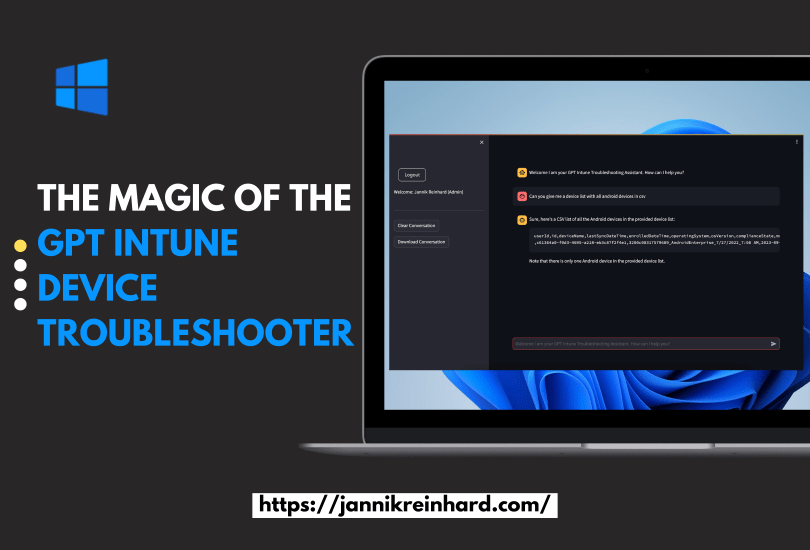
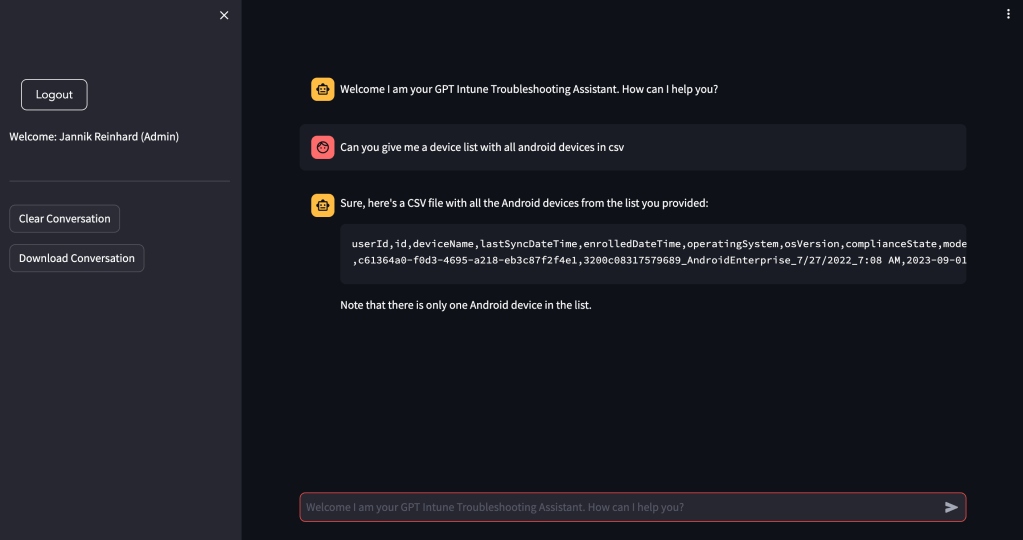
The GPT Intune Device Troubleshooter is a powerfull tool which helps Intune admins to make here day easier. It answers your free text questions based on your enviroment utilizing graph api. You can ask questions like “Can you check the status of the device XXXX” or “Can you give me a device list with all android devices in csv” and you will get the customised answer to your question.
What are the prerequisites
- GPT enabled Subscription
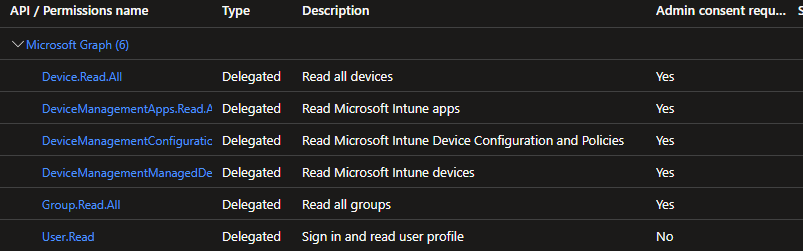
- App registration with deligated permissions for (DeviceManagementConfiguration.Read.All, DeviceManagementManagedDevices.Read.All, DeviceManagementApps.Read.All, User.Read)
How does it work
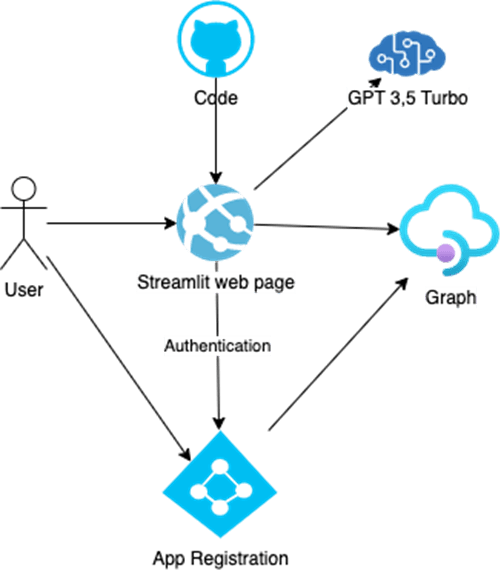
- You can deploy the infrastructure with one click from GitHub to azure
- The code will be pulled to the app service
- The user open the streamlit web page
- The user authenticate via a app registration with delegated permissions for graph
- This token will be used to get data from graph and put them into an prompt
- This prompt with question and enriched informations will be send to the open ai service
- The answer will be presented on the streamlit web page

Get access to Open AI Service
Fill out the following request form to enable you subscription to deploy open ai services.
How it the data privacy when I use the Azure Open AI service
You can finde more information about privacy in this MS doc.
How to deploy the GPT Intune Device Troubleshooter
You dont have to do so much. The whole magic is behind this button.
But you can also deploy the infratructure and the code manual via my github repository.
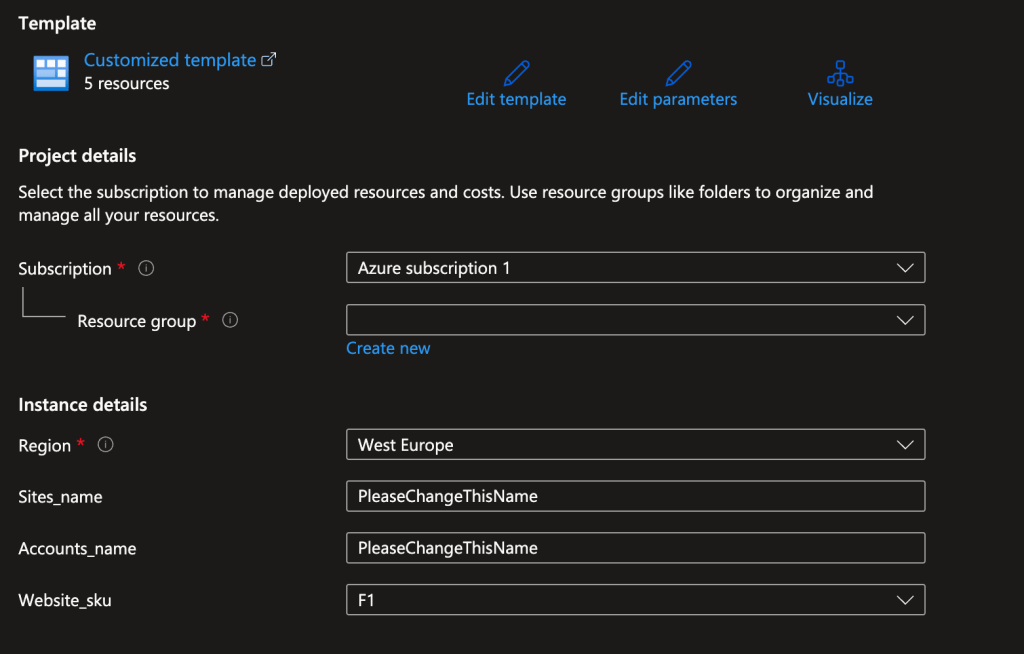
- Select the subscription and the resource group
- Select the region and the Website sku
- Enter an name for the site and the open ai service account
What is the current feature sets and what are example calls
Currently the following features are supported:
- Get Device List
- Get Device Status
- Get Single Device
- Intune How To
- Config Profiles
- App List
- Compliance Policies
- Device Group Membership
- Graph Call
Examples are:
- Can you give me a device list with all android devices in csv
- Can you check the status of the device XXXXX
- Can you check the status of the device XXXX and list the object which has conflict or have errors
- Can you give me a list of all applications
- Can you show me a list in csv of all apps which are created later than 01.01.2022
- In which groups is XXXX? Can you give me the display name and the ids
How to create the app registration
- Open the Entra portal
- Select App registration
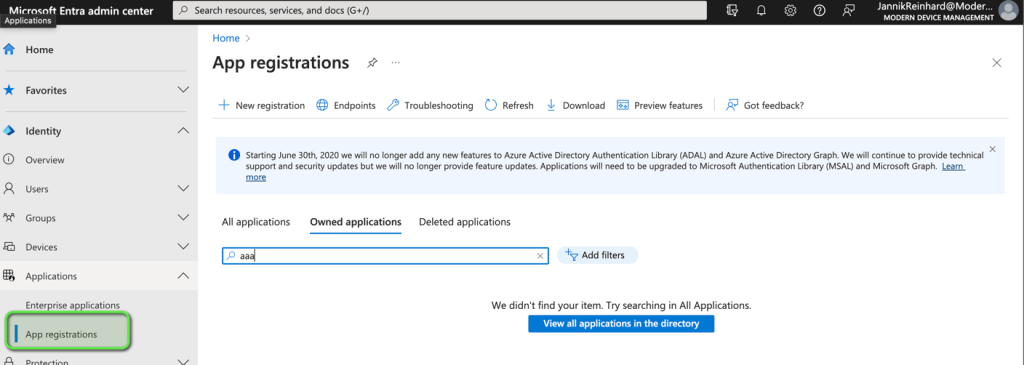
- Click + New registration
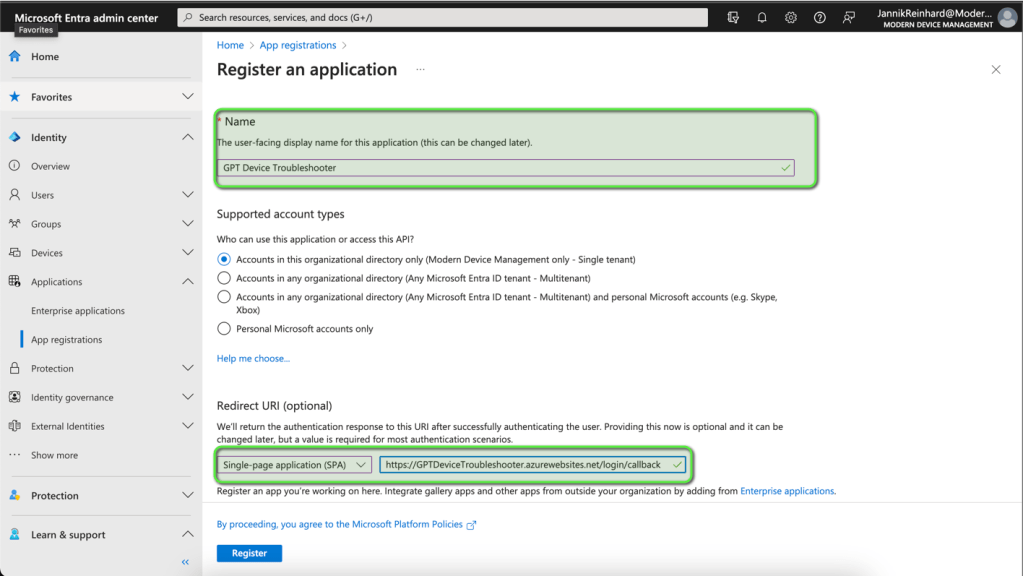
- Enter an name for the App registration
- Select Single-Page application (SPA) as redirect type
- Add
https://WEBPAGENAME.azurewebsites.net/login/callbackas Redirect URI
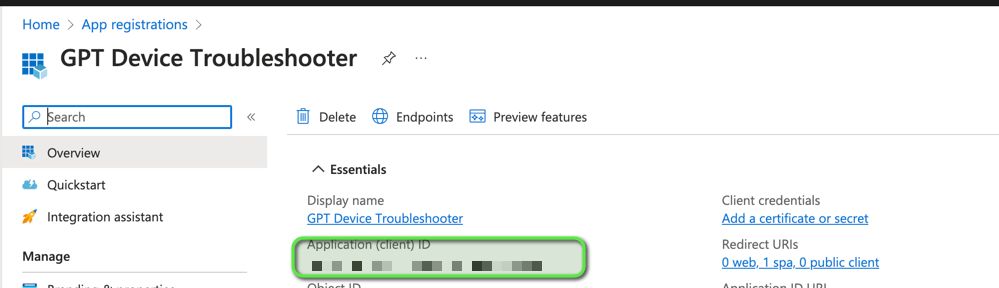
- Copy the App ID
- Go to API permissions and click + Add a permission
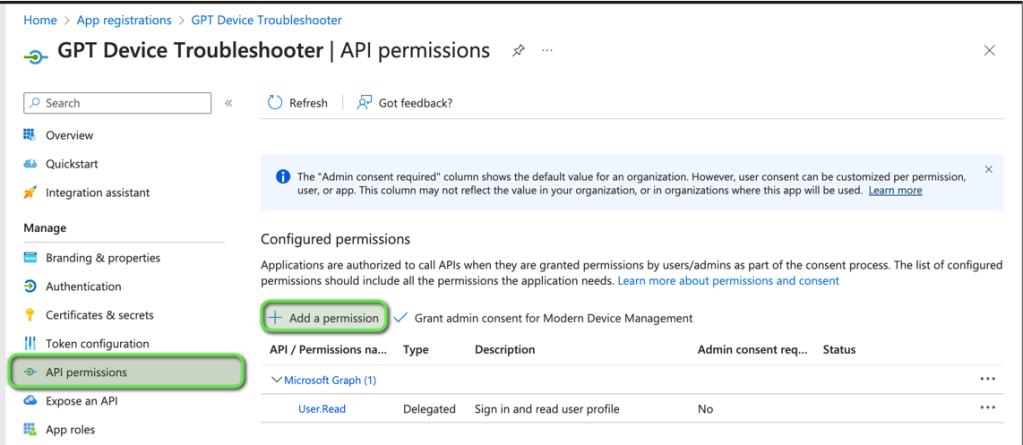
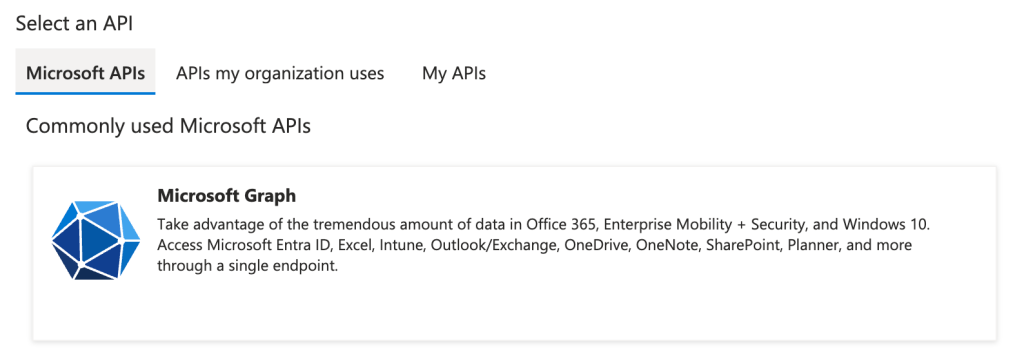
- Select Graph
- Select Delegated permissions
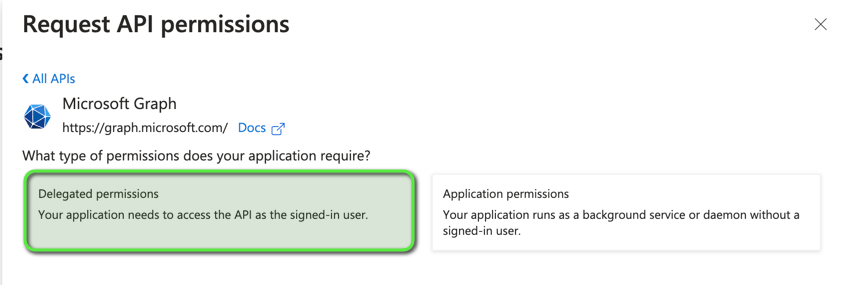
- Add the following permissions (DeviceManagementConfiguration.Read.All, DeviceManagementManagedDevices.Read.All, DeviceManagementApps.Read.All, Group.Read.All, User.Read, Device.Read.All)
- Click Grant admin consent for XXX

Post setup steps
Add the App ID and the secret from the OpenAi Service to the Variables in the App Service Configuration
- Open the Open Ai Service

- Go to Keys and Endpoint

- Open the App Service

- Navigate to Configurations
- Fill in the Azure open AI key and the App Id into the variables

How to open the Webpage
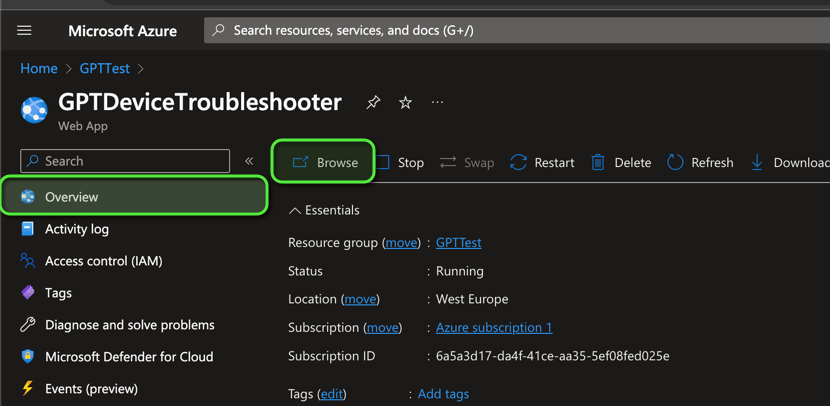
- Go to the App Service and Select Browse
How does the Tool work
- Click on login to get an Token to authenticate on graph

- Insert your question in the chat box
How you can contribute?
If you have a ideas for improvements or for missing features as well as bugs, contact me via my blog, social media or open an issue on the repository with an description of your idea. You can also create merge request. I am happy for every contribution and feedback.
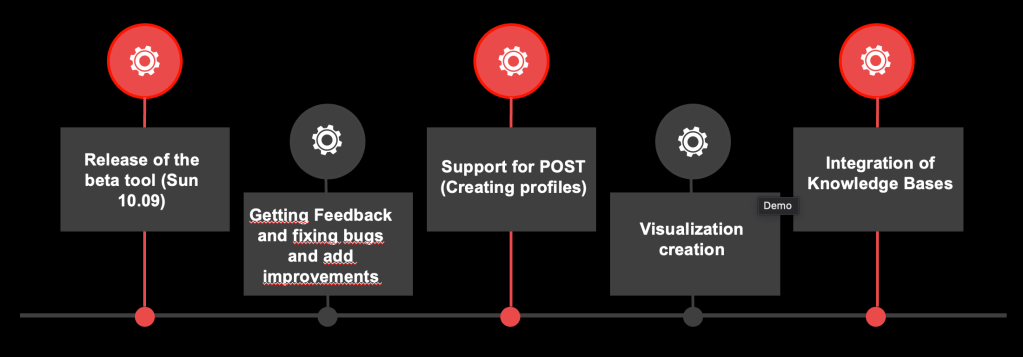
How does the roadmap look like?
Please provide me feedback. Based on your feedback I will include and prioritise the features I will add.
 jannikreinhard.com
Hi Jannik, I’ve implemented your solution but all the queries you mentioned come back as “None”. Do you know if something happened that is causing this issue? Thanks
LikeLike
I got this feedback from several person. I am in the investigation
LikeLike
[…] The Magic of the GPT Intune Device Troubleshooter […]
LikeLike
Hi Jannik, I just deployed the template in my tenant for testing and configured the settings like you described in the blog post. Unfortunately after I hit login and choose the user nothing happens. I’m not logged and therefore can’t use the site. Tried it already with different user accounts of the tenant. Is this problem already known?
LikeLike
@christian, what error message do you get? I logged in successfully.
@Jannik, I am waiting on your reply to the “none” reply issue. Everything I ask in the chat, I am also getting the answer “none” from the bot. I have to say that I gave the app registration more read rights than given in this article, because I want him to read and tell me a lot more. Example, we have multiple countries and all in Intune, so I want to ask in the chat to sent me a list of all users in a specific security group and list all devices per users that are a member of that group. is that even possible for this ai bot?
LikeLike
@christian, what error message do you get? I logged in successfully.
@Jannik, I am waiting on your reply to the “none” reply issue. Everything I ask in the chat, I am also getting the answer “none” from the bot. I have to say that I gave the app registration more read rights than given in this article, because I want him to read and tell me a lot more. Example, we have multiple countries and all in Intune, so I want to ask in the chat to sent me a list of all users in a specific security group and list all devices per users that are a member of that group. is that even possible for this ai bot?
LikeLike