
Add Microsoft Entra ID Users and Groups to Local Groups with Intune
Manage Windows local group membership for Microsoft Entra users and groups with Intune. Review the OMA-URI example, account identifiers and assignment scope.

In this blog we will look at how you can add an Azure AD group to local group membership using Intune and custom profiles. Adding a Microsoft Entra ID (formerly Azure AD) group or user to a local group is one of the most common requests for endpoint admins who want to grant elevated rights without managing each device by hand. By the end of this guide you will be able to add an Azure AD group to local group membership on every managed Windows device in a fully automated, repeatable way.
Why add an Azure AD group to local group with Intune
Before cloud management, local Administrators were maintained per device, which quickly became unmanageable at scale. With Intune you can centrally add an Azure AD group to local group membership and keep it consistent across your whole fleet. This is ideal for granting a helpdesk team local admin rights, mapping a department group to the local Remote Desktop Users group, or controlling who can sign in to specific machines. Because the assignment is driven from the cloud, you remove the manual drift that creeps in when people configure devices one at a time.
Step 1: Create the Microsoft Entra ID group
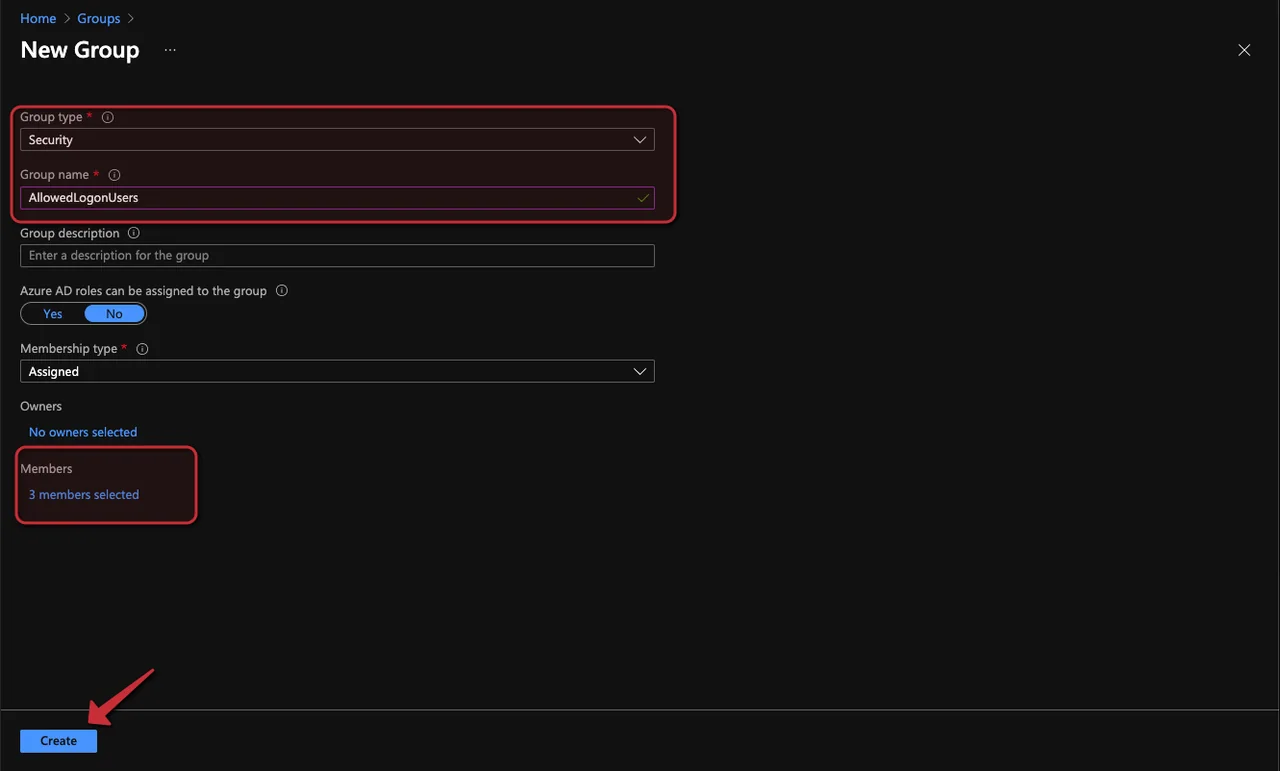
First, we create a Microsoft Entra ID group and add some members to that group. This is the cloud group whose members we will later add to the local group.
- Open the Intune admin center
- Click Groups -> + New group
- Select Security as Group type and enter a Group name
- Add some user to the group under the Members sections
- Click Create
Step 2: Read out the group SID
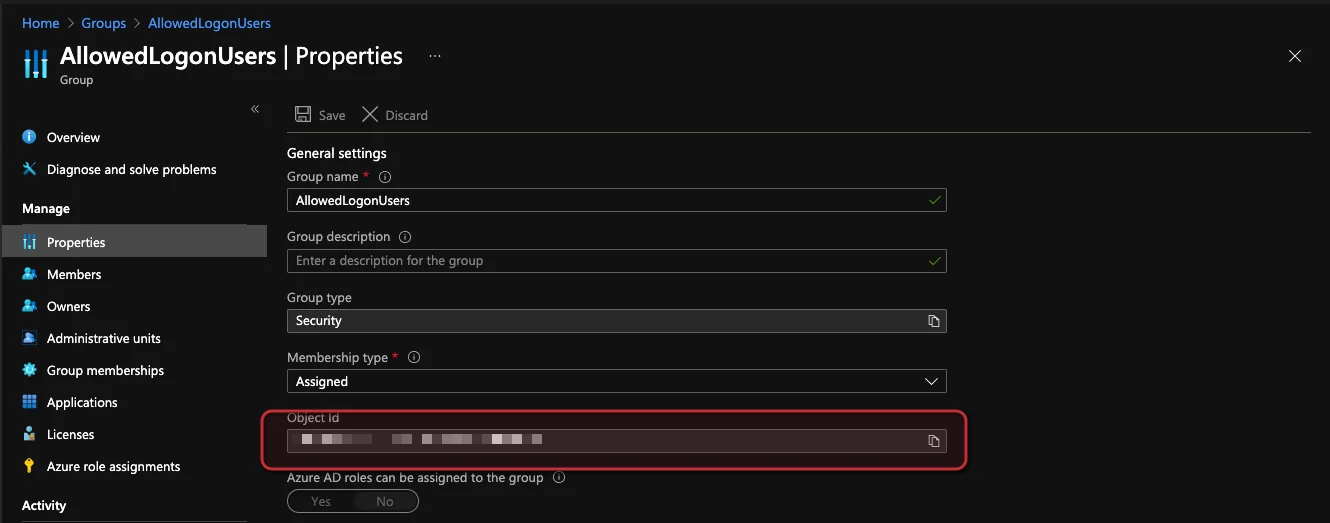
Next we need to read out the Group SID. To do this we need first the ObjectID from the group. You can find this ID in the properties of the group. The SID is the value Windows uses to add an Azure AD group to local group membership, so this step is essential.
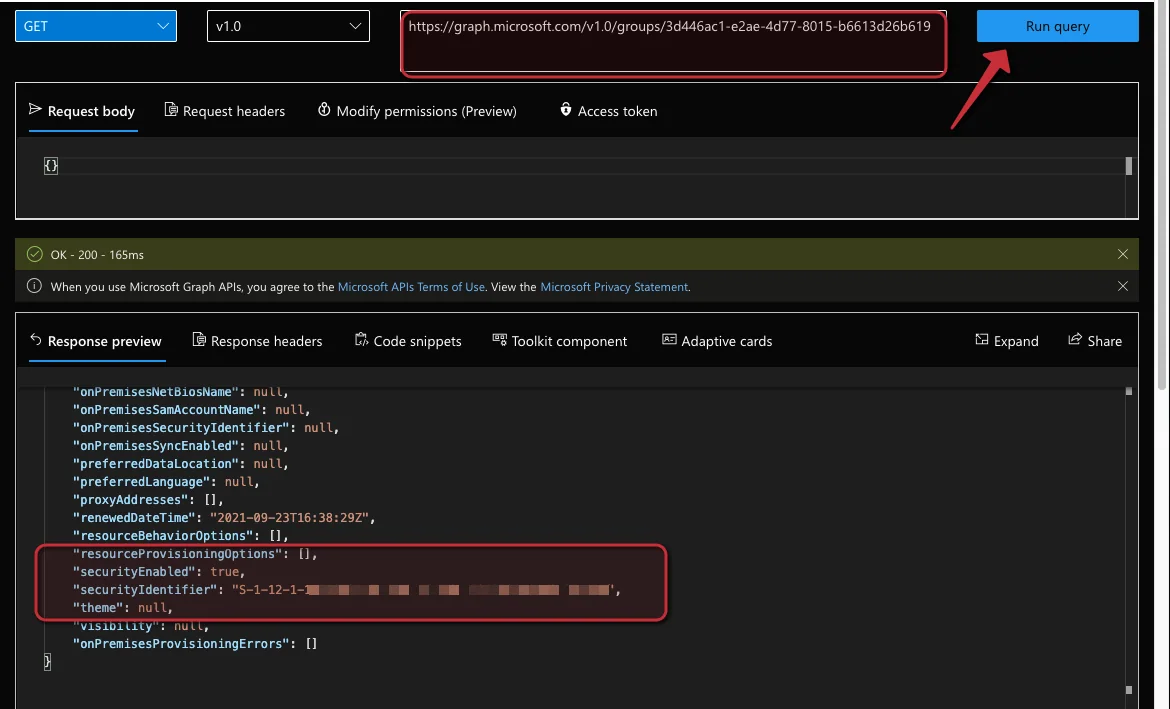
Using the Microsoft Graph groups API (or the Graph Explorer) we convert the ObjectID to the SID. Add the following URL followed by the group Object ID:
https://graph.microsoft.com/v1.0/groups/1ad111aa1-a1aa-1a11-1111-a11111a11a111- Run the query with the Run query button
- In the results you can find the securityIdentifier
Step 3: Create the custom profile to add the Azure AD group to local group
Now we create a custom configuration profile to sync the Microsoft Entra ID group with the local group. This is the policy that actually tells Windows to add the Azure AD group to local group membership. For broader endpoint management tasks like patching, reporting, and elevation, you can also check out Right Click Tools for SCCM & Intune.
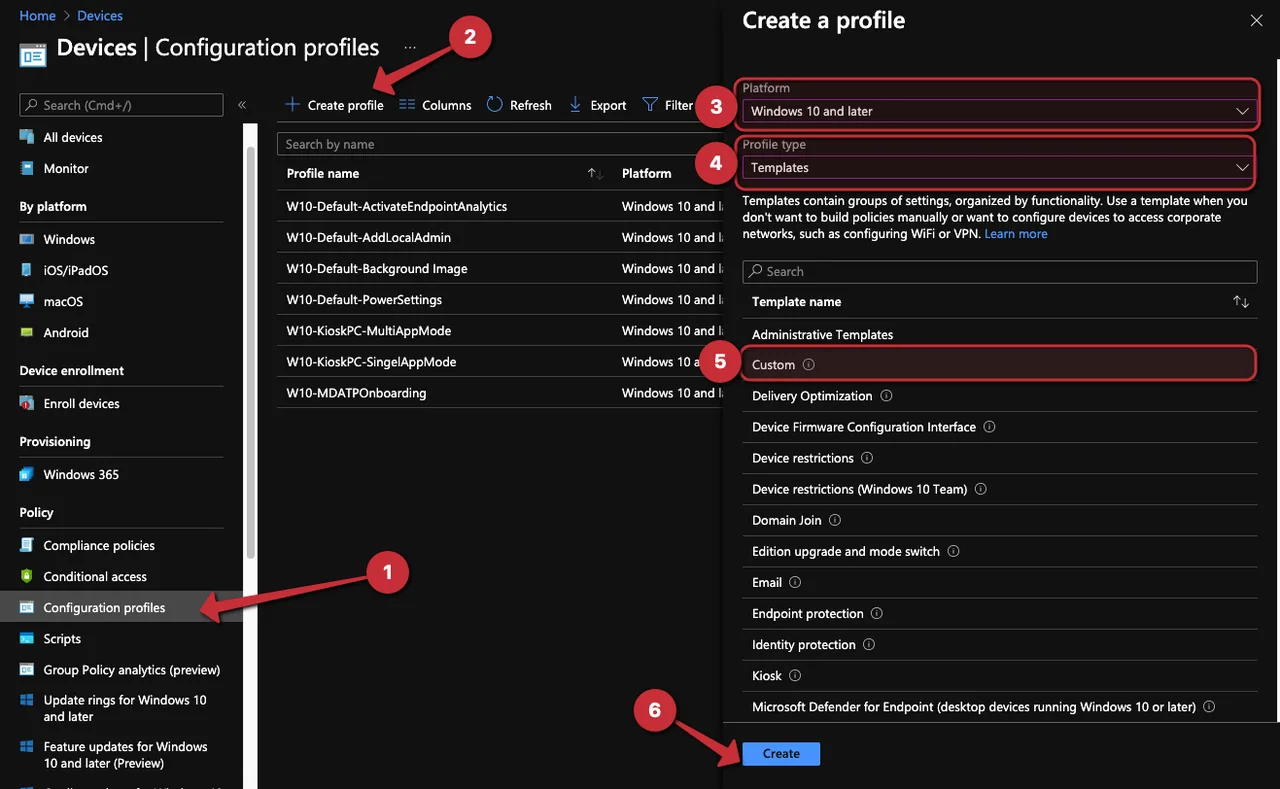
- Open the Intune admin center
- Navigate to Devices -> Configuration Profile
- Click + Create profile
- Select Windows 10 and later as Platform
- Select Template -> Custom as Profile type
- Click Create
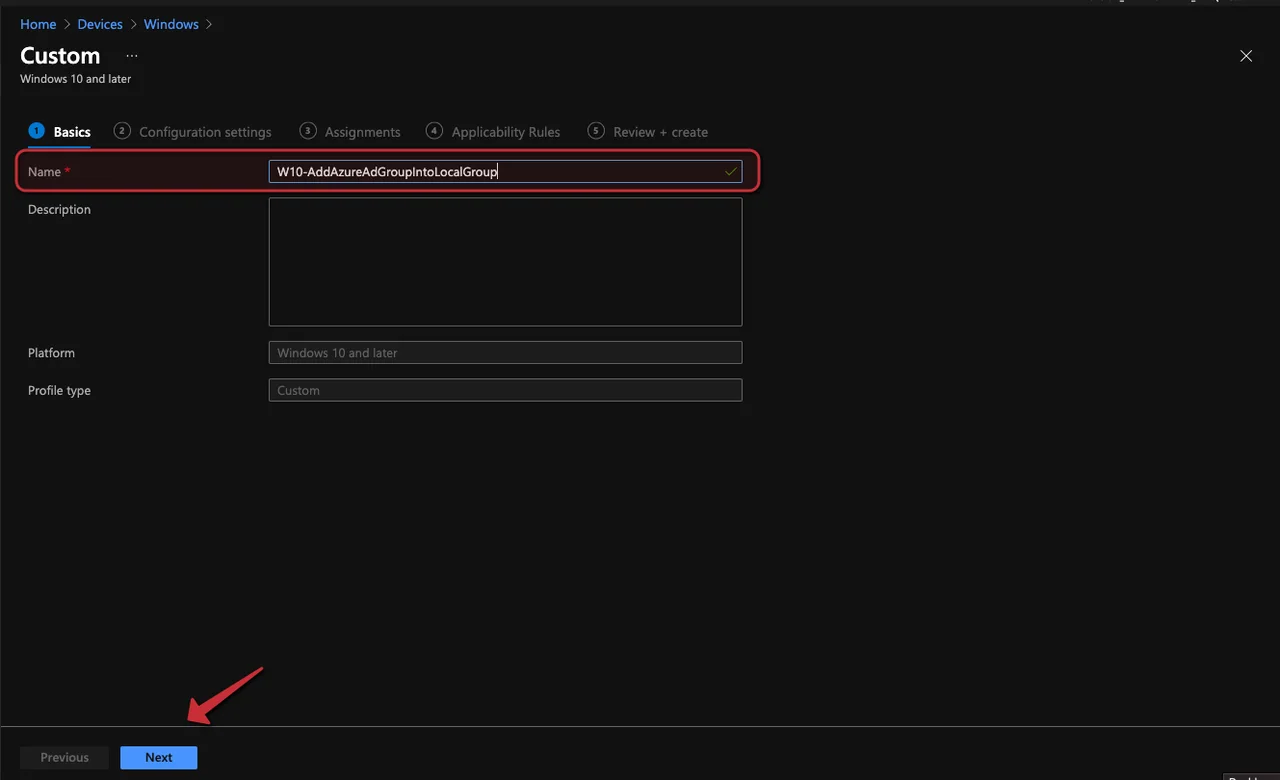
- Enter a Name
- Click Next
-
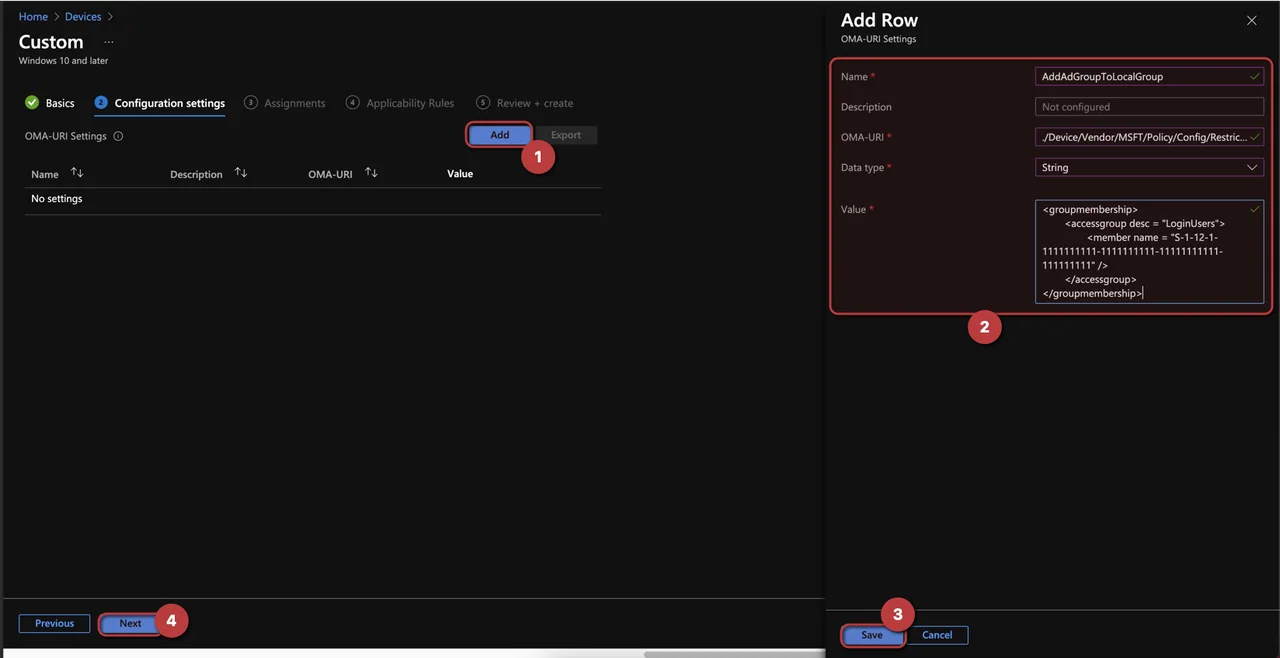
Click Add
-
Enter the following information:
-
Name: AddAdGroupToLocalGroup
-
OMA-URI: ./Device/Vendor/MSFT/Policy/Config/RestrictedGroups/ConfigureGroupMembership
-
Data Type: String
-
Value:
<groupmembership>
	<accessgroup desc = "LoginUsers">
		<member name = "S-1-12-1-1111111111-1111111111-11111111111-111111111" />
	</accessgroup>
</groupmembership>- <accessgroup desc>: Add the local group name.
- <member name>: Add the Group SID we found above, or the user name of a local user, or a Microsoft Entra ID user SID (you can also add multiple lines).
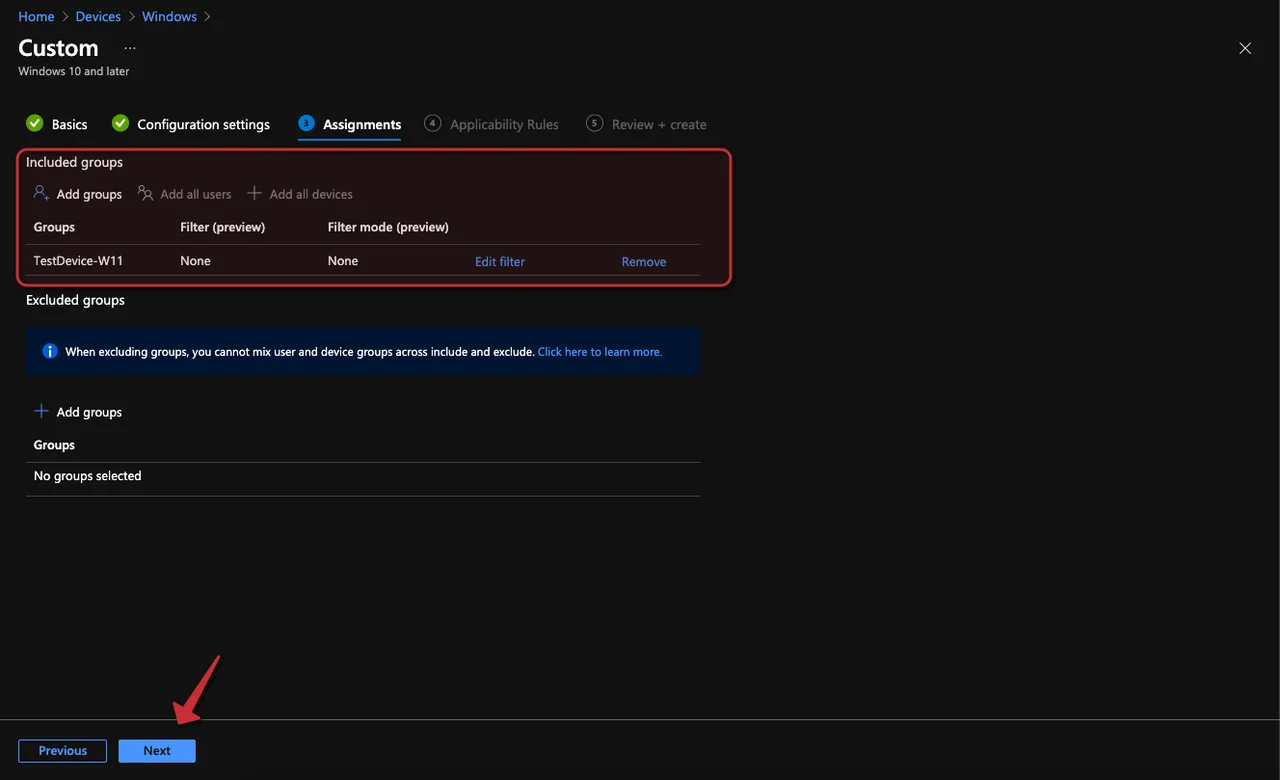
- Assign the policy to a group
- Click Next
- Click Next
- Click Create
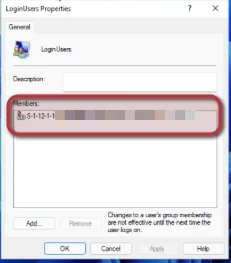
Verify that the Azure AD group is in the local group
If we look at the local group, we see that the Microsoft Entra ID group is a member. This confirms the policy worked and that we successfully managed to add the Azure AD group to local group membership.
Tips and conclusion
A few things to keep in mind: the RestrictedGroups policy is authoritative, so the members you list replace existing members of that local group rather than appending to them. Always test on a pilot device first, and remember you can add an Azure AD group to local group membership for several groups by adding multiple accessgroup blocks. The way is a bit cumbersome but it works, and unfortunately there is still no dedicated settings catalog policy for this scenario.
If you work a lot with Intune groups, you might also like my post about converting device groups to user groups via Graph API. Thank you for reading this guide on how to add an Azure AD group to local group membership with Intune.
Stay healthy, Cheers
Jannik

New posts, straight to your inbox.
Hands-on guides on Intune, AI and Azure.