
Storage Account
- Log in to the Azure portal
- Search for Storage Account and select the Storage accounts service

- Click on + Create on the top
- Select the Subscription, the resource group, region and enter a name for the account.
- Click Review + create and create
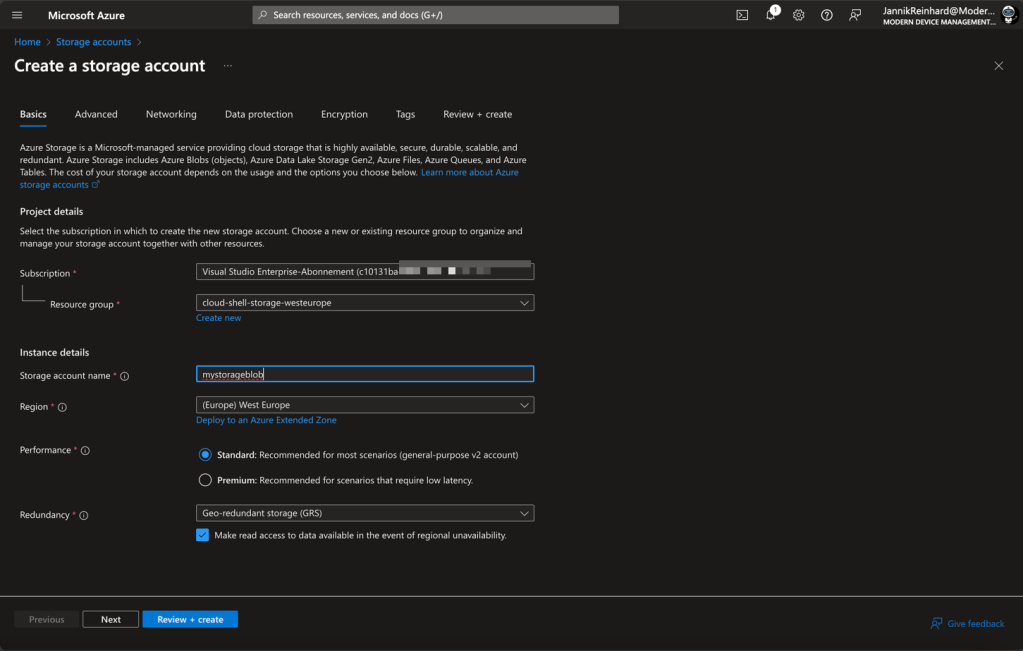
You should also check out all the other setting. (e.g. for a production environment it is recommended to put the storage in a network, enable encryption via customer managed keys as well as configure the data protection.
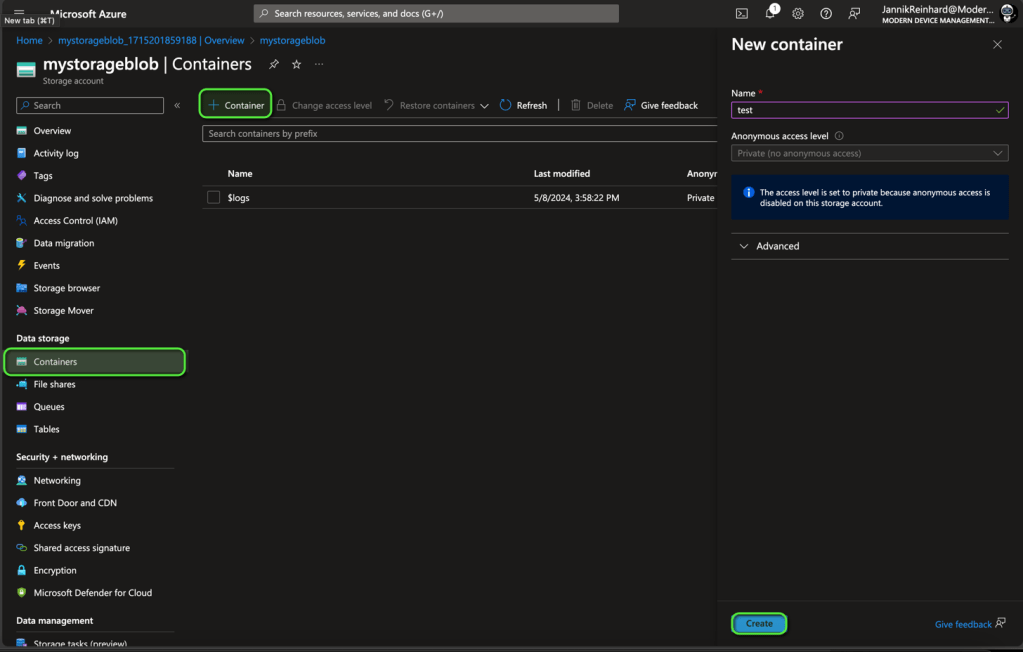
To create a container, click on + Container and enter a name
 jannikreinhard.com