This blog post is my take about how to install Windows Store Application via Intune. this feature makes it much easier to deploy apps via Intune. Intune provides all apps that are available in the winget repository and you can easily select them via a very large software catalog in Intune. This saves the cumbersome packaging of apps. In this blob post we will have an look how you can use this nice feature.
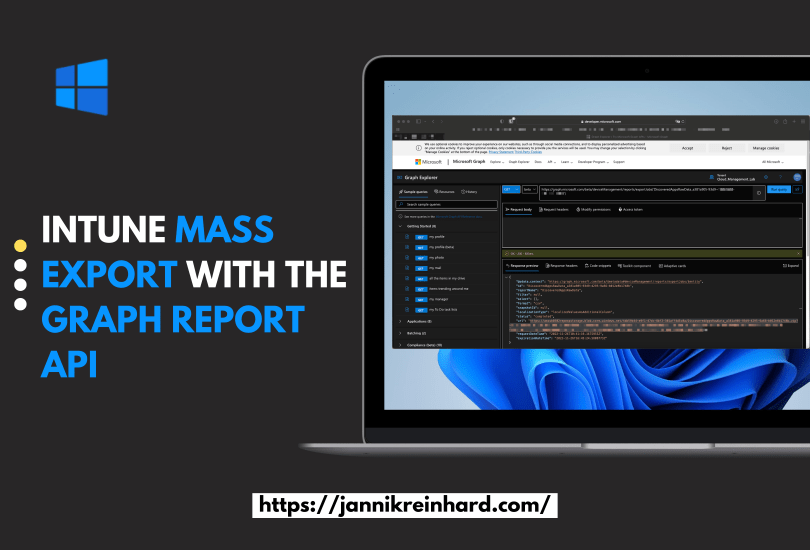
There are many ways to export information from Intune. For example, you can use Log Analytics, the Data Warehouse or the Graph API. But if you want to export several thousand devices or apps via Graph, it can happen that Graph has a paging. Paging means that you only get a certain number of entries with one call and then you have to make another call for the next range. This means for you that you have to write a script that loops through the pages.
Another problem if you want to export e.g. all Discovered apps you have to loop through all devices because this attribute is not shared in List calls. But if you have several 10k or 100k devices this takes a long time.
But there is a Graph Report API that is designed to export large amounts of data and provide it to you as a CSV on a really easy way. How you can use it I will explain in this blog.
With the service release 2211, microsoft has brought a cool new feature called organizational message. These are different ways to contact users via different good looking messages to improve end-user communication and experience. This offers additional possibilities to the existing Notification Bar messages from Windows 10 and older. These messages can be delivered as a popup above the taskbar, in the notification area or in the Get Started app.
A small disadvantage is that this feature is currently only supported only for Windows 11 devices.
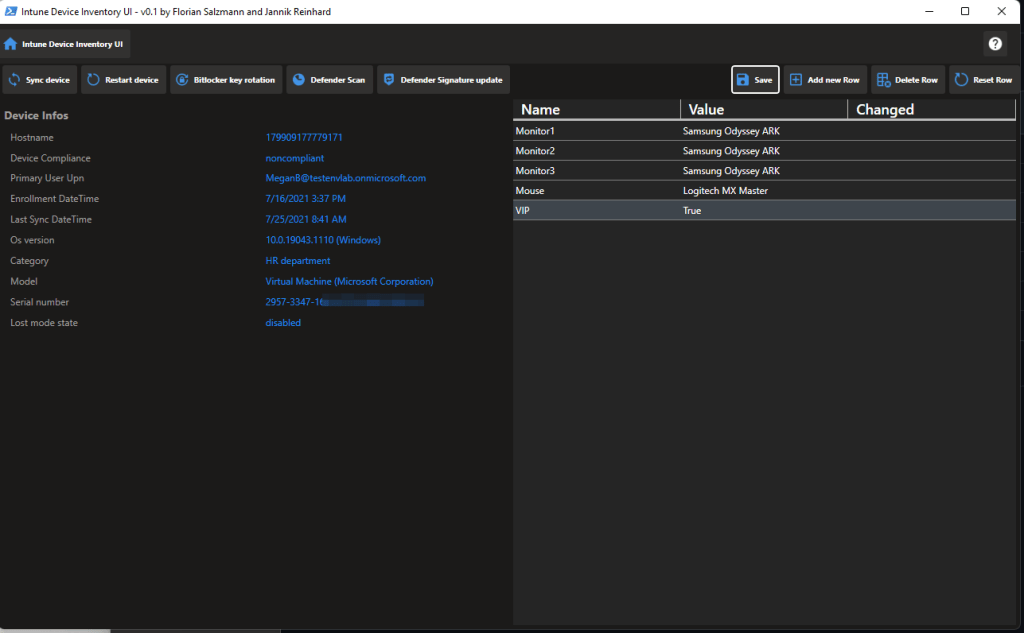
Anyone who has been working in the area of device management for a while knows that a good inventory is a very important prerequisite for good device management.
A very desired feature from you is to have a custom inventory directly in Intune with which you can then continue to work in certain processes. This is exactly what Florian Salzmann and I have taken up and developed a solution for you that solves exactly this problem.
Since a few weeks there is a new icon in the Intune console and this is linux. The linux support is a very long awaited feature and there was good feedback from the ommunity. Currently the feature set is still a bit limited, there is currently only the possibility to determine the complaince of the devices and apply conditioanl access policies. But this is just the beginning I am sure that in the next months we will see more and more features and also config profiles, updates,… for Linux. But let’s take a look at how to enroll an Ubuntu device in intune.
A lot has changed from the traditional on premise managed workplace to the modern workplace managed via cloud power. You no longer have to worry about infrastructure, you can work securely from anywhere and you save money. But where do we go from here? The topic of analytics and user experience is becoming increasingly important. The goal is to reduce problems or to detect them at an early stage. The cloud offers you limitless possibilities for this. In this blog we want to take a look at what Intune currently delivers out of the box and how you can build solutions on it.
Glad to publish today my second installment of my Intune Whats new series. This month was ignite and what you need to know that during this time very many are busy internally at microsoft through the Ignite. Nevertheless, the changes in the new service release are very noteworthy. In this blog I will show you the most important news which are related to the Workpalce management.
The more clients are managed in your tenant and the more people have contributor rights in your tenant, the more important it becomes to have good release management processes. In this blog post I would like to introduce you to my Intune CI pipeline that allows you to transfer configurations from one tenant to another. This offers the possibility that only a small number of administrators have access in the Prod tenant and all others create configurations in a Dev tenant and these are then transferred to the Prod tenant via a DevOps pipeline.
Like every year the Ignite of Microsoft takes place. This is an event where Microsoft presents news in their products but also general strategic topics on which they will work within the next few months. This year the ignite was a hybrid event both as live stream and on site in Seattle. In this blog I would like to briefly summarize what was presented in relation to Mem (whether this name is still the right one?). You can find a detailed summery under this link.
You can imagine that when a new Windows patch or a new version of a software is released and has to be installed on every Devices and many PCs start to download the content at the same time from a destination outside the corporate network, the Internet break outs are very busy. Or if the internet connection of a certain location has a low bandwidth the download of a large app takes a long time. But more and more organisations move their applications as well as the update management to the cloud and reduce their on premise infrastructure. To solve this problem microsoft has introduced a very good technology called Delivery Optimization. In this blog we would like to clarify what is DO and take a deeper look at how this works.