
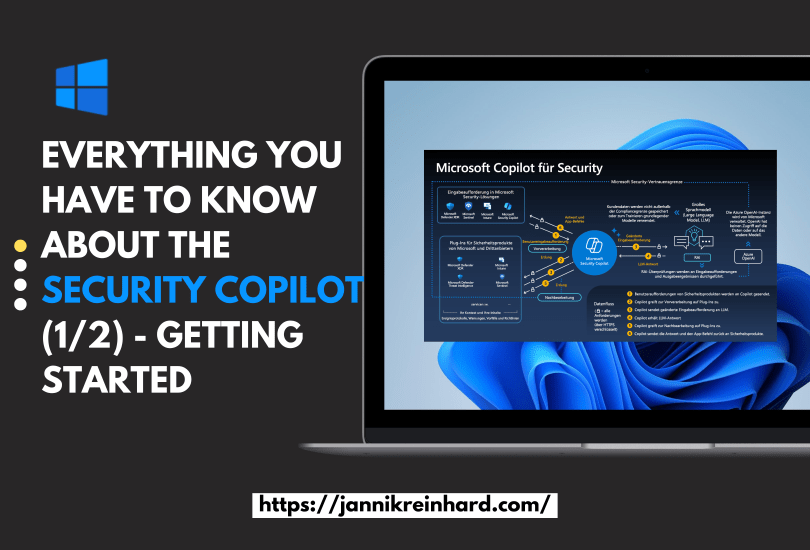
This was an no brainer for me that I will write a blog about Microsoft Copilot for Security. You know I like AI and I like Intune. What is better if I can blog in one post about both. I was already part of the closed preview, and I a very big fan of this product and the potential behind. In this blog post I will write about everything what you have to know and how you can start.
What is the Microsoft Copilot for Security?
The Microsoft Copilot for Security is a dedicated product but also a kind of Framework which Microsoft integrated into the different security tools like Intune, Entra, Purview, Sentinel, Defender and more.
The definition from Microsoft is “Copilot for Security is an AI cybersecurity product that enables security professionals to respond to cyberthreats quickly, process signals at machine, and assess risk exposure in minutes“. But what does this mean?
The Copilot for Security utilized the most hyped technology and in my point of view the technology with the most potential to make big changes in the way how we work -> Transformer Models more precise large language models. You formulate a question / prompt, and you get an answer with exactly what you want (Not always). But when you apply this power to the powerful security tool suite form Microsoft you can enfold totally new potential.
The Copilot for Security can also be extended with 3rd party plugins and promptbooks. A promptbook is a series of prompts for common tasks. The security copilot also gives you the possibility to integrate your own knowledgebases and documents which can be used to answer questions.
What will be changed with this product?
The Copilot for Security will change the way how you interact with one or all products. You have a dedicated chat experience but also an experience directly where you need it. This chat can answer your questions with a grounding of data from one or all tools. It helps to save time for typical SOC tasks. As mentioned in many of my blogs the new skill you need is prompt engineering. The way how an Admin interact with the products will change. You no longer have to find the right portal and navigate in the 20th sub menu. You only have to formulate your question, or your action as precise as possible to get a good answer.
I hate dashboards because no one is able to monitor all of them and there is not the perfect Dashboard which fits to your specific question or task you have. Also, this will be changed. Go away from reactive dashboards and get your data, reports you need on the flight. Think not all these aspects are covered today and there is also a long way to bring this big change to all the Admins and Organizations, but this is the starting point of this big transformation.
What are the prerequisites?
Normally you can find here a big list. For the Copilot for Security this is a very small list. You need an Azure Subscription and a consumption untit. Thats it.
How is the pricing?
Security Compute Units (SCU) is the unit with which the Copilot for Security is billed. One SCU costs $4 per hour, which is approximately $2,920 per month. In my opinion, this is a high price because you can’t get that far with one SCU.
A change of the SCU is not possible this means a deletion and redeployment.
How can I deploy the Copilot for Security?
Let me show you two ways. One is via the Portal, and one is via Code.
The first think you have to do is to open the Azure Portal (portal.azure.com).
Search for Copilot for Security in the Azure Portal and click to +Create.
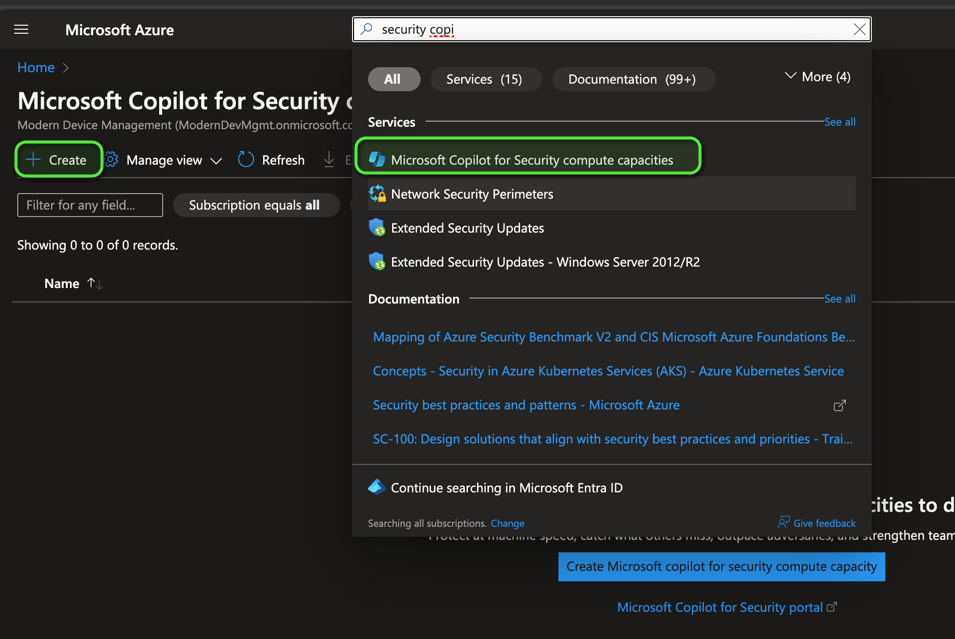
- Select the Resource group and enter a name, the prompt evaluation location and the amount of compute units per hours. Click Review + create.

To deploy the Copilot for Security via code you need two things. An ARM (Azure Resource Manager) template and an Powershell script.
{
    "$schema": "http://schema.management.azure.com/schemas/2014-04-01-preview/deploymentTemplate.json#",
    "contentVersion": "1.0.0.0",
    "parameters": {
        "capacityName": {
            "type": "String"
        },
        "location": {
            "type": "String"
        },
        "numberOfUnits": {
            "type": "Int"
        },
        "crossGeoCompute": {
            "type": "String"
        },
        "geo": {
            "type": "String"
        }
    },
    "resources": [
        {
            "type": "Microsoft.SecurityCopilot/capacities",
            "apiVersion": "2023-12-01-preview",
            "name": "[parameters('capacityName')]",
            "location": "[parameters('location')]",
            "properties": {
                "numberOfUnits": "[parameters('numberOfUnits')]",
                "crossGeoCompute": "[parameters('crossGeoCompute')]",
                "geo": "[parameters('geo')]"
            }
        }
    ]
}
# Variables for common values
$tenantId = "tennantId"
$template = "templatefilepath"
$subscriptionId = "subscriptionId"
$location = "westeurope"
$resourcegroup = "rg-securitycopilot"
$resourceName = "scu-capacity"
$crossGeoCompute = "Allowed"
$numberOfUnits = 1
$ressourceRegion = "eu"
$resourceType = "microsoft.securitycopilot/capacities"
$deploymentName = "Deploy" + $ResourceName
# Create Connection
Connect-AzAccount -Tenant $tenantId -Subscription $subscriptionId
# Create Resource Group
Write-host "Microsoft Copilot for Security will be deployed..."
If (!(Get-AzResourceGroup -Name $resourcegroup -Location $location))
{
New-AzResourceGroup -Name $resourcegroup -Location $location -Force
}
# Create Ressource
New-AzResourceGroupDeployment `
-Verbose `
-Name $deploymentName `
-ResourceGroupName $resourcegroup `
-TemplateFile $template `
-capacityName $resourceName `
-location $location `
-crossGeoCompute $crossGeoCompute `
-geo $ressourceRegion`
-numberOfUnits $numberOfUnitsSetting up the Copilot for Security
Open the Webpage: https://securitycopilot.microsoft.com/tour/admin and start the enrollment. Once this is done you can select and capacity and click Continue.
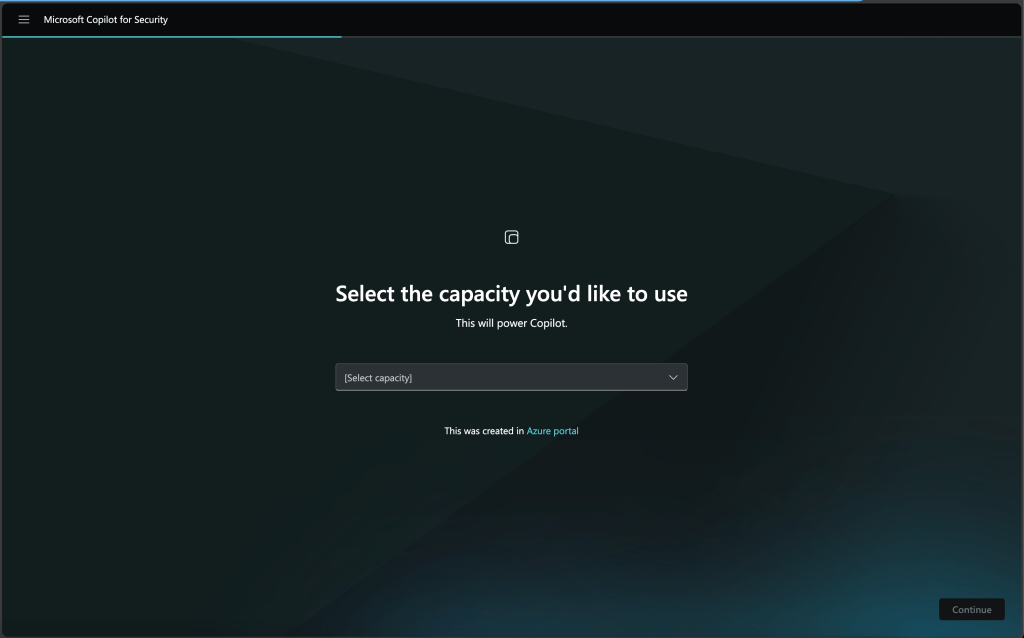
If you want support Microsoft to improve the pilot, you can activate the diagnostic settings and click Continue.
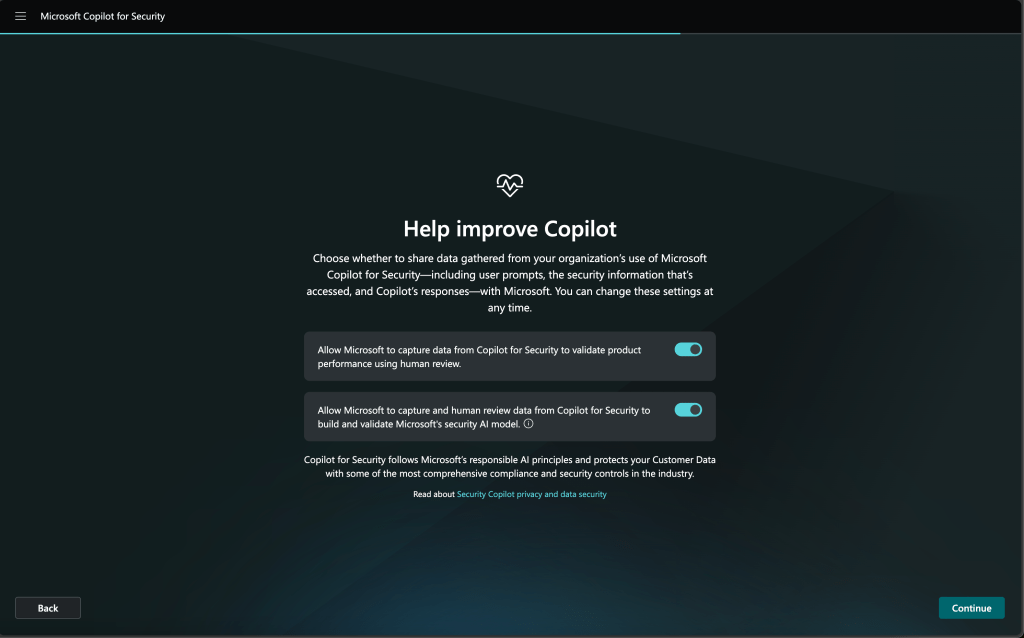
- Once this is done the setup is completed and you can click Finish.

How can I open the Copilot for Security
You have two ways. One is to open the central portal and one is to use the embedded experience in Intune.
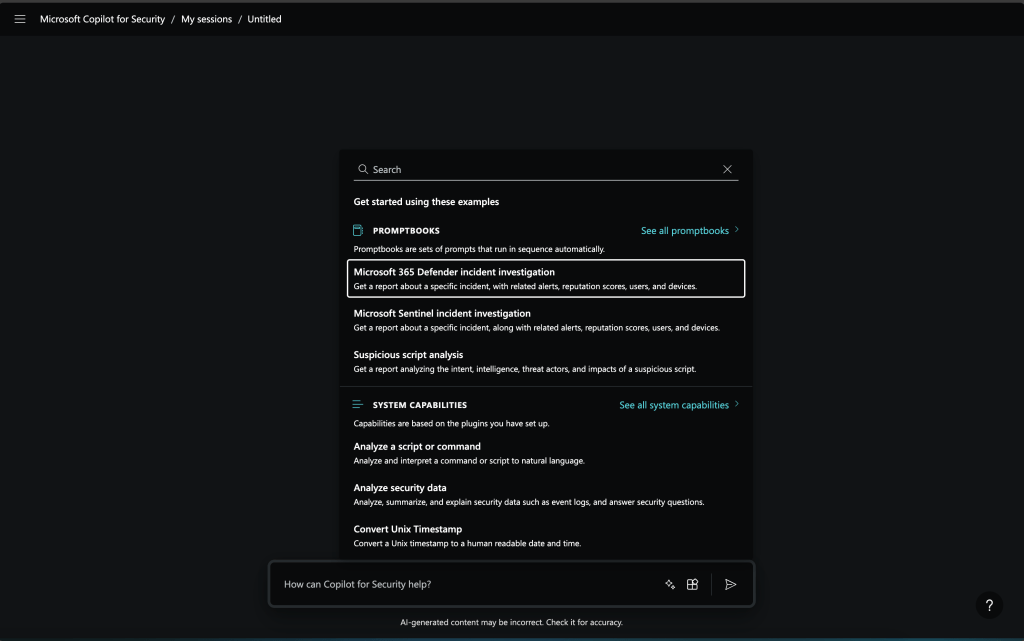
To open the central experience open https://securitycopilot.microsoft.com/sessions/new and here you have an open prompt experience where you can ask everything what the Copilot for Security can do.
You can check here prompt hints to get a clue what you can ask a with which question copilot can support you. Also, on the start page of the copilot you get a lot of information’s and learnings about the copilot.
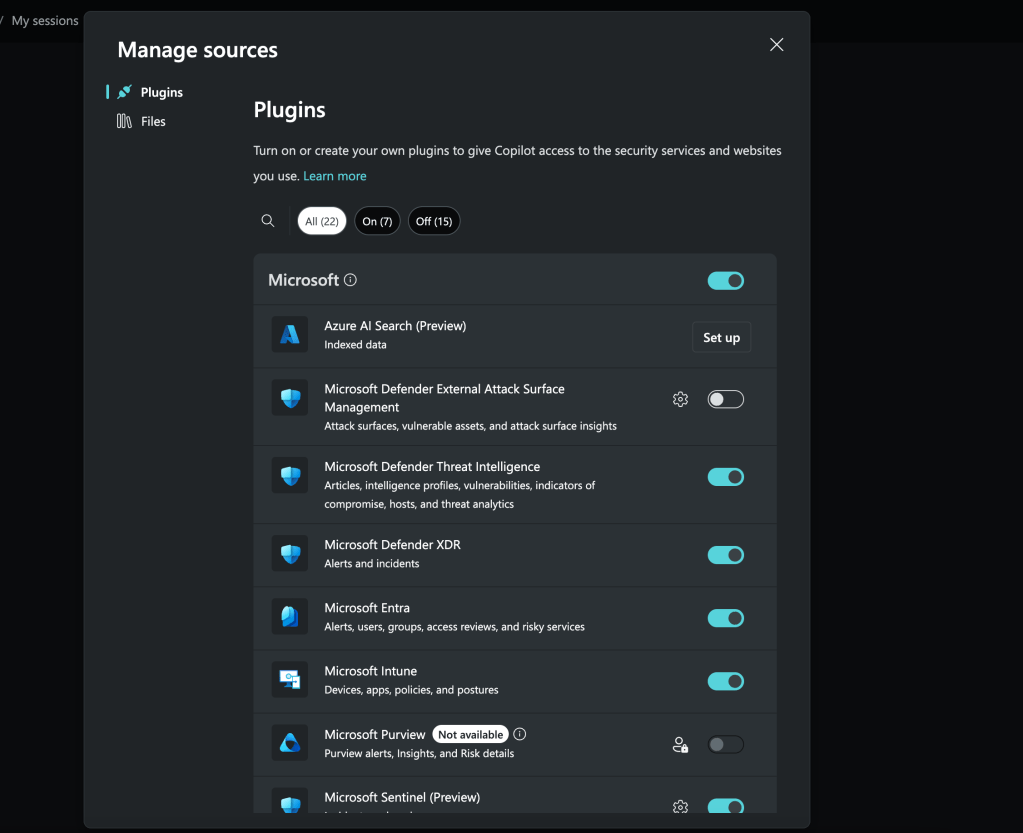
On the button beside you turn on and turn off different plugin and decide which one should be used to answer you questions.
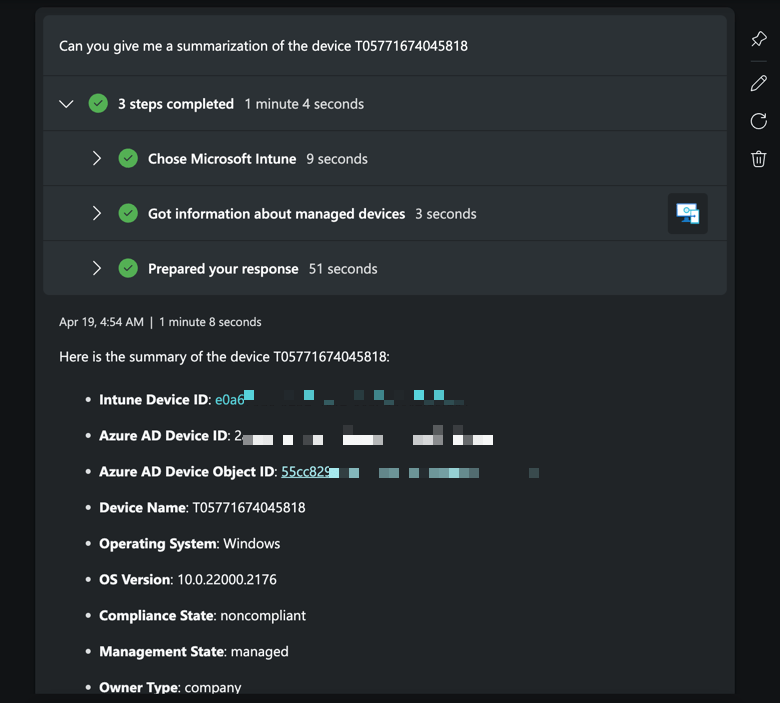
You can now prompt for a question like “Can you give me a summarization of the device NAME” and you will get and complete summary of this device. You can also further chat with this device.
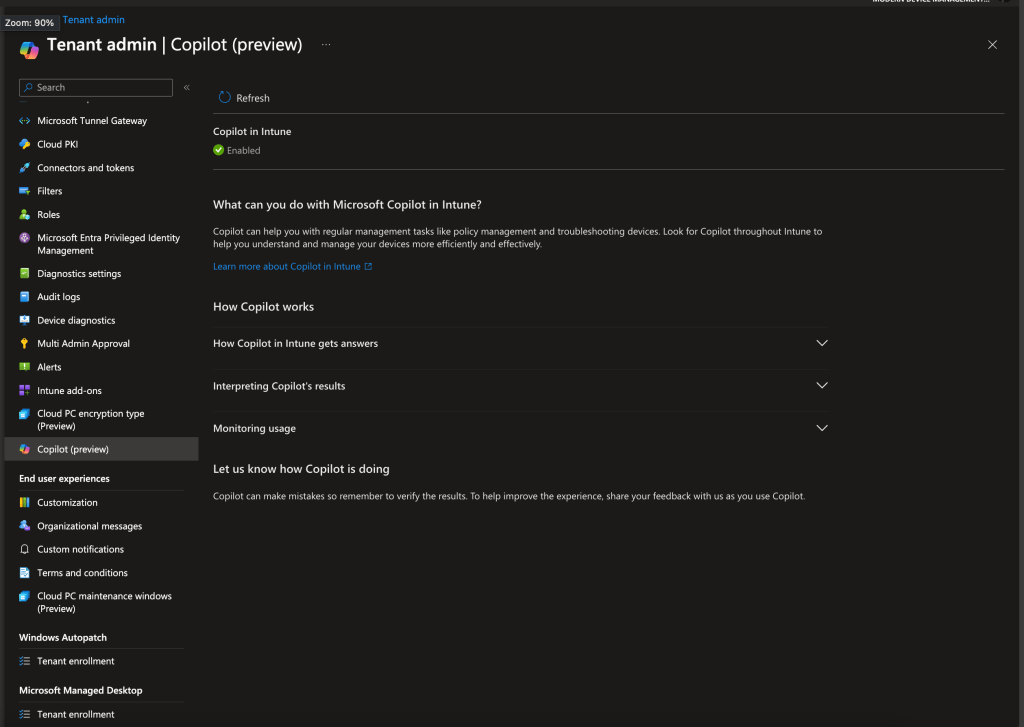
But let’s move further to the embedded experience in e.g. Intune. To use this open intunce.microsoft.com in your browser and make sure that the Copilot is activated. You can do this in the tenant administration.
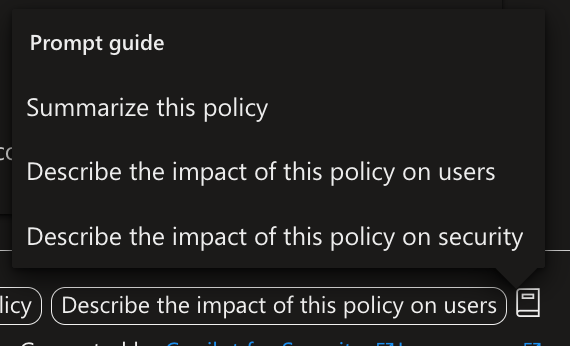
The Intune experience is currently not an open prompt experience it is more a guide prompt scenario. What you have to do is e.g. to open a device, policy or some other objects to see the copilot icon. In this example I opened a configuration profile and I see the button “Summarize with Copilot” this helps me to get a summarization of this object.
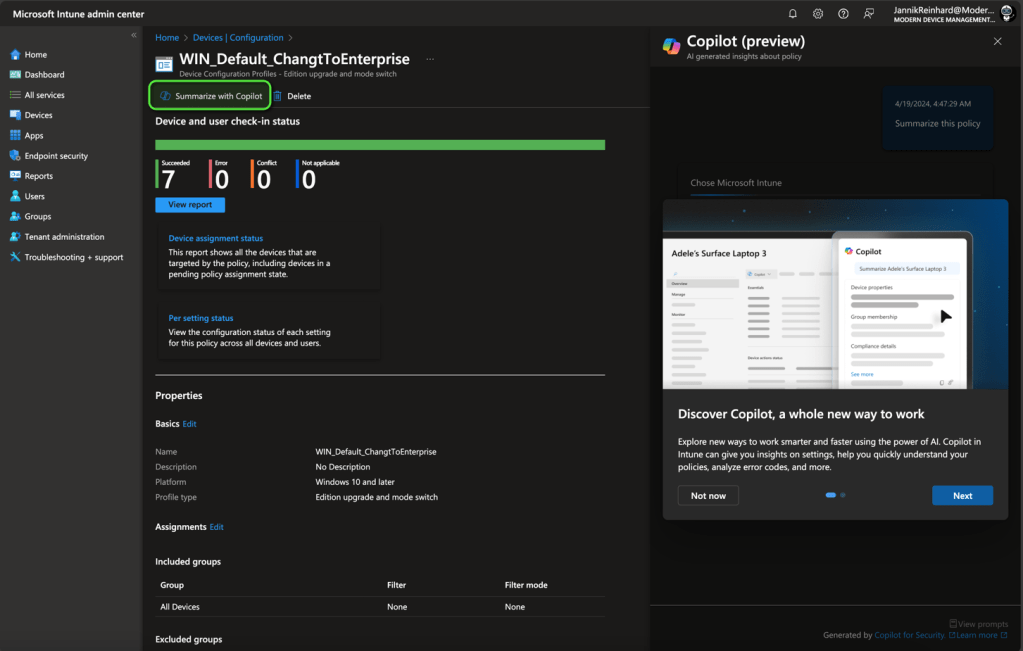
Let’s try this:
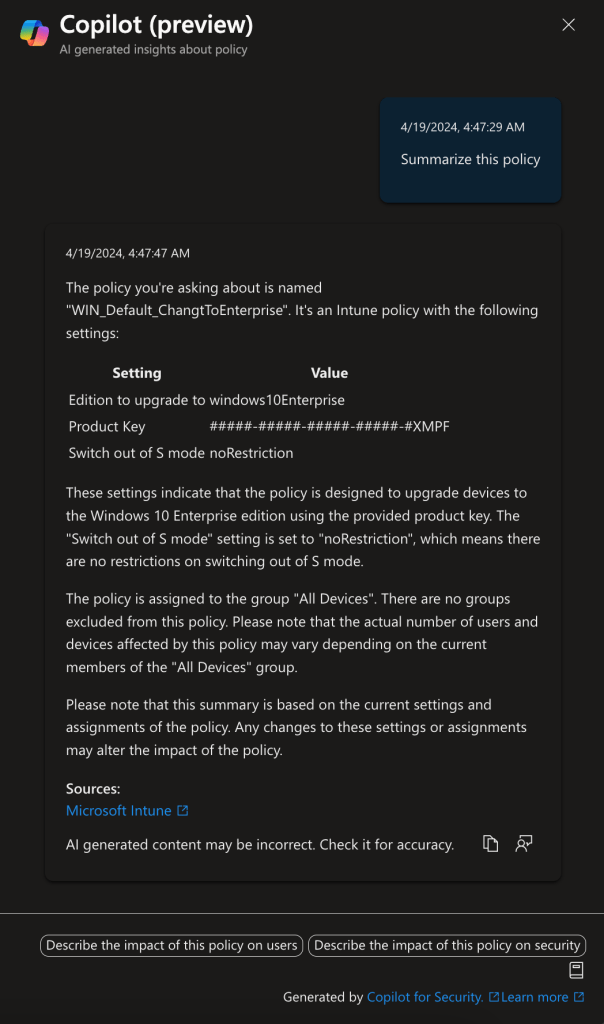
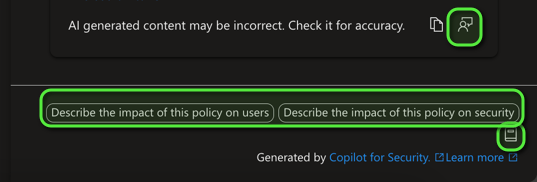
The important part is the one in the bottom. Here you have the possibility to give feedback to help to improve the product, enter some follow-up prompts and also the prompt book with some proposals what you can do next. I this case it is very similar to the follow-up actions.
What are useful example prompts?
This is a list of useful prompts you can ask the Copilot for Security:
- Can you give me a summary of the device HOSTNAME
- Tell everything about UPN/Username/… in a markdown table.
How to write better prompts?
As already mentioned, multiple times in my blogs. Prompt engineering is the skill for the future. It is important that you deal with this topic and build up some experience here. A good start for this is the Microsoft learn platform: https://learn.microsoft.com/en-us/training/modules/apply-prompt-engineering-azure-openai/.
But what does this mean. Prompt engineering is a skill to write good and efficient inputs to an LLM (Large Language Model) to get the expected and the most accurace and quality output. It is a process which include the writing, refining and optimization of the query. It describes the new way how we interact with systems and content in the future.
And bad prompt is:
- What’s H493958343?
A better prompt is:
- Generate ma a short summary of the device H493958343 and include general information’s and the assigned configurations.
Where can I find further information’s
There is a very good QnA from Microsoft where you can find a ton of information’s: https://learn.microsoft.com/en-us/copilot/security/faq-security-copilot
Also you should definitely check out the ressources you found on the start page here:
https://securitycopilot.microsoft.com
If you are not already part of this LinkedIn group, I can also recommend joining: https://www.linkedin.com/groups/14345161/
 jannikreinhard.com
[…] Everything you have to know about the Security Copilot (1/2) – Getting started […]
LikeLike