
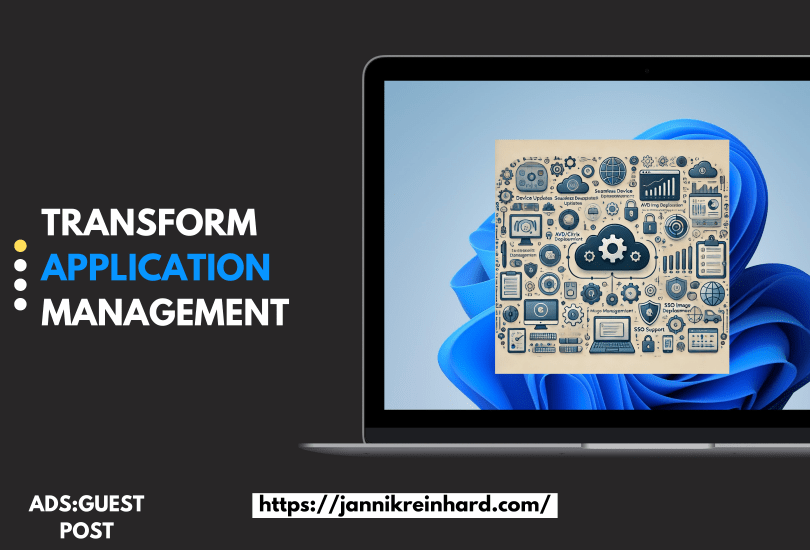
When application management works smoothly, everyone benefits: IT teams operate with fewer tickets, security stays tight, and employees remain productive. Yet for many organizations, keeping every device up to date, simplifying deployments for AVD/Citrix images, managing SSO across the environment, and supporting macOS without costly third-party solutions can feel overwhelming. Add in the need to handle custom, complex applications—where 80% of the workload often goes into just 20% of those installs—and application management becomes even more challenging.
Enter Application Workspace by Recast Software—an end-to-end solution designed to simplify how organizations manage and deliver applications. Built to fit modern, hybrid environments, it empowers employees to install the apps they need on their own schedule—minimizing IT tickets and reducing downtime—while giving IT teams new levels of agility and scalability without sacrificing security.
A Unified Experience without Boundaries
Traditional endpoint management often involves juggling multiple tools and scripts to make applications accessible across devices. Application Workspace consolidates all of that. Whether you’re dealing with on-prem hardware, virtual machines, or remote endpoints, this platform offers an intuitive, unified experience for both IT teams and end users.
Centralized Store with Thousands of Applications for Windows and Mac
From sophisticated design tools to everyday productivity software, Application Workspace lets you deploy and update your organization’s most critical applications in one place. With the industry’s most comprehensive, curated app store covering thousands of apps, IT can save time searching for installers and reduce the need for manual configurations.
A Future-Proof, Context-Aware Platform
Application Workspace integrates seamlessly with Azure Virtual Desktop, Windows 365 (Cloud PC), VMware, Citrix, and many other platforms, enabling administrators to customize how and where applications are delivered. No matter the environment—Windows, macOS, on-prem, or cloud—end users benefit from a consistent interface that adapts to their device, location, and role.
This context-aware approach automatically adjusts access rights and app availability based on user profiles or specific criteria you define, ensuring everyone only sees the tools they need. Meanwhile, Smart Icons give users an intuitive way to launch apps: behind the scenes, the system checks for the latest version and updates on the spot if necessary. It also handles essential configurations—like printers, registry settings, data access, drive mappings—and automatically chooses whether to run locally or through a virtual desktop. By centralizing patch management and automating updates, Application Workspace further reduces security risks tied to outdated software and closes the gaps attackers commonly target.
Built for growth, the platform scales to match your organization’s evolving demands. No matter if your organization operates on-premises, cloud-first, or in a hybrid environment—or if you’re single-tenant, multi-tenant, or an MSP—Application Workspace streamlines separate workflows into a single, unified view, making IT administration more efficient. Offloading repetitive tasks frees IT to focus on broader initiatives like innovation and system optimization—ultimately reducing costs and elevating operational performance.
Empowering Users, Easing IT Burden
One of the biggest wins for IT is offloading routine management tasks. With Application Workspace’s self-service portal, employees locate and install only the apps they need—on their own schedule. This setup minimizes tickets for IT while reducing downtime across the organization.
When users have simple, self-service access, they spend less time waiting for software and more time driving results. By delivering a seamless workflow from request to installation—along with automatic updates—Application Workspace significantly cuts the friction that often slows teams down.
From IT’s perspective, this shift brings tangible ROI. Hours once lost to manually deploying updates or troubleshooting mismatched software versions are reclaimed for higher-value initiatives. Security risks shrink because patches roll out on time. Say farewell to maintenance windows for application updates—no more late-night or after-hours patch cycles. Unlike ConfigMgr or Intune, Application Workspace delivers updates on the spot, keeping every endpoint current and secure. And with a single pane of glass overseeing distribution, IT can rest easier, knowing every device stays covered.
Unified Release and Patch Management
For IT, managing software releases at scale can be time-intensive and prone to human error. Application Workspace addresses this with a sophisticated deployment feature that goes beyond installing applications: you can bundle drivers, registry key settings, and other elements into a single, orchestrated sequence. With one workflow that coordinates everything from initial installations to ongoing patching, IT retains full control of release schedules and ensures end users never fall behind on critical updates.
Even routine tweaks can become hours-long hurdles if you need to repackage entire apps—often a tedious 8–12 hour process. Application Workspace streamlines these updates by letting you modify settings within the DTAP (development, test, acceptance, production) flow without rebuilding from scratch. Once tested and approved, the change goes live for everyone in minutes, eliminating what used to be a major time sink.
From the end-user perspective, Application Workspace automatically keeps apps patched and up to date. IT decides when and how these updates roll out, while employees remain focused on their work—never worrying about software maintenance.
Staged Development Process
Application Workspace follows a DTAP (Development, Test, Acceptance, Production) model within a single, unified environment—no extra consoles or complex migrations required. Thorough testing and configuration happen first, so once you verify an update in development, the same settings carry over seamlessly through test and acceptance to production. That means end users always see secure, fully functional applications—no more incomplete installations or tricky post-installation fixes.
Integration with Existing Solutions
Application Workspace enhances Microsoft Intune, Configuration Manager, or any other MDM platform you already have. It also plays a key role in master imaging for virtual desktops like AVD, Citrix, and VMware. With one unified deployment, you can install the latest applications, drivers, and settings across both physical and virtual endpoints—cutting down complexity and eliminating guesswork. By bringing these tasks into a single platform, IT teams streamline processes and maintain consistent, secure environments.
Proactive Notifications
For each release, you can set up alerts so you know precisely when an update becomes available. That helps you schedule patches at the best possible time, avoiding disruptions that hinder productivity.
Conclusion
Are you looking to cut down on vendors, speed up software changes, and say goodbye to tedious packaging tasks? Application Workspace by Recast Software reimagines application management for modern organizations, delivering secure, on-demand app updates—every time, on any device. By simplifying patching, automating installation, and consolidating workflows in one console, IT teams are freed to focus on strategic projects instead of firefighting.
Ready to learn more? Visit with the Recast Software team to see how Application Workspace can redefine how your organization handles application delivery, security, and user support. It’s time to embrace a platform that meets the demands of modern hybrid work.
 jannikreinhard.com