
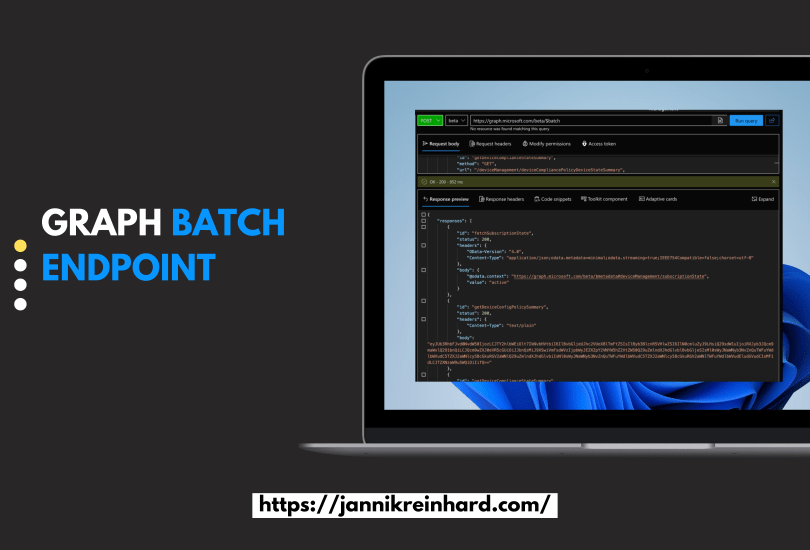
This is only a small blog post but maybe for most of you very helpful especially if you work a lot with Microsoft Graphs. Often the problem is you want to run multiple calls and then you have to loop through the single items or have a long line of calls.
During writing another blog post, I found out that there is a batch endpoint for MS Graph. In this blog, I will show you how you can use it and give you also an example script.

How can I use this endpoint?
The usage is very easy. What you have to do is build a JSON where the different calls are listed. One example is from the Intune Portal to get a summary of the tenant state. This JSON looks like this:
{
    "requests": [
        {
            "id": "getDeviceComplianceStateSummary",
            "method": "GET",
            "url": "/deviceManagement/deviceCompliancePolicyDeviceStateSummary",
            "headers": {"x-ms-command-name": "fetchDeviceComplianceStateSummaryBatch"},
        },
        {
            "id": "fetchSubscriptionState",
            "method": "GET",
            "url": "/deviceManagement/subscriptionState",
            "headers": {"x-ms-command-name": "fetchSubscriptionStateBatch"},
        },
        {
            "id": "getFailedAppCount",
            "method": "POST",
            "url": "/deviceManagement/reports/getFailedMobileAppsSummaryReport",
            "body": {"filter": ""},
            "headers": {"Content-Type": "application/json", "x-ms-command-name": "fetchFailedAppCountBatch"},
        },
        {
            "id": "getDeviceConfigPolicySummary",
            "method": "POST",
            "url": "/deviceManagement/reports/getDeviceConfigurationPolicyStatusSummary",
            "body": {
                "filter": "(PolicyBaseTypeName eq 'DeviceManagementConfigurationPolicy') or (PolicyBaseTypeName eq 'Microsoft.Management.Services.Api.DeviceConfiguration') or (PolicyBaseTypeName eq 'Microsoft.Management.Services.Api.DeviceManagementIntent')"
            },
            "headers": {"Content-Type": "application/json", "x-ms-command-name": "fetchDeviceConfigPolicySummary"},
        },
    ]
}
You see in the end you only have to define the method, header, url and optimonal the body. It is very simple
How can I use it in a script?
Attached you can find an example script from me on how you can use it in Python:
import requests
from azure.identity import InteractiveBrowserCredential

credential = InteractiveBrowserCredential()
token = credential.get_token("https://graph.microsoft.com/.default")

def call_graph(access_token: str, url: str, body, method: str = "GET"):
    headers = {
        "Authorization": f"Bearer {access_token}",
        "Content-Type": "application/json",
    }
    if method == "GET":
        response = requests.get(
            url,
            headers=headers,
        )
    else:
        response = requests.post(
            url,
            headers=headers,
            json=body,
        )
    response.raise_for_status()
    return response.json()


url = "https://graph.microsoft.com/beta/$batch"
body = {
    "requests": [
        {
            "id": "getDeviceComplianceStateSummary",
            "method": "GET",
            "url": "/deviceManagement/deviceCompliancePolicyDeviceStateSummary",
            "headers": {"x-ms-command-name": "fetchDeviceComplianceStateSummaryBatch"},
        },
        {
            "id": "fetchSubscriptionState",
            "method": "GET",
            "url": "/deviceManagement/subscriptionState",
            "headers": {"x-ms-command-name": "fetchSubscriptionStateBatch"},
        },
        {
            "id": "getFailedAppCount",
            "method": "POST",
            "url": "/deviceManagement/reports/getFailedMobileAppsSummaryReport",
            "body": {"filter": ""},
            "headers": {"Content-Type": "application/json", "x-ms-command-name": "fetchFailedAppCountBatch"},
        },
        {
            "id": "getDeviceConfigPolicySummary",
            "method": "POST",
            "url": "/deviceManagement/reports/getDeviceConfigurationPolicyStatusSummary",
            "body": {
                "filter": "(PolicyBaseTypeName eq 'DeviceManagementConfigurationPolicy') or (PolicyBaseTypeName eq 'Microsoft.Management.Services.Api.DeviceConfiguration') or (PolicyBaseTypeName eq 'Microsoft.Management.Services.Api.DeviceManagementIntent')"
            },
            "headers": {"Content-Type": "application/json", "x-ms-command-name": "fetchDeviceConfigPolicySummary"},
        },
    ]
}
response = call_graph(token.token, url, body, "POST")
print(response)

Some of the content is also base64 encoded. You can decode this with:
import base64
dec = base64.b64decode(encoded_string)
 jannikreinhard.com