
What is New in Microsoft Intune 2210
Review the Microsoft Intune 2210 service release from October 2022. Explore the original feature announcements, screenshots and configuration examples.
Glad to publish today my second installment of my Intune Whats new series, and this edition is all about Whats new in 2210. This month was Ignite and what you need to know is that during this time very many people are busy internally at Microsoft because of Ignite. Nevertheless, the changes in this Whats new in 2210 service release are very noteworthy. In this blog I will show you the most important news related to Workplace management, and you can also revisit my earlier overview in Whats new in 2209.
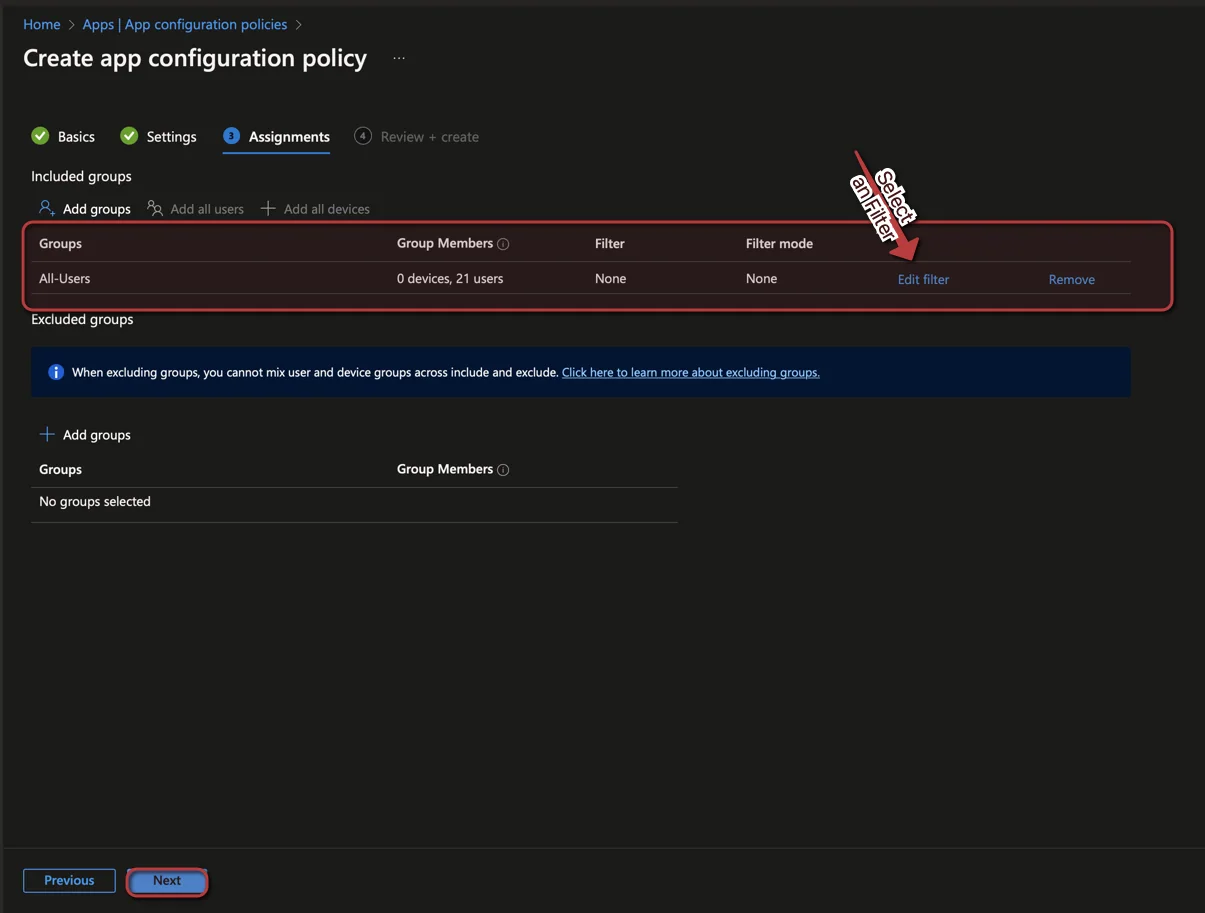
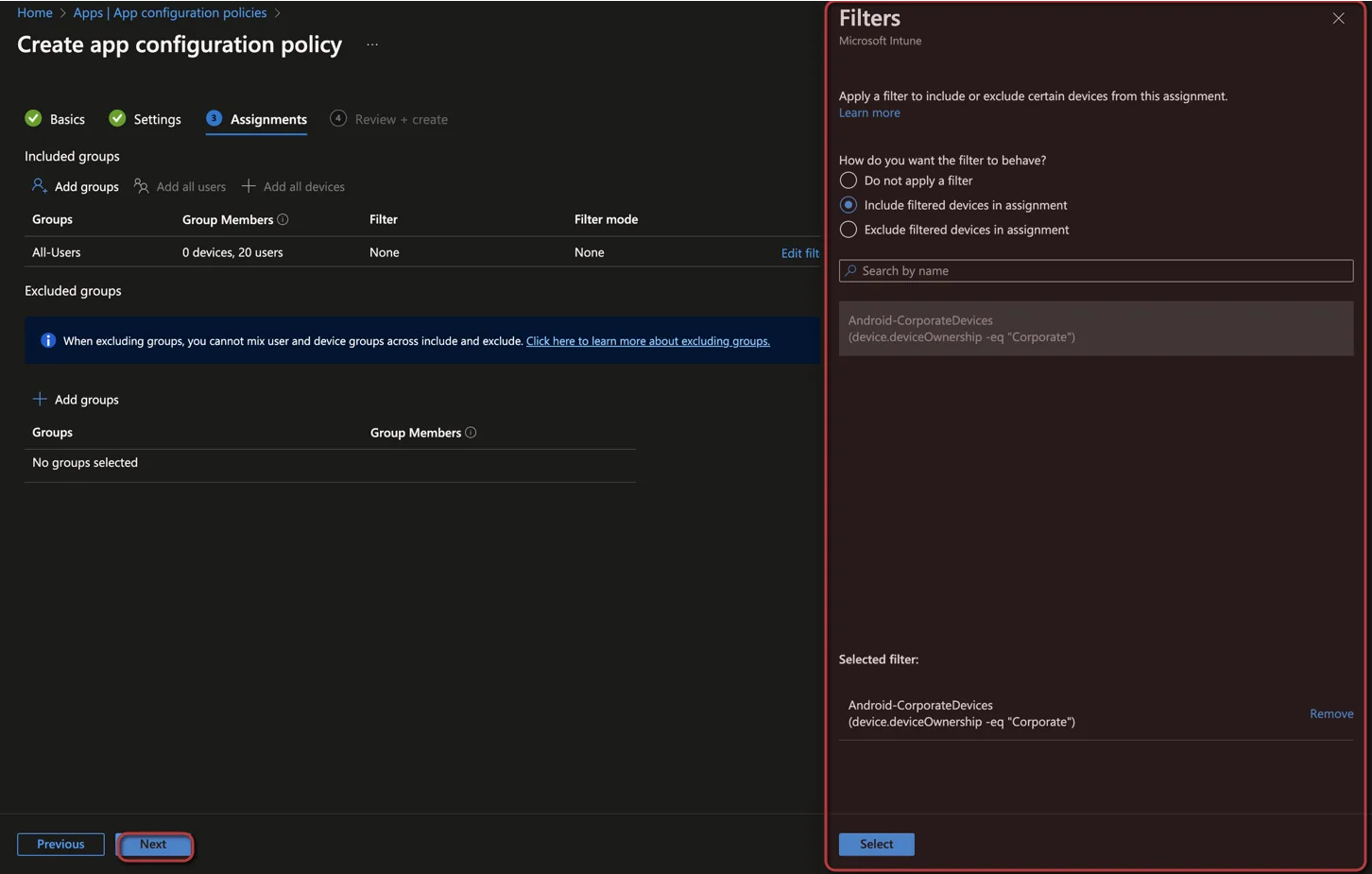
Whats new in 2210: Use filters with app configuration policies for managed devices
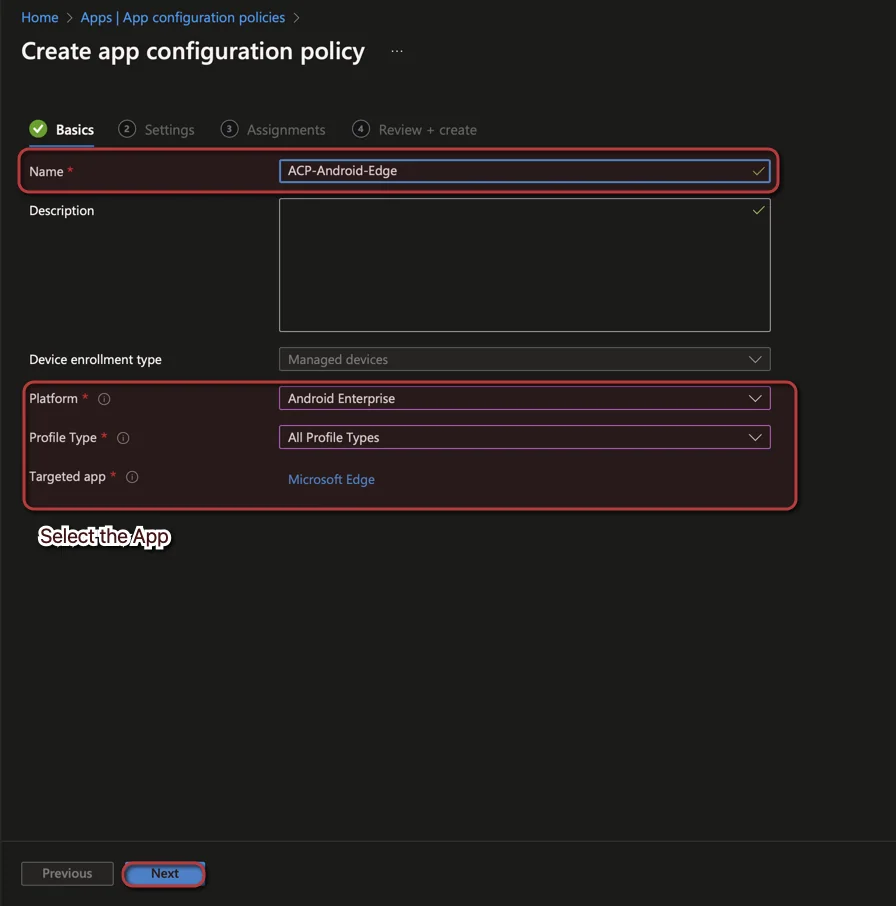
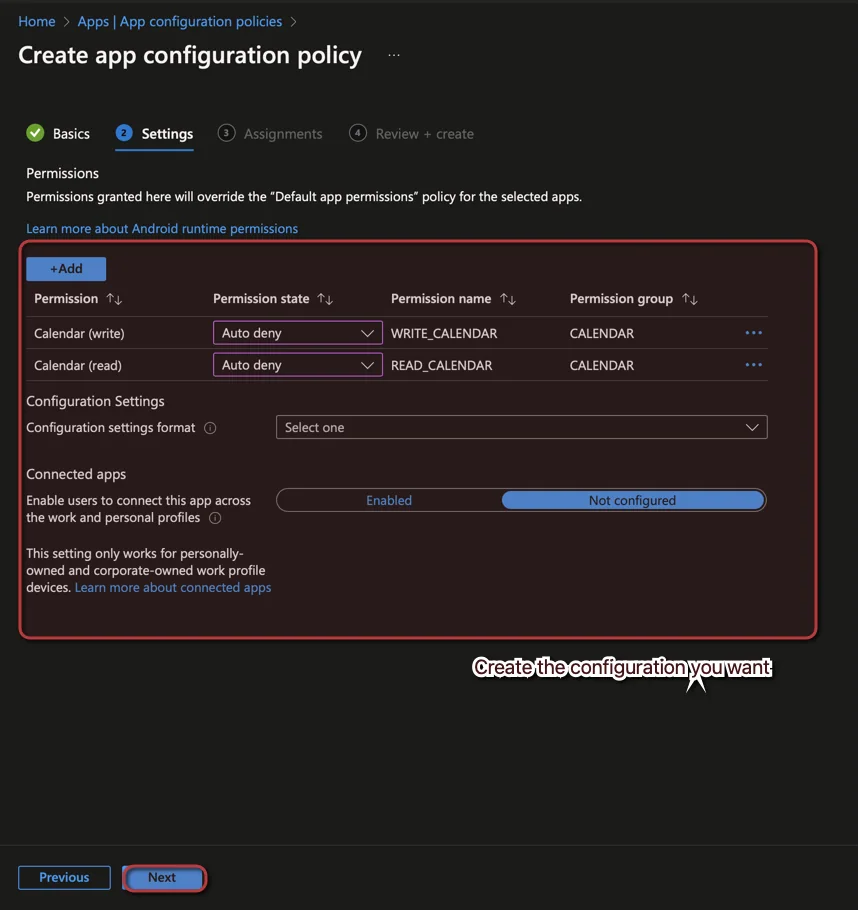
Filters are an enormously helpful tool in Intune. Microsoft supports filters for more and more configurations. Also in this release a support was added namely for app configuration policies. How you can use them I will show you now:
-
Open the Intune admin center and Navigate to Apps
-
Select App configuration policies
-
Click + Add -> Managed Devices
- It supports only Managed Devices not managed apps
-
Follow these steps:
-
-
-
-
-
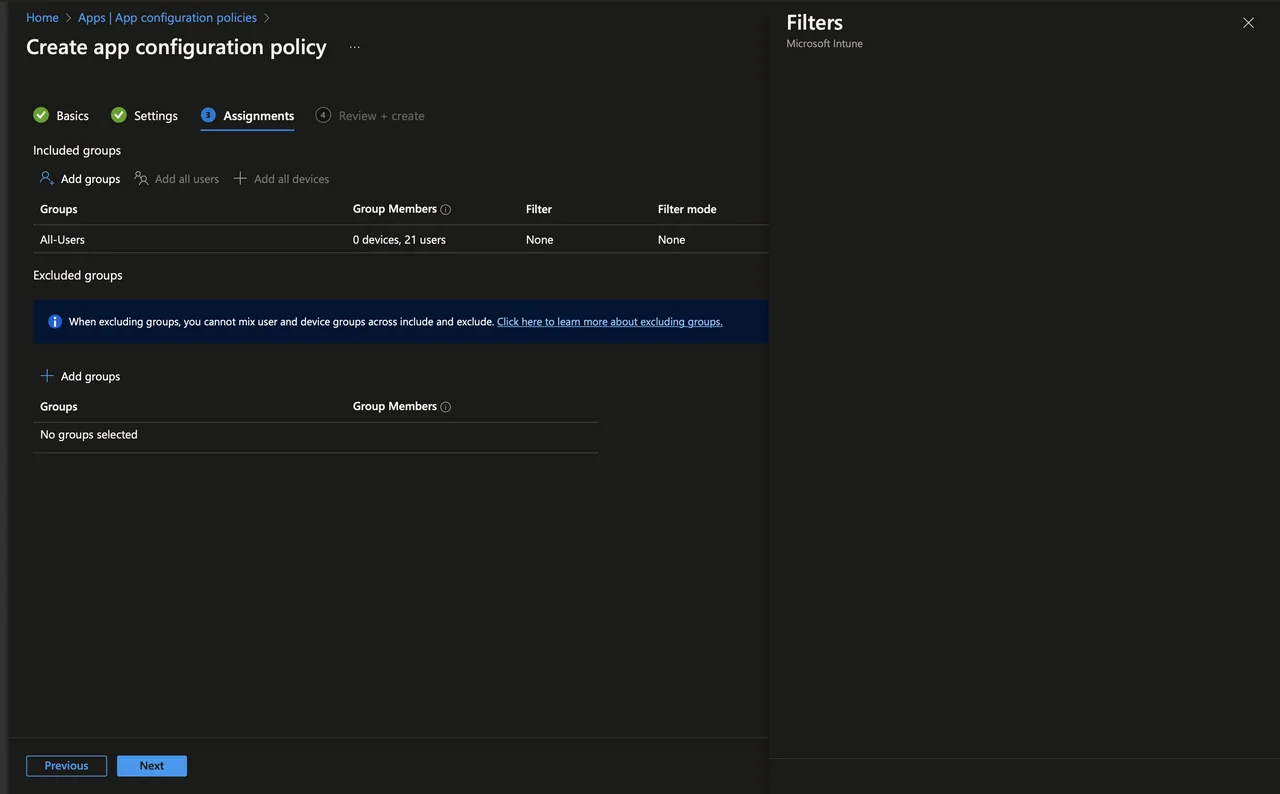
In safari it looks like that this feature has a bug. The filter section is empty:
New network endpoints for Microsoft Intune
There are new network endpoints for the Intune Service. Update your proxy or firewall ruleset. A list of endpoints you can find here: Network endpoints for Microsoft Intune.
With the following PowerShell you get a list with all network endpoints:
(invoke-restmethod -Uri (“https://endpoints.office.com/endpoints/WorldWide?ServiceAreas=MEM&clientrequestid=” + ([GUID]::NewGuid()).Guid)) | ?{$_.ServiceArea -eq "MEM" -and $_.urls} | select -unique -ExpandProperty urlsFilter app and group policy assignments using Windows 11 SE operating system SKUs
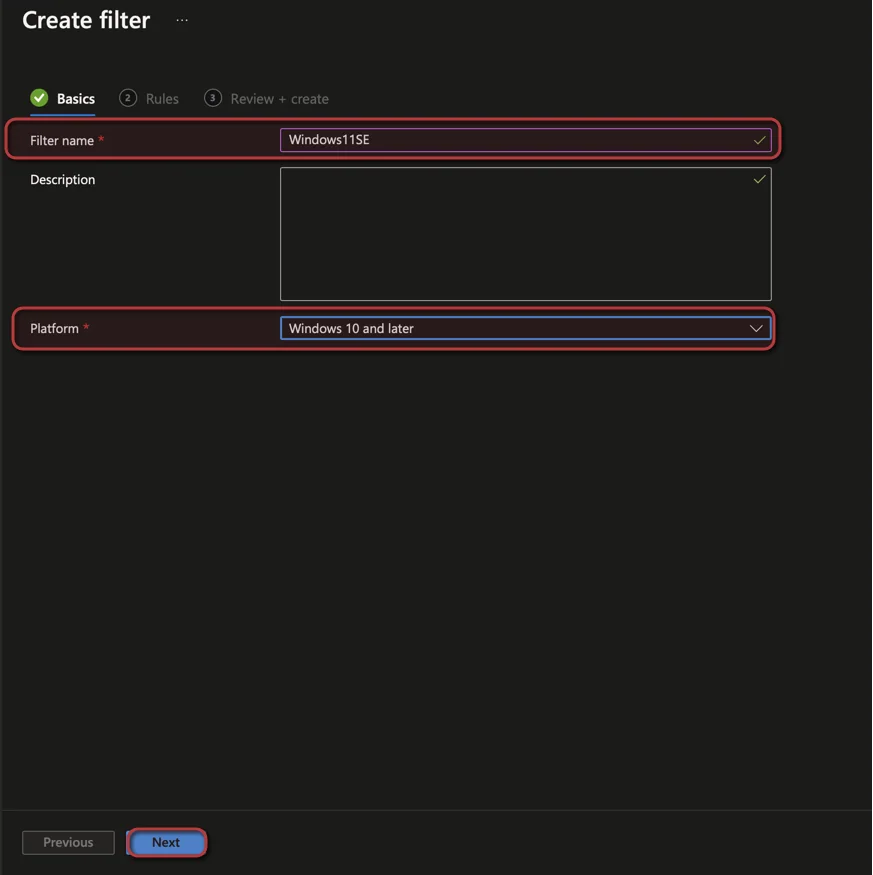
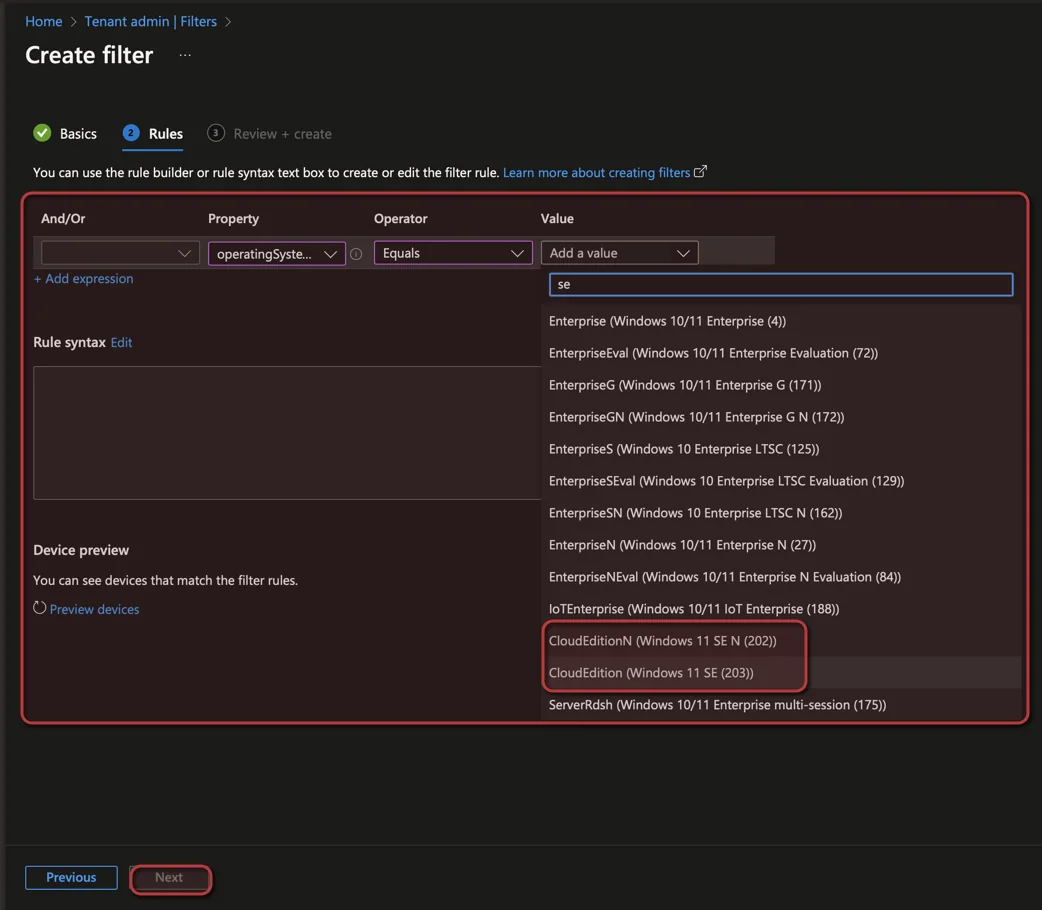
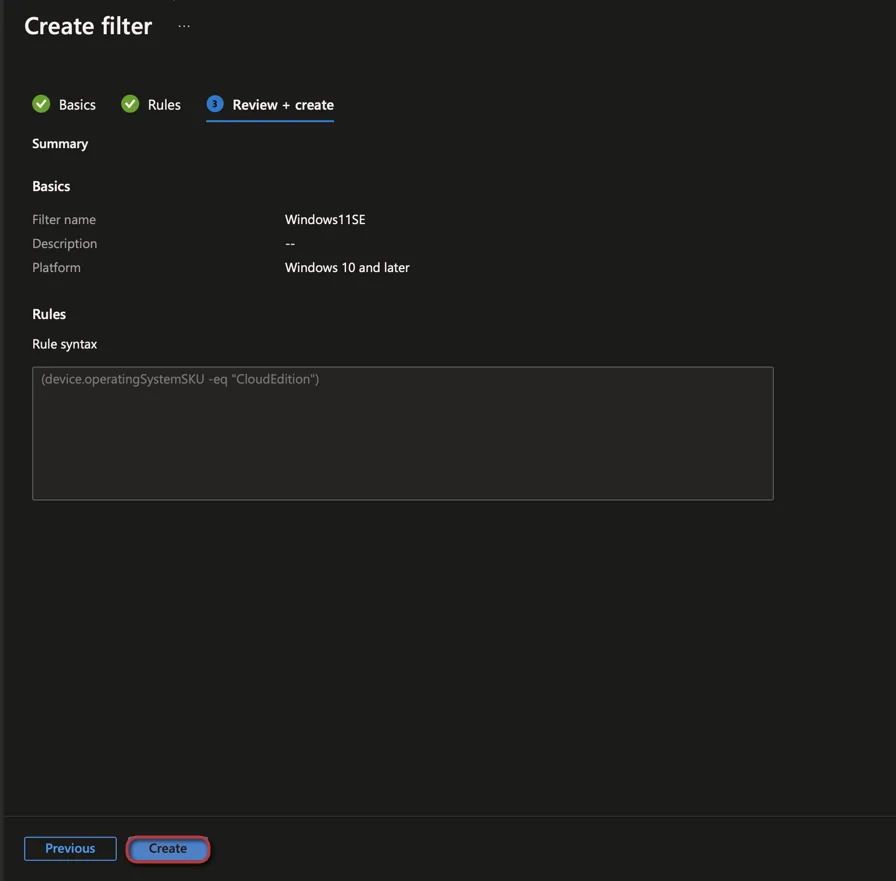
There are now two new SKUs you can select in Filter Windows 11 SE and Windows 11 SE N.
-
Open the Intune admin center and Navigate to Tenant Administration
-
Select Filter
-
Click + Create
-
-
-
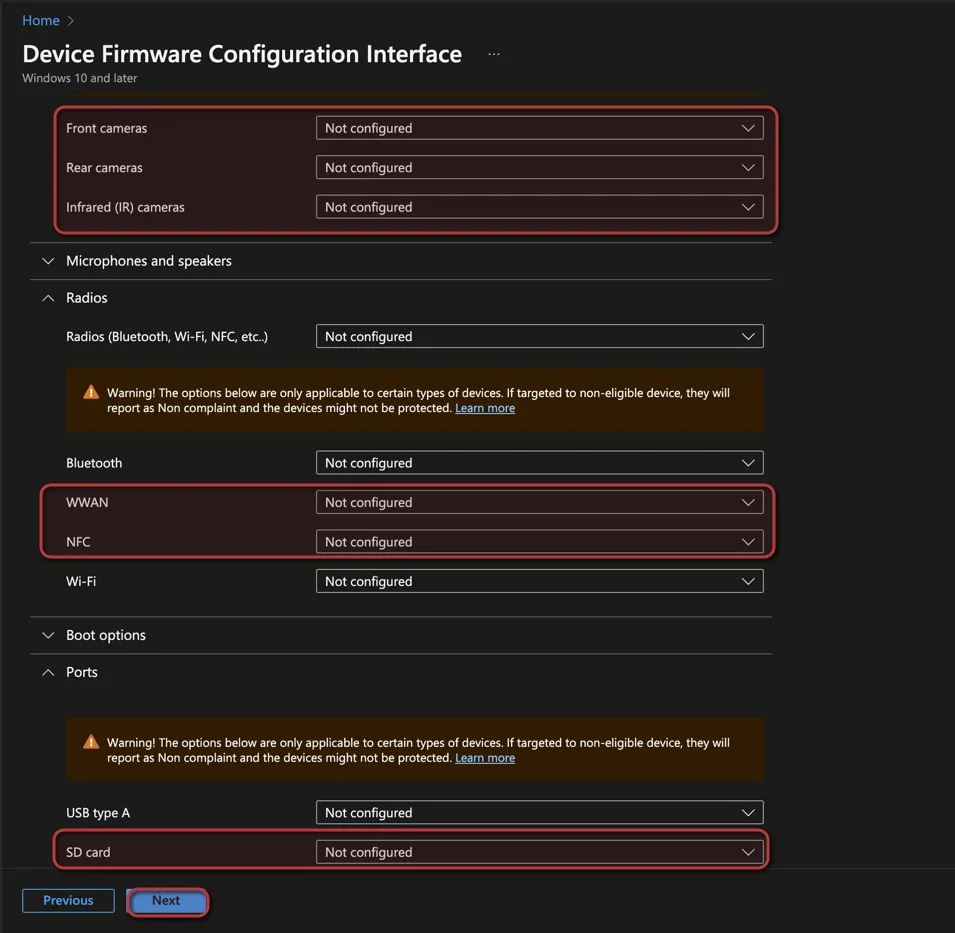
New settings for Device Firmware Configuration Interface (DFCI) profiles on Windows devices
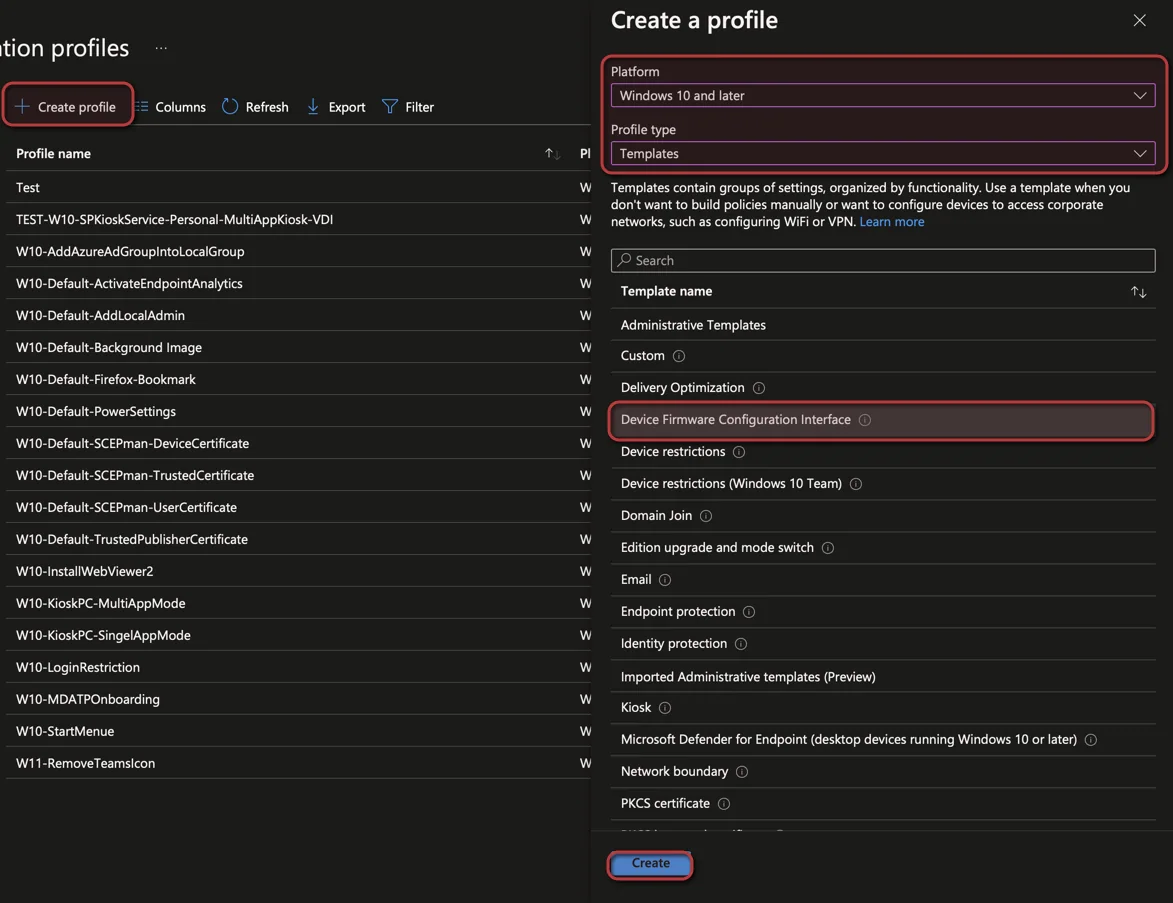
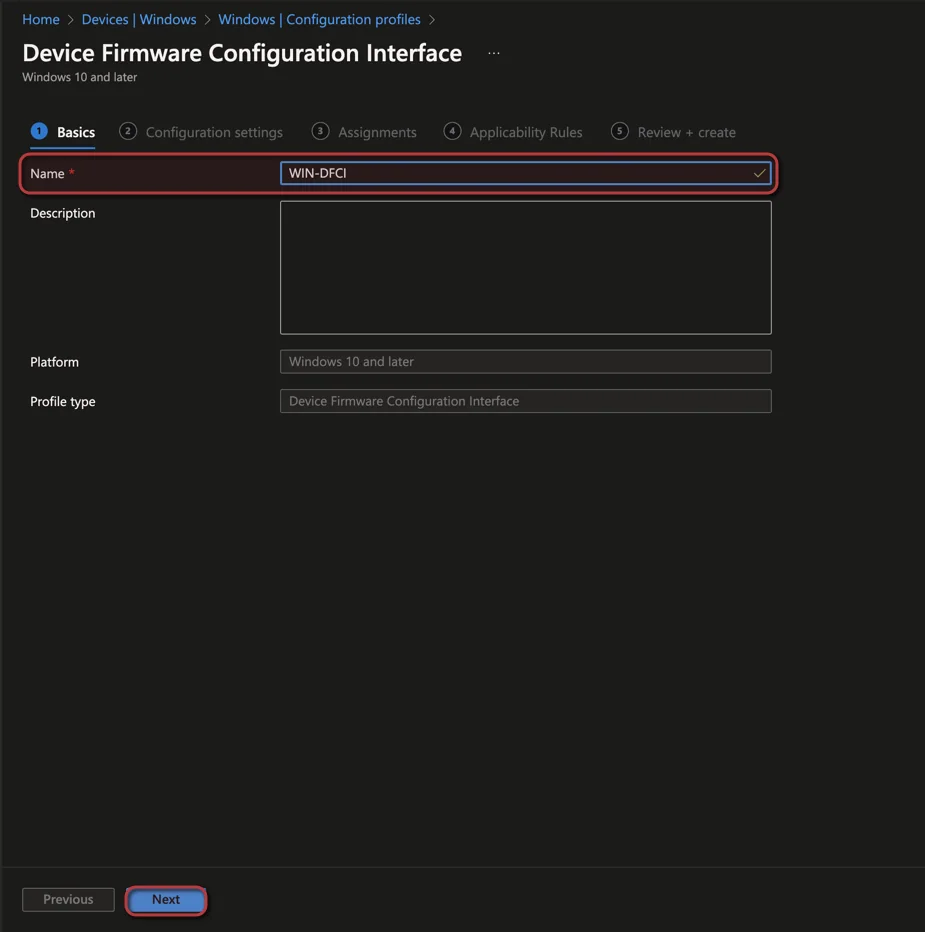
There are new DFCI (Device Firmware Configuration Interface) settings available. Cameras (Front camera, Infrared camera, Rear camera), Radios (WWAN, NFC) and Ports (SD). How you can select them I will show you now.
-
Open the Intune admin center and Navigate to Devices
-
Select Configuration profiles
-
-
-
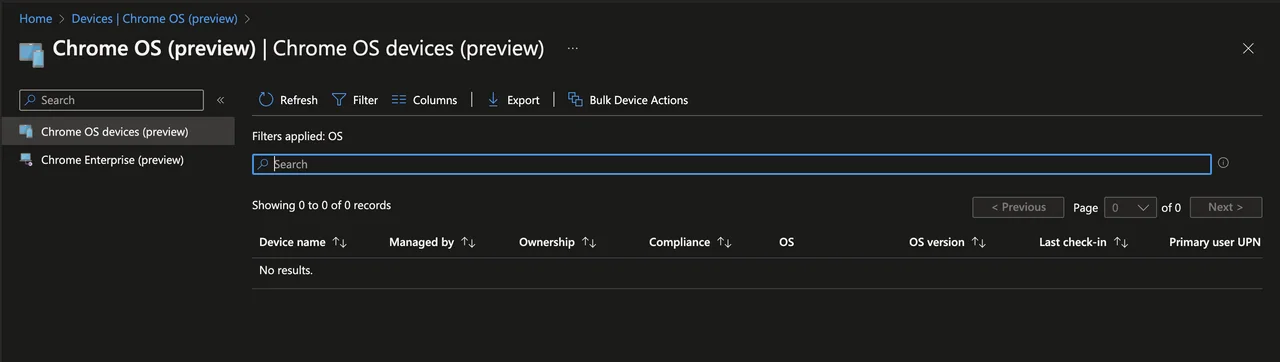
Connect Chrome OS devices in Intune (public preview)
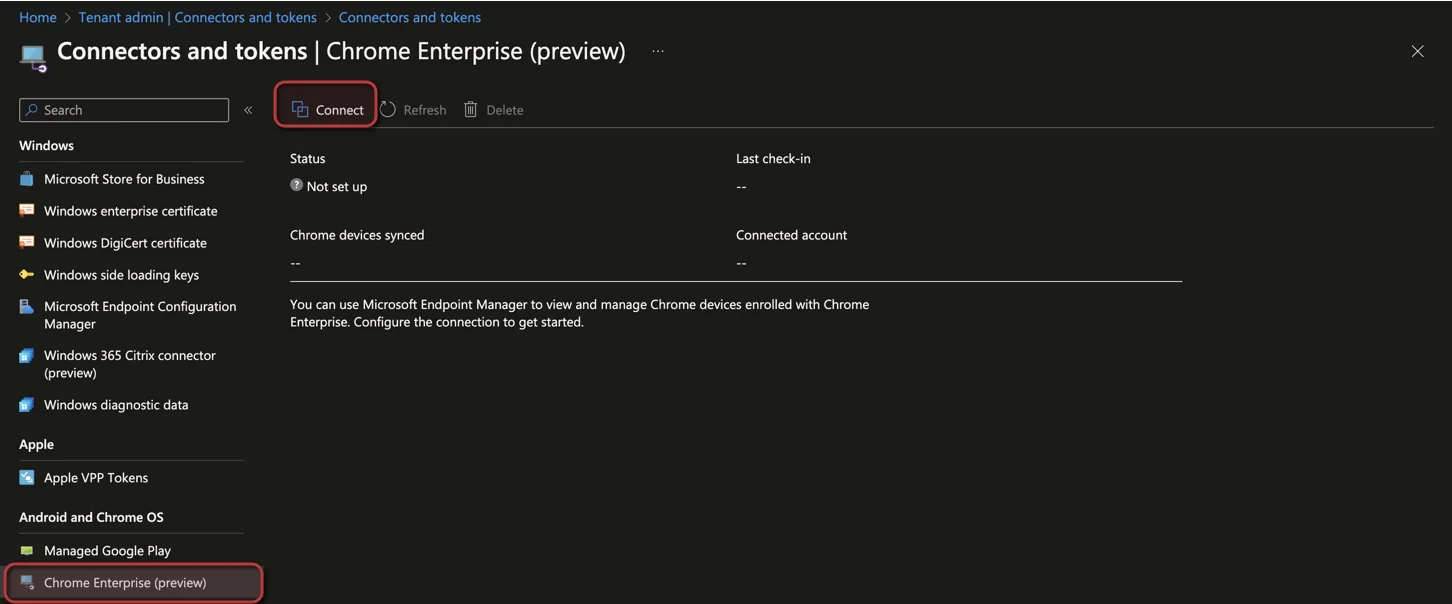
Now in public preview, you can establish a connection between the Google Admin console and Microsoft Intune admin center. You will see some basic information and you can trigger actions like restart, wipe or lost mode.
- You can create the connection in the Tenant Administration in the Chrome Enterprise section.
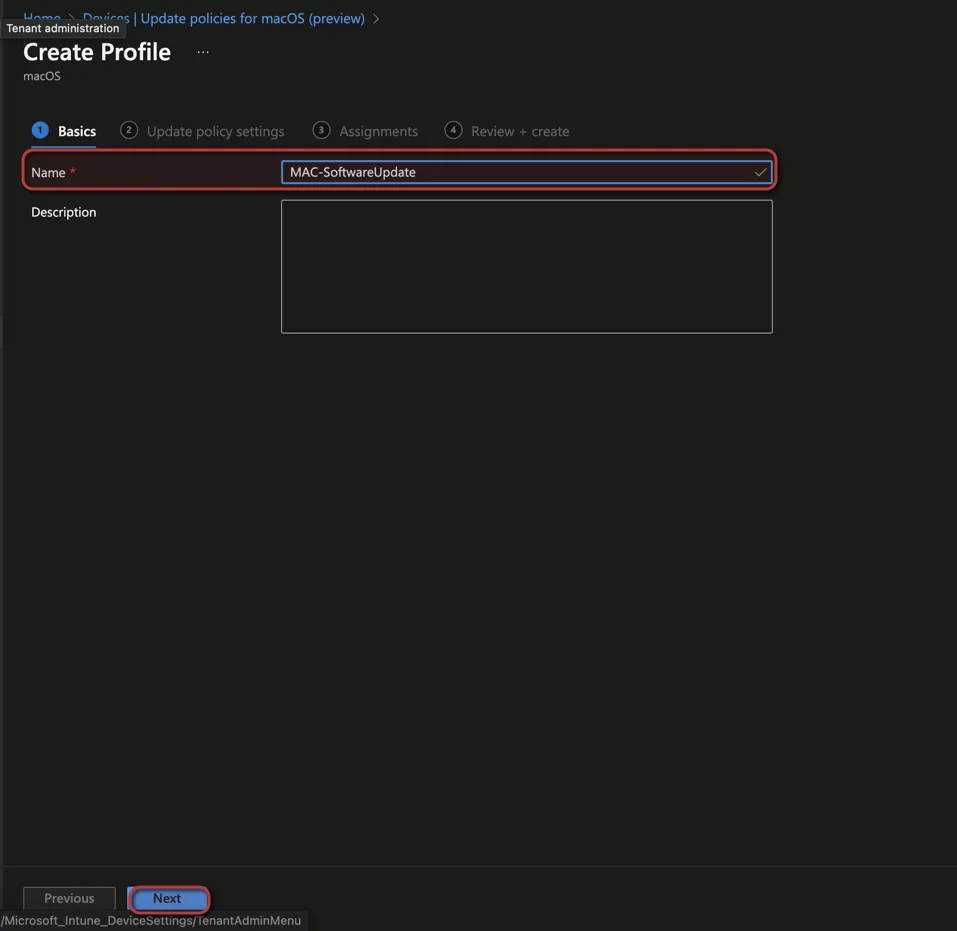
Manage macOS software updates with Intune
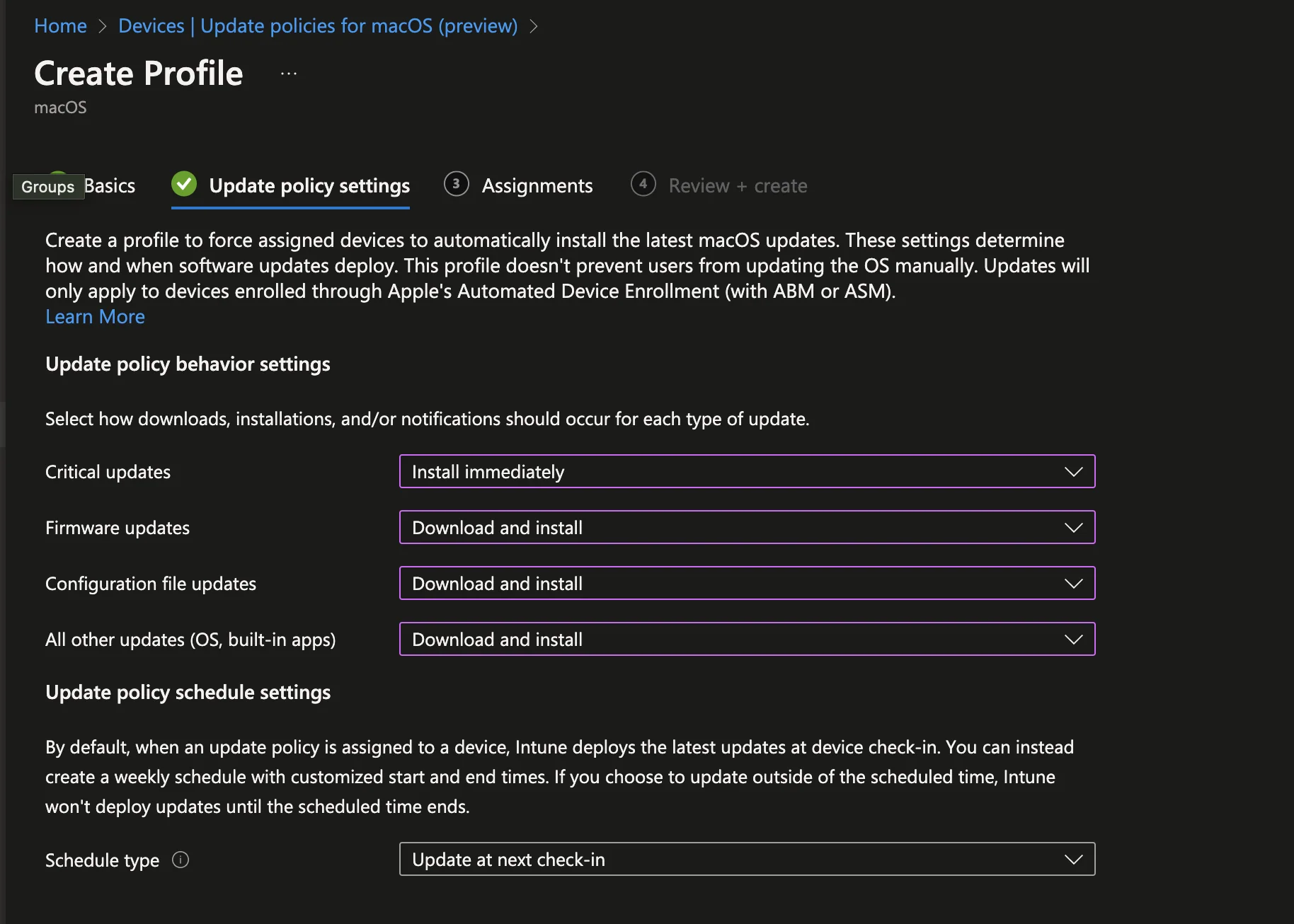
This is a really new feature and one of my favourites in the Whats new in 2210 release. You can now configure the software update behavior for Mac Automated Device Enrollment (ADE). There is support for the following update types: Critical updates, Firmware updates, Configuration file updates, All other updates (OS, built-in apps). I will show you how you can configure this:
-
Open the Intune admin center and navigate to Devices
-
Select Update policies for macOS (preview)
-
Click + Create Profile
-
-
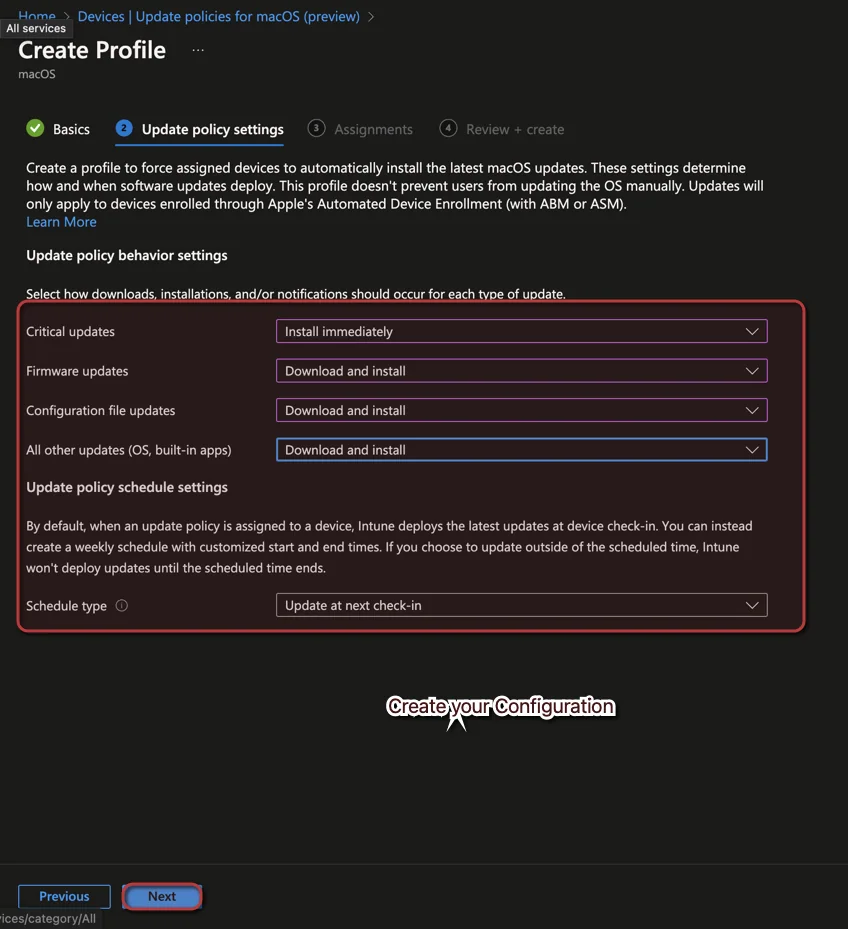
For information from Apple about managing macOS software updates, see Manage software updates for Apple devices – Apple Support in the Apple’s Platform Deployment documentation.
Use the $null value in filters
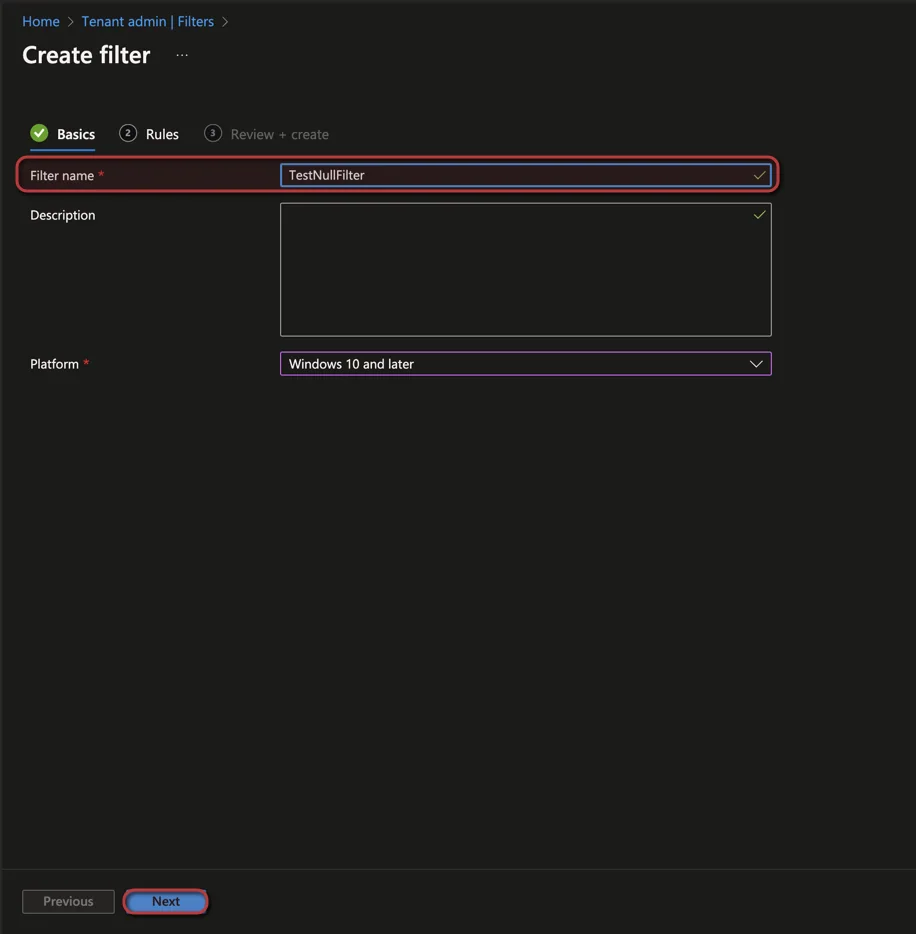
The second new feature for Intune filter. Now it is possible to check for NULL values. I will show you how you can use this with one example:
-
Open the Intune admin center and Navigate to Tenant Administration
-
Select Filter
-
Click + Create
-
-
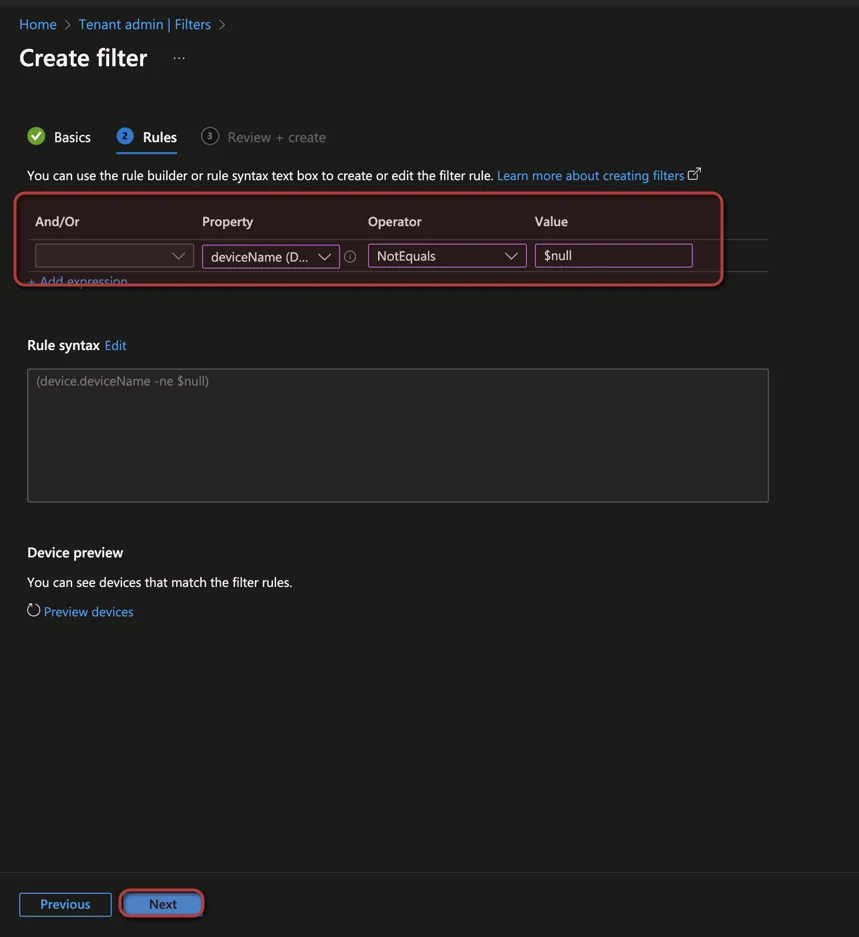
(device.deviceName -ne $null)Wrap up of Whats new in 2210
That is my round up of Whats new in 2210. As you can see, even during an Ignite month the Intune team shipped plenty of useful improvements for Workplace management. For the complete and always up to date list, check the official Whats new in Microsoft Intune documentation on Microsoft Learn. I hope this Whats new in 2210 summary helps you plan your next configuration changes.

New posts, straight to your inbox.
Hands-on guides on Intune, AI and Azure.